Known Participant
December 13, 2020
Question

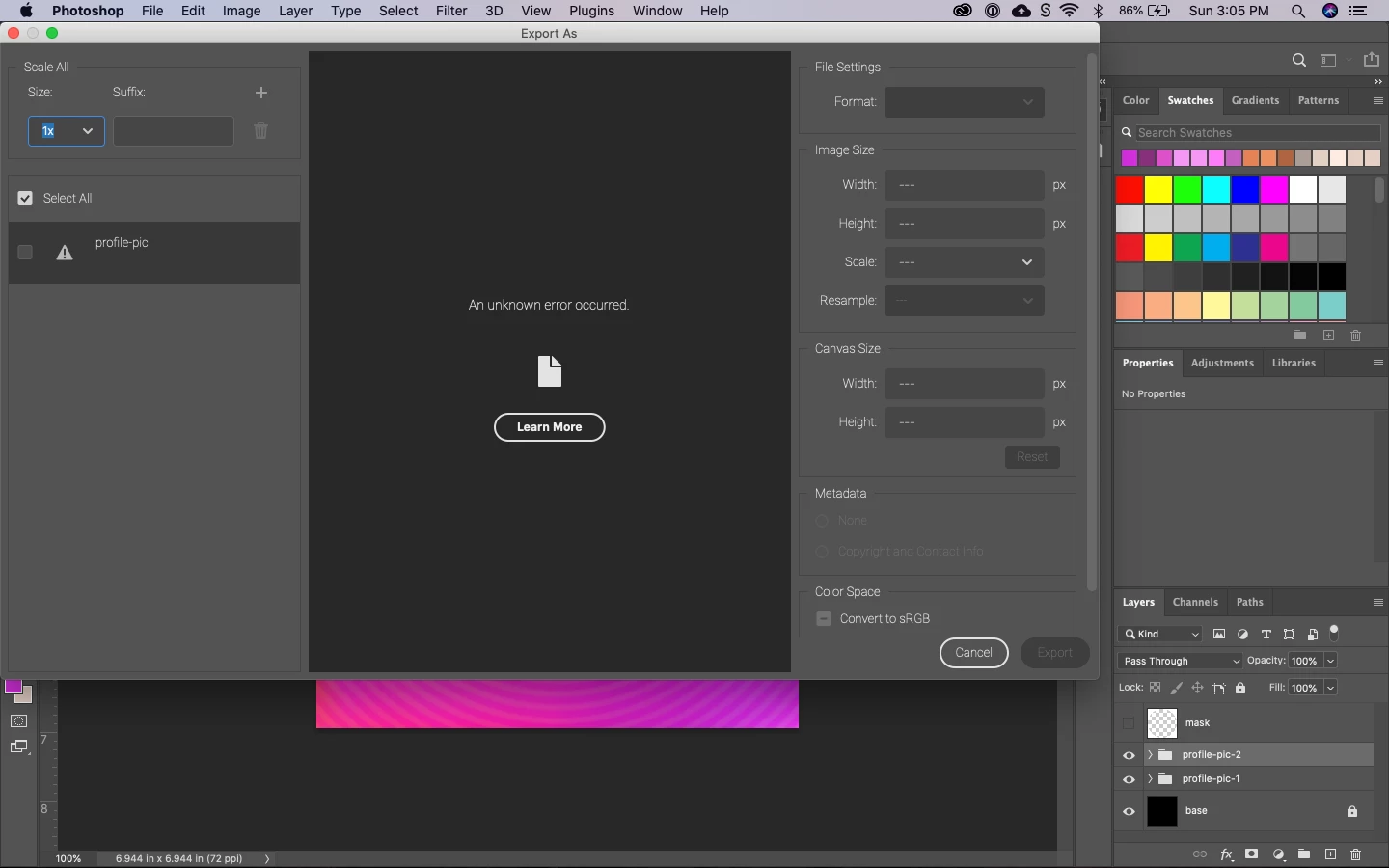
New Export As is buggy

  • December 13, 2020
  • 2 replies
  • 408 views

The “Enable optimized Export As” under Technology Preview settings, when enabled, is a *very* welcome additon to the app. But it’s buggy right now. For every export I’m able to do, the very next attempt results in an Error. Even within the same document. I’m running macOS Catalina 10.15.7 (19H15). Screenshot of the error…
 

This topic has been closed for replies.

2 replies

RRKing
Inspiring
December 14, 2020

I'm havcing the same issue.  But i'm on windows 10.  If i change the bit from 16 to 8 it will work but the very next try it will error and changing it to 16bit from 8 will result in all the layers vanishing.  Another crazy buggy release.  I'm in between projects so i'll be playing around to see if  i can find anything. 


Adobe Photoshop Version: 22.1.0 20201125.r.94 2020/11/25: 4b16c876033 x64
Operating System: Windows 10 64-bit
Version: 10 or greater 10.0.20246.1

fuzencoAuthor
Known Participant
December 14, 2020

I think the workaround for now is just turning off the feature in Tech Preview. I noticed it worked for me one time (without restarting) but there's no rhyme or rhythm. Sporadic. Thanks for confirming the issue though.

fuzencoAuthor
Known Participant
December 13, 2020

Note that after restarting the app, the Export happens without error but only if I restart Photoshop.