
PNog
Inspiring
June 22, 2022
Answered

New file size does not match the content of the cliopboard

  • June 22, 2022
  • 5 replies
  • 448 views

Hello,
As I've been doing since ever, whenever I copy something to the clipboard and then create a new document in Photoshop, that document it's exactly the size of what's in the clipboard.
For some mysterious reason, I notice that since today the size does not match the content of the cliopboard at all and I am not able to find the source of the problem.
Photoshop 23.4.1
iMac M1 MacOS Monterey 12.4
Can someone help me on this one?
Thank you.
This topic has been closed for replies.
Correct answer CShubert

Hi @PNog,


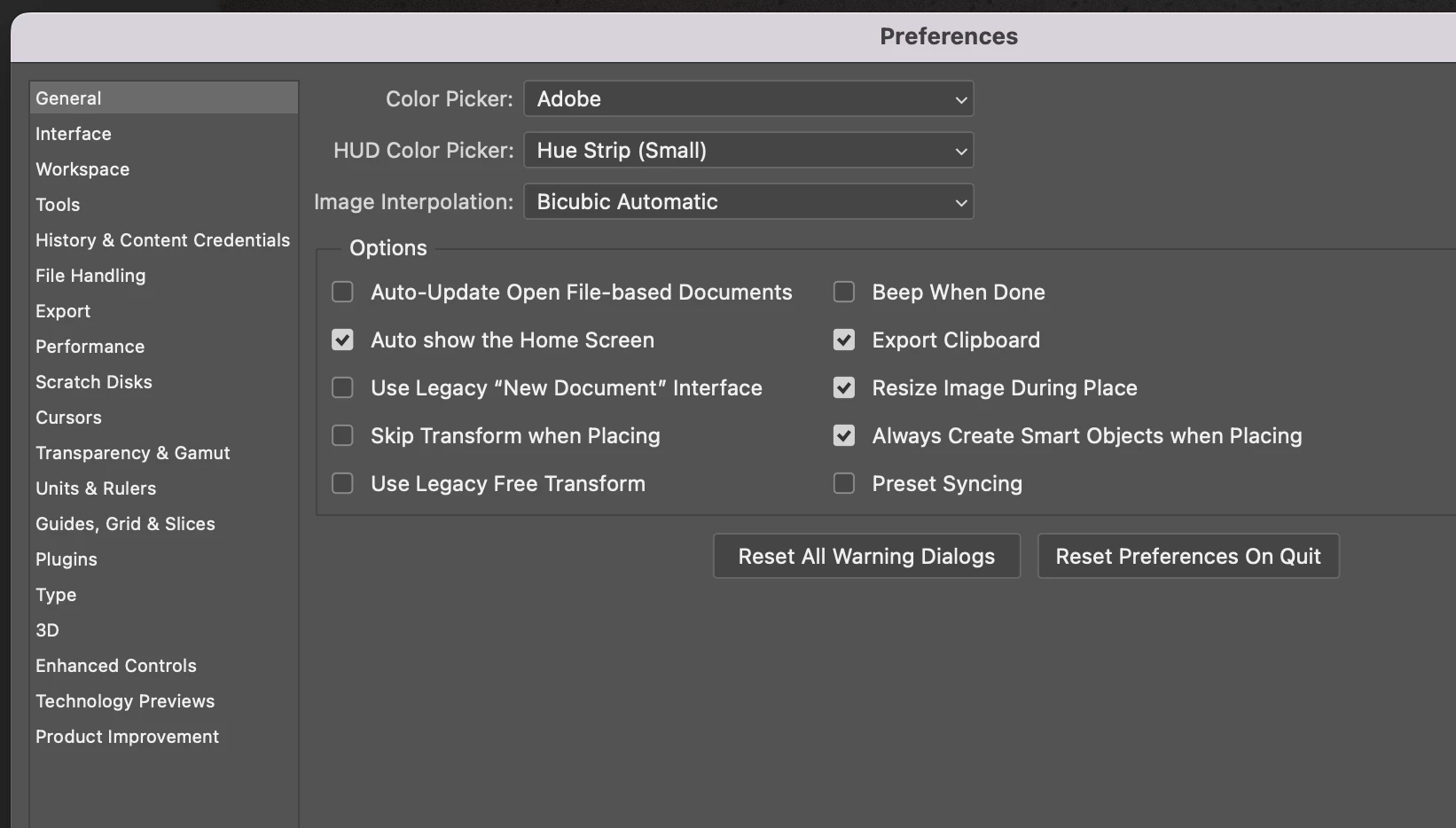
Go to preferences and tick Use Legacy "New Document" Interface... does that work?


Thank you,

5 replies

PNog
PNogAuthor
Inspiring
June 22, 2022

Hi Cory,

Yes, it worked.
Thank you so much.

CShubert
Community Manager
CShubertCommunity ManagerCorrect answer
Community Manager
June 22, 2022

Hi @PNog,


Go to preferences and tick Use Legacy "New Document" Interface... does that work?


Thank you,

jane-e
Community Expert
Community Expert
June 22, 2022

@PNog wrote:

Hi Jane, Thank you for the update.


You're welcome, PNog. 😊

~ Jane

PNog
PNogAuthor
Inspiring
June 22, 2022

Hi Jane,
Thank you for the update.

jane-e
Community Expert
Community Expert
June 22, 2022
quote

"I notice that since today the size does not match the content of the cliopboard"

By @PNog


This is a known issue and the engineers are investigating. The work-around from Adobe has been reported here: 

https://community.adobe.com/t5/photoshop-ecosystem-bugs/p-create-new-window-not-reflecting-right-dimensions-from-clipboard/idi-p/13015694


Jane