Participant
March 31, 2023
Answered

new sky replacement packs photoshop offered yesterday are document files and not usable.

  • March 31, 2023
  • 2 replies
  • 537 views

Does anyone know how to use the new sky packs. The download is just document files and I can;t do anything with them

This topic has been closed for replies.
Correct answer Jeff Arola

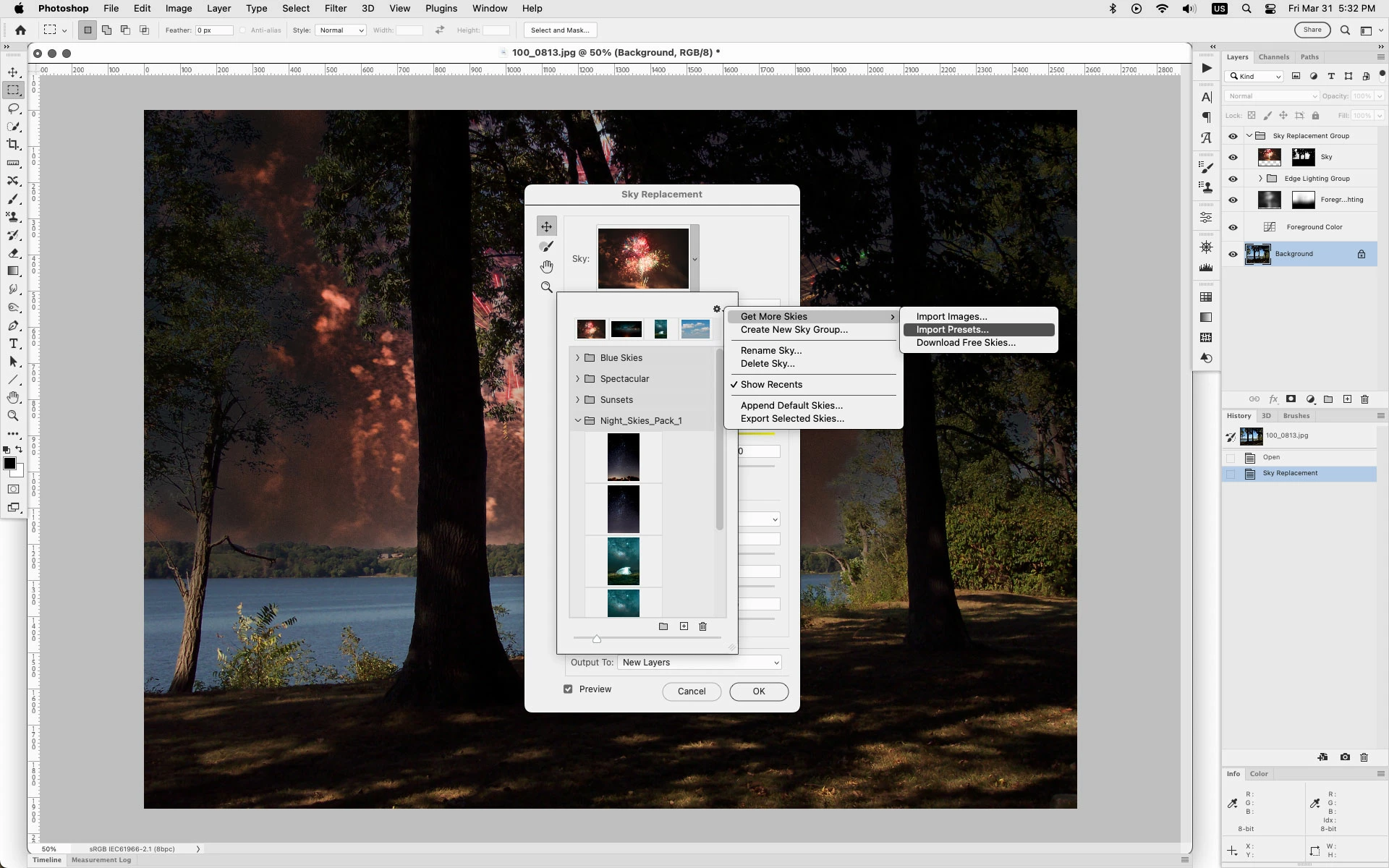
Okay i was mistaken about the presets auto showing.


After you go to Edit>Sky Replacement, click on the flyout menu and then Get More Skies>Import Presets

and navigate to where your new .sky preset are to load them.


2 replies

Jeff Arola
Community Expert
Jeff ArolaCommunity ExpertCorrect answer
Community Expert
March 31, 2023

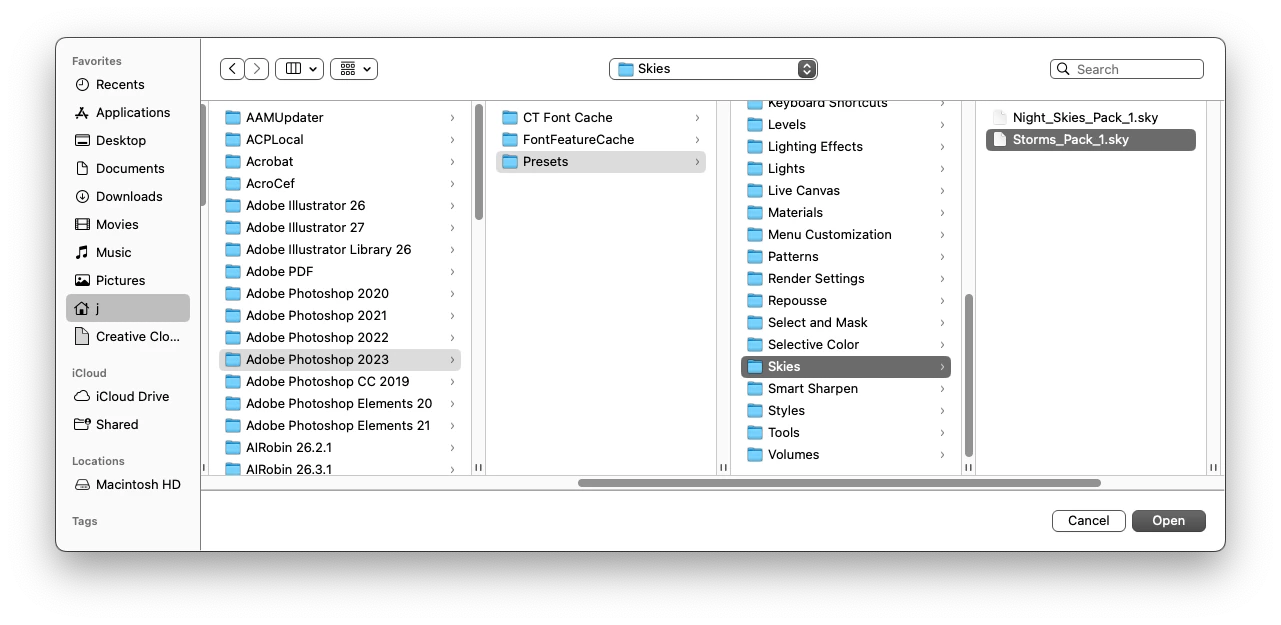
Okay i was mistaken about the presets auto showing.


After you go to Edit>Sky Replacement, click on the flyout menu and then Get More Skies>Import Presets

and navigate to where your new .sky preset are to load them.


brdummyAuthor
Participant
March 31, 2023

Kindest thanks Jeff. This worked perfectly.

Jeff Arola
Community Expert
Community Expert
March 31, 2023

Put the .sky files into

Users/UserName/Library/Application Support/Adobe/Adobe Photoshop 2023/Presets/Skies


Then they will be listed when you go to Edit>Sky Replacement...

brdummyAuthor
Participant
March 31, 2023

I did the edit>sky replacement and the files are there but they are document files and therefore grey/ not a format that is usable. I can't see how to convert them to an acceptable format, jpeg, psd, etc.

Thanks for responding, Jeff.