

Participant
October 5, 2021
Question

New to Photoshop and need advice on shifting the color of an object

  • October 5, 2021
  • 2 replies
  • 182 views

Hello,

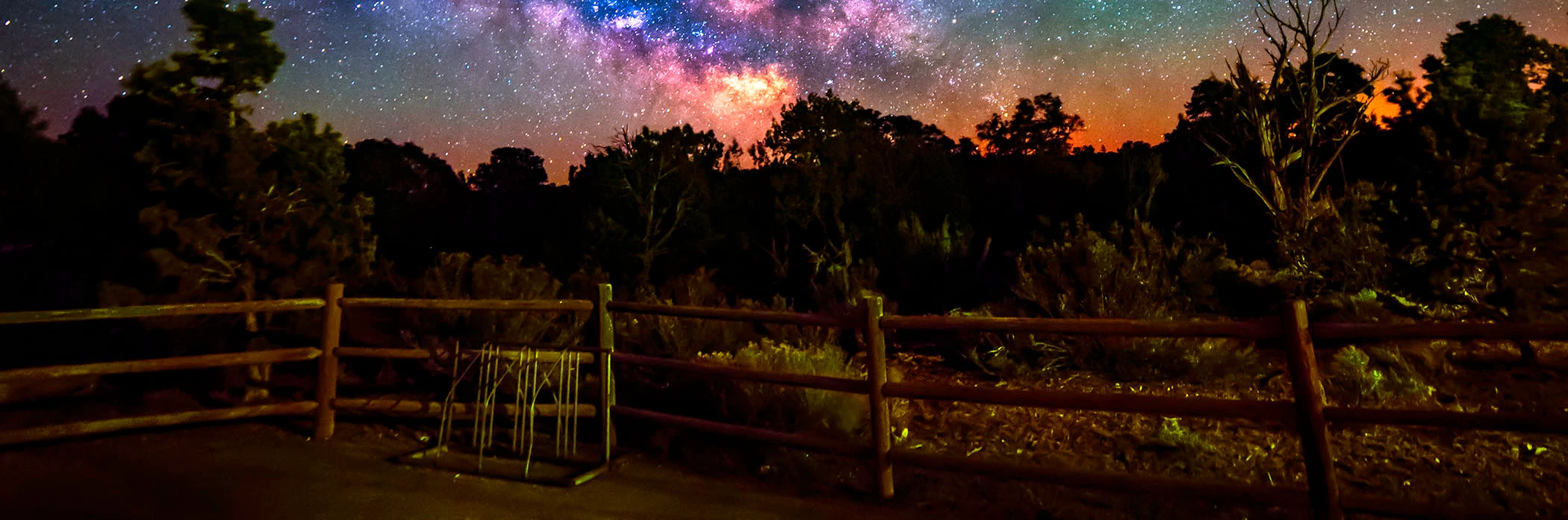
I am relatively new to Photoshop (and Lightroom CC). I have attached a cropped image of a foreground I am using to learn how to edit. It was taken at night and had a very strong green hue to it when I uploaded the raw image. I am trying to learn how to adjust the colors, specifically the fence and bike rack. I have played around with shifting the color sliders away from green and I have increased the saturation. Are there other ways I can work on the colors of the fence and bike rack to get them to look more brown and silver, respectively?
 

This topic has been closed for replies.

2 replies

Nancy OShea
Community Expert
Community Expert
October 5, 2021

1. Select your target elements with your favorite selection method to isolate them.

2. Use Ctrl + J to copy selection to a new layer.

3. Apply your favorite Adjustment Layer. In this example, I used a warm Photo Filter.

4. Hold ALT + click on line between Adjustment Layer and the layer below it, a down arrow will appear.  See screenshot.


Hope that helps.


Nancy O'Shea— Product User & Community Expert
CShubert
Community Manager
Community Manager
October 5, 2021

Hi,

There are many ways to do this in Photoshop. Here is a great page with many tutorials on how to work with color that will help you as you learn your way around the tools and color specificaly in Photoshop.

https://helpx.adobe.com/photoshop/how-to/color-management-basics.html?playlist=/services/playlist.helpx/products:SG_PHOTOSHOP_1_1/learn-path:get-started/set-header:ccx-designer/playlist:ccl-get-started-2/en_us.json&ref=helpx.adobe.com

Good luck,