Participant
February 17, 2018
Answered

New to Photoshop - Looking for specific brush (pic incl)

  • February 17, 2018
  • 1 reply
  • 2351 views

Please bear with me, I'm a newbie!

I have been using MediBang and am moving over to using Photoshop...

For some of the graphics I have been preparing I've been using what is called an Edge Pen in MediBang. 

I can't seem to find anything like it in Photoshop... nor with several Google searches. 

I would need the option to change the outer and inner dimensions as well as colors for both.

Any help would be appreciated.  Thanks in advance!

Selah

This topic has been closed for replies.
Correct answer Trevor.Dennis

The brush tool can not do that directly in Photoshop, but the effect is easy to do.

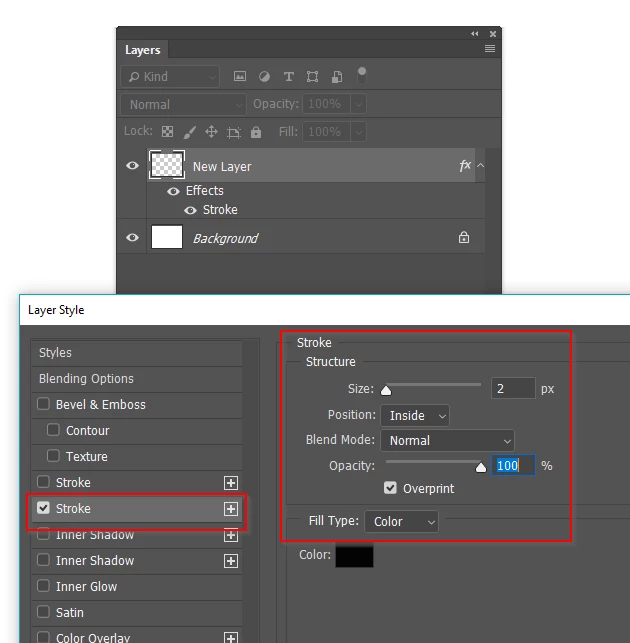
Create a new layer, and double click the layer in the layer panel to open Layer Styles

Give the layer a stroke of whatever thickness, opacity and colour you like

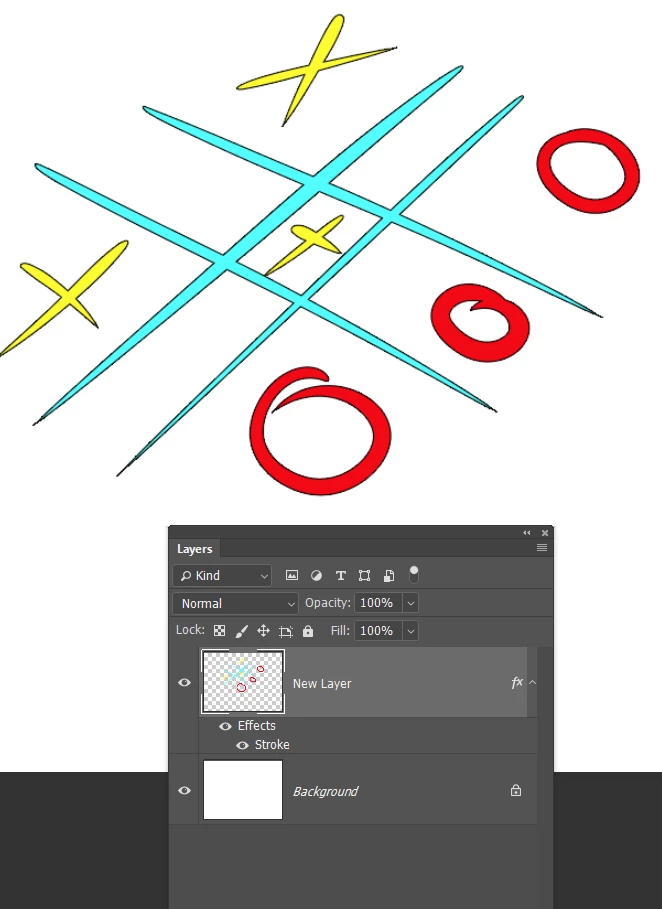
Any content you place in that layer will now have an outline as specified.

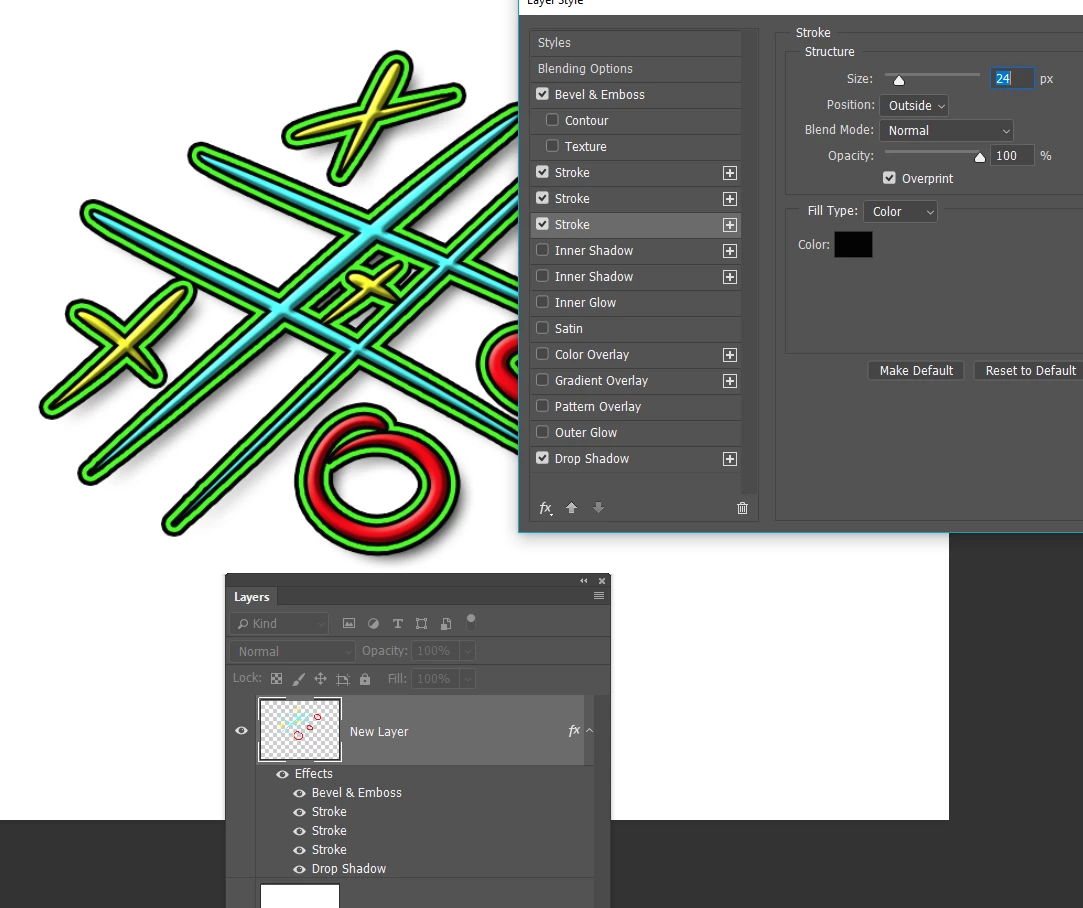
Notice you can add all sorts of other styles to the same layer, including multiple strokes

1 reply

Trevor.Dennis
Community Expert
Trevor.DennisCommunity ExpertCorrect answer
Community Expert
February 18, 2018

The brush tool can not do that directly in Photoshop, but the effect is easy to do.

Create a new layer, and double click the layer in the layer panel to open Layer Styles

Give the layer a stroke of whatever thickness, opacity and colour you like

Any content you place in that layer will now have an outline as specified.

Notice you can add all sorts of other styles to the same layer, including multiple strokes

selahgayAuthor
Participant
February 18, 2018

Thank you for your help Trevor!

Haven't tried it yet... but looks like you've written excellent instructions! I truly appreciate you taking the time to help!

Robin