
Question
No Color Matching option in CS 5 on mac/photoshop
Hi everyone
Can anybody help me? Printing on a Epson SC-600 from Photoshop CS 6 on a macbook pro (2017) running 10.13.5
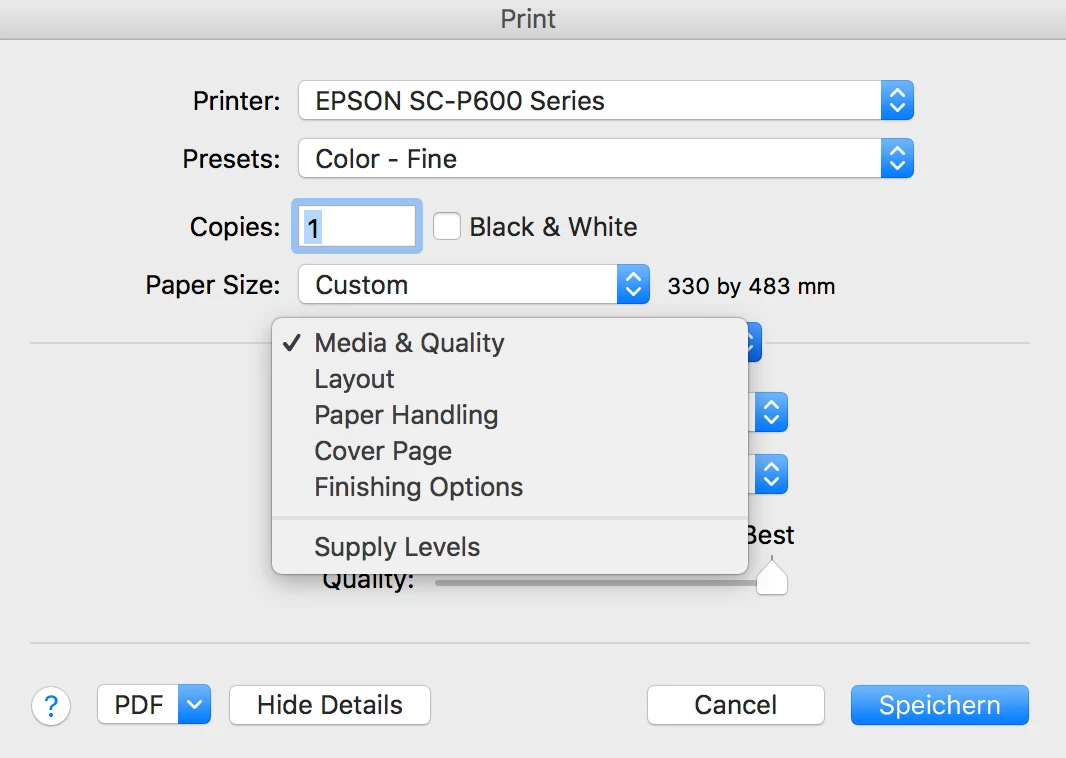
When I open the Print... window all looks fine, I am able to let photoshop determine color management and select the proper profile. Under Printer Settings though there is now tab for "Color Matching" where I could turn off color matching. All I have is 5 tabs listed in the image below. I can't find any advanced settings. Can anybody help me with this? The prints I am making right now are quite magenta-y and awful and I am not sure why.
many thanks, Roger
 AdChoices