
krassent71094724
Participating Frequently
October 16, 2018
Answered

No Deactivate option in new Photoshop CS3 Extended Download

  • October 16, 2018
  • 1 reply
  • 777 views

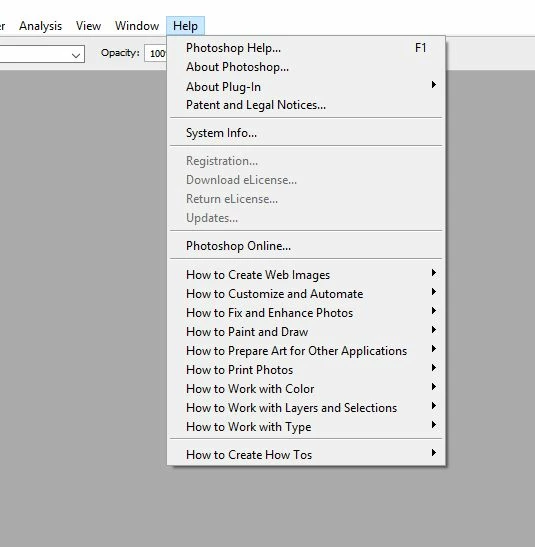
So i tried to install photoshop cs3 the other day with my old discs but it turned out the activation servers are no long up.  I was given a link online to go to, and enter my serial numbers and get a new serial number.  Also i had to download 2 files to install the "new" photoshop cs3 extended (not installation from the discs) and now i want to deactivate and uninstall this version but i dont see a Deactivate option in the Help menu.  How do i deactivate???
This topic has been closed for replies.
Correct answer John Waller

You don't need to deactivate it. That's the whole point of the new non-activation version. It does not require activation so there's nothing to deactivate. There are no activation servers at Adobe's end tracking your activation status anyway.

If you want to take it off your computer you just uninstall it.

1 reply

John Waller
Community Expert
John WallerCommunity ExpertCorrect answer
Community Expert
October 16, 2018

You don't need to deactivate it. That's the whole point of the new non-activation version. It does not require activation so there's nothing to deactivate. There are no activation servers at Adobe's end tracking your activation status anyway.

If you want to take it off your computer you just uninstall it.

krassent71094724
Participating Frequently
October 16, 2018

Thank You!

That makes things a lot easier now