Inspiring
July 14, 2021
Question

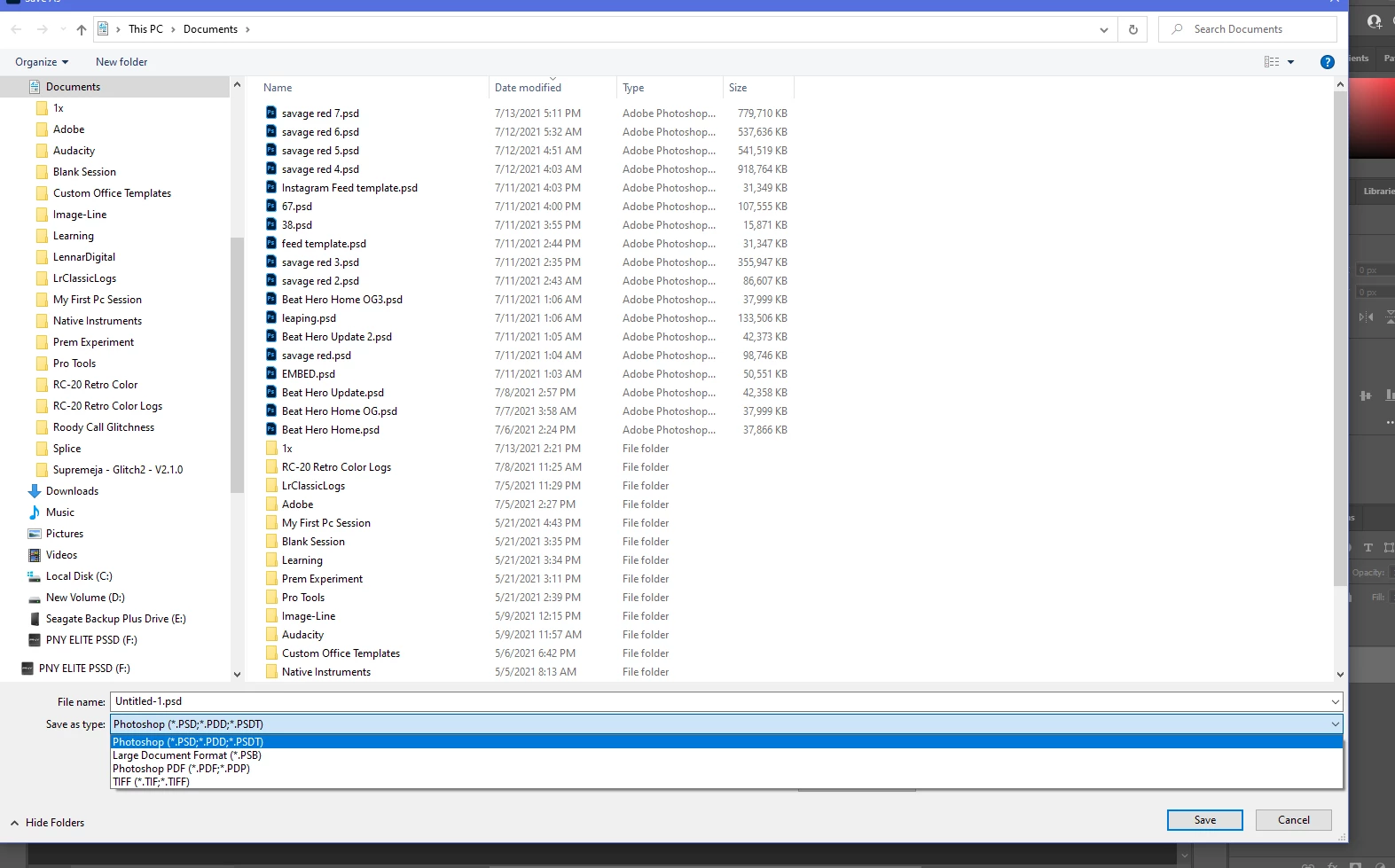
No longer able to save as EPS file when exporting. RGB and 8 Bit color are chose.

  • July 14, 2021
  • 1 reply
  • 1236 views

Been googling for hours now, nothing. 

These are the options I get, this project is 8bit RGB... Nothing. Found this out when trying to make a pattern from Brush, save it as an eps file to load in Illustrator to make a custom brush.

Was there an update? If so can I revert?

Reverted back to basic preferences. Same thing..

What do I do?

This topic has been closed for replies.

1 reply

Inspiring
July 14, 2021

Nevermind, save as copy. I should look on YouTube instead of googling similar posts on the forum. Fixed.

jane-e
Community Expert
Community Expert
July 14, 2021

@UnderDogNowOnTop wrote:

I should look on YouTube instead of googling similar posts on the forum.


Hi

In addition to Save a Copy in 22.4.1,  you can revert to the previous behavior in Preferences > File Handling > File Saving Options in 22.4.2.

  • Enable Legacy Save As
  • Do not append Copy to filename


See this help page for details and cautions:
https://helpx.adobe.com/photoshop/using/saving-images.html  


The forums are filled with similar threads, but most wanted to save to jpeg, png, and pdf instead of eps.

~ Jane


p0wer_v1olence
Inspiring
March 24, 2022

Jane, you're a life saver. Thank you!!