

Answered
No option to add additional Scratch Disk
I want to add my external hard drive SanDisk Extreme Pro (1TB 2000Mb/s Read-write) as the scratch disk.
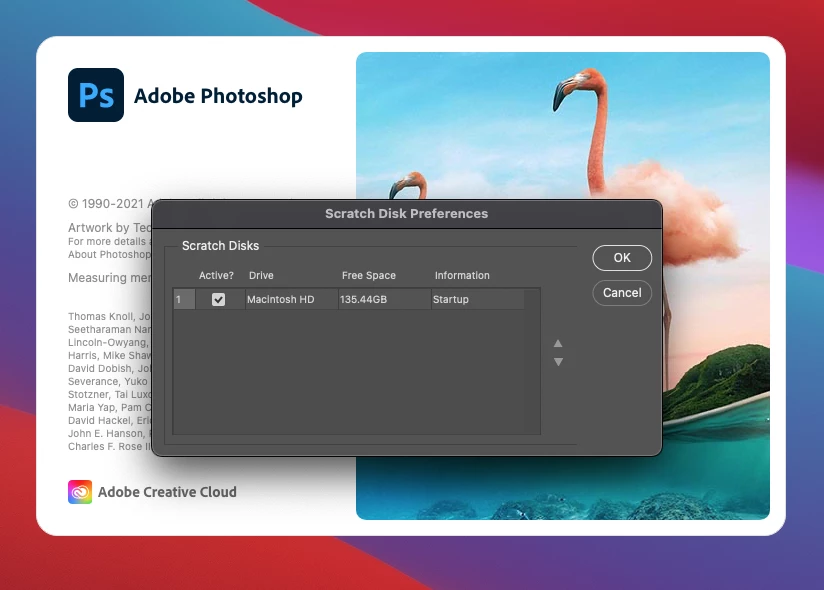
On my Mac, I'm holding Command + Option while launching the app in order to add another scratch disk. But I don't see any option to add another scratch disk. I've tried right-clicking, restarting, retrying, unplugging and plugging back in. Below is an image of what it looks like for my scratch disk options upon launching Photoshop.
I also tried this with my external hard drive - WD 1TB USB 3 and had no luck.
 AdChoices