
Participant
December 22, 2022
Answered

No option to choose color for outer glow

  • December 22, 2022
  • 2 replies
  • 1449 views

Hello,


I was following a tutorial to create some glowing lines. There's a step that uses Blending Options > Outer Glow, but there's supposed to be an option to select a color and it's not there:
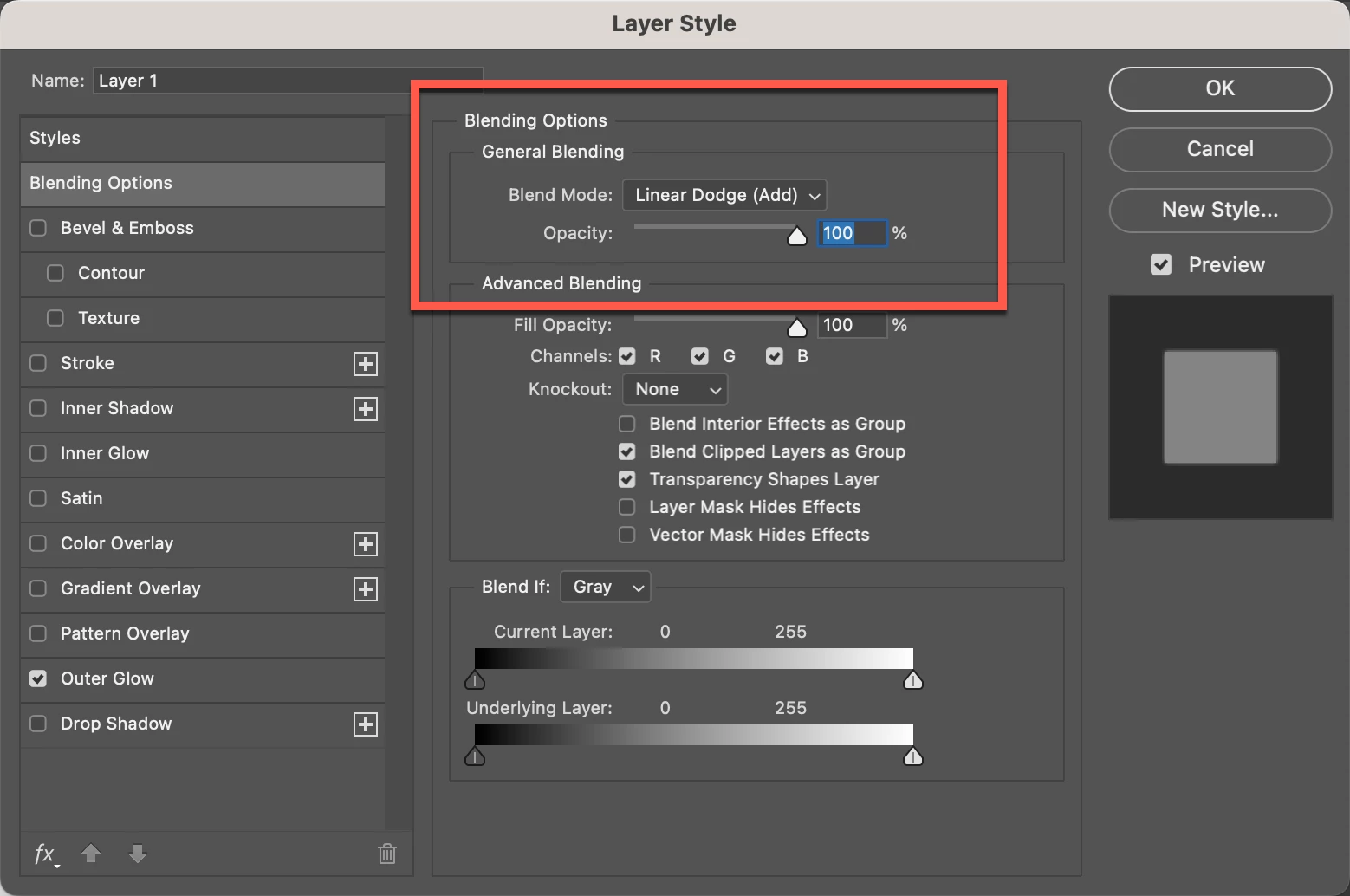


Am I missing something obvious? I'm using the current version of PS on a MacBook Pro and the file is in RGB mode.
This topic has been closed for replies.
Correct answer Ged_Traynor

Click in this area

2 replies

Ged_Traynor
Community Expert
Community Expert
December 22, 2022

Hi

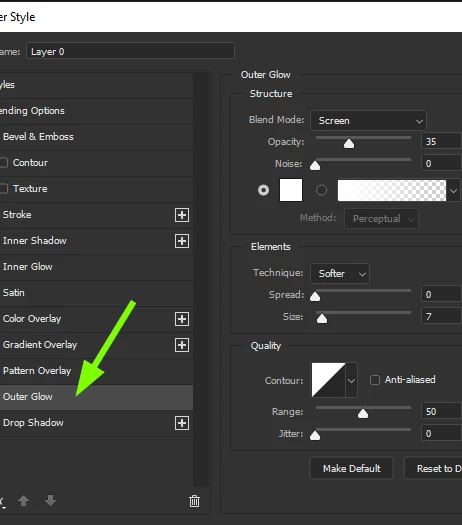
You need to click on the Outer Glow tab to select it, it will highlight a lighter colour when it's selected

Participant
December 22, 2022

Hi, thanks for the quick reply but I do have outer glow selected.

Ged_Traynor
Community Expert
Ged_TraynorCommunity ExpertCorrect answer
Community Expert
December 22, 2022

Click in this area

Imaginerie
Community Expert
Community Expert
December 22, 2022

Hi!

You're in the wrong section here, you're in the "general" section of  the layer styles (the blending options)

You need to specifically select "outer glow" in the left hand list:

See the highlighted section between your screenshot and mine

you'll find the options will change once you've done so.

It's an easy mistake to make...

Hope it helps!

Participant
December 22, 2022

Hi, thanks for the quick reply but I do have "Outer glow" selected:

Imaginerie
Community Expert
Community Expert
December 22, 2022

Selected, yes... Not highlighted!

again, check the difference between your screenshot and mine.