
Participant
March 17, 2020
Question

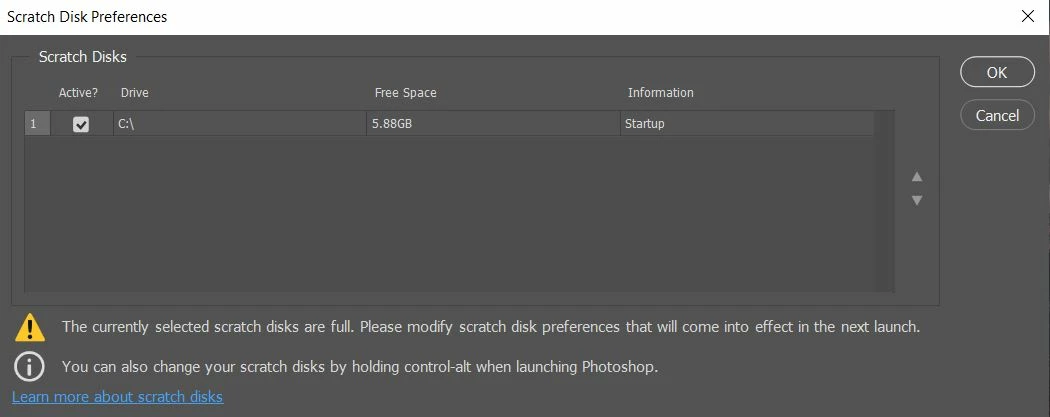
Not able to open Scratch Disk menu when pressing CTRL + ALT when opening PS

  • March 17, 2020
  • 1 reply
  • 383 views

All photoshop forums are telling me to press CTRL + alt when opening PS so I can open the Scratch Disk menu, however as you can see in the photo below; this is what shows up, and I am unable to do anything. It doesn't let me change anything, the only thing I can do is press "OK" and "Cancel"

Does anyone know how this can be solved?
This topic has been closed for replies.

1 reply

jane-e
Community Expert
Community Expert
March 17, 2020

You don't have enough room on your C drive for scratch space. You can try massively deleting unnecessary files, but the far better solution would be to purchase and attach a second drive and assign that as your scratch drive using this window.

Participant
March 17, 2020

Ok, thank you! I will try that

jane-e
Community Expert
Community Expert
March 17, 2020

External hard disks are inexpensive these days, and having a disk dedicated to being a scratch disk is a best practice.

~ Jane