There is a limit to how much you can improve small, out of focus photos…no matter what software you use. What do you think of the before/after example below, or are you after something different than this?
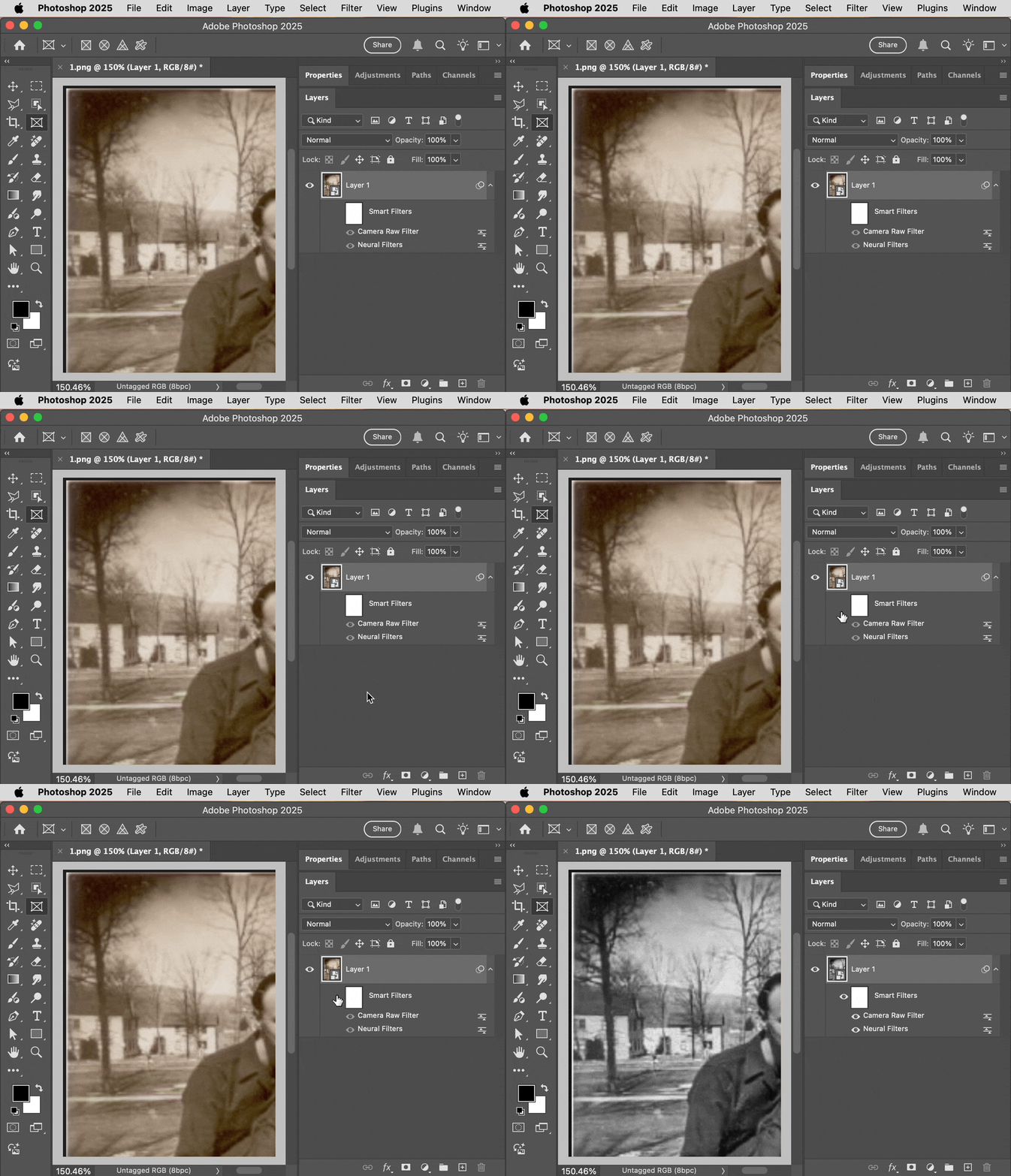
I tried to improve contrast and detail using several features in Camera Raw Filter, and in the Neural Filters I applied the Photo Restoration filter. I can guarantee these features are not in the free software that comes with Windows. Unfortunately, it’s also true that if someone is new to Photoshop, it will not be obvious how to do this. Photoshop is more like a fully stocked car mechanic’s garage where you can do anything you want to a car, but if you’ve never done it before you won’t know which tools to pull off the shelf in what order…some training is definitely required.
If you’re looking for a “fix this terrible photo in a couple clicks” program, it might not be easy to find. Today, if there is one, it probably uses a lot of machine learning and AI to analyze the photo and guess what the details might have looked like, but you would have to watch out in case AI adds fake details to your family photos.
If you want to know what I did…
Neural Filters:
Applied the Photo Restoration filter with some JPEG Artifacts Reduction. Also applied Color Noise Reduction but in the end that wasn’t necessary since I later switched it to B&W in the Camera Raw Filter.
Camera Raw Filter:
Tried to emphasize details by increasing Texture, Clarity, and Dehaze, increasing Sharpening with a larger Radius, and lowering Highlights. Clicked the B&W button to remove the age-related yellowing.
If the photo had physical damage such as missing pieces, in Photoshop you can manually apply generative AI to repair it. That wasn’t necessary for this photo, but here is an article about some of those techniques, and again, this is definitely not in the software that comes with Windows:
People are Using Photoshop’s Generative Fill to Restore Old Photos (PetaPixel)

 AdChoices