Participant
January 25, 2022
Answered

'Object Selection tool' on the toolbar dissaper.

  • January 25, 2022
  • 2 replies
  • 462 views

There is no 'Object Selection tool' on the toolbar.

And I can't select an object with mouse click. 

Would someone be so nice and give me a hint where to look?

I'm already looking for 45 minutes.
This topic has been closed for replies.
Correct answer Ged_Traynor

Hi

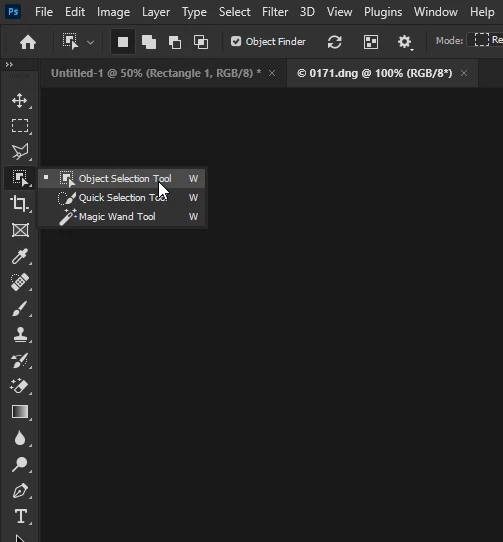
You should find it here

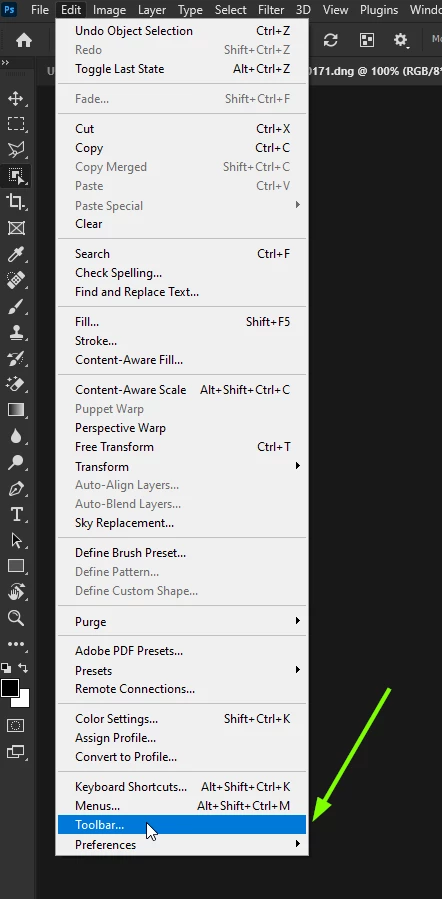
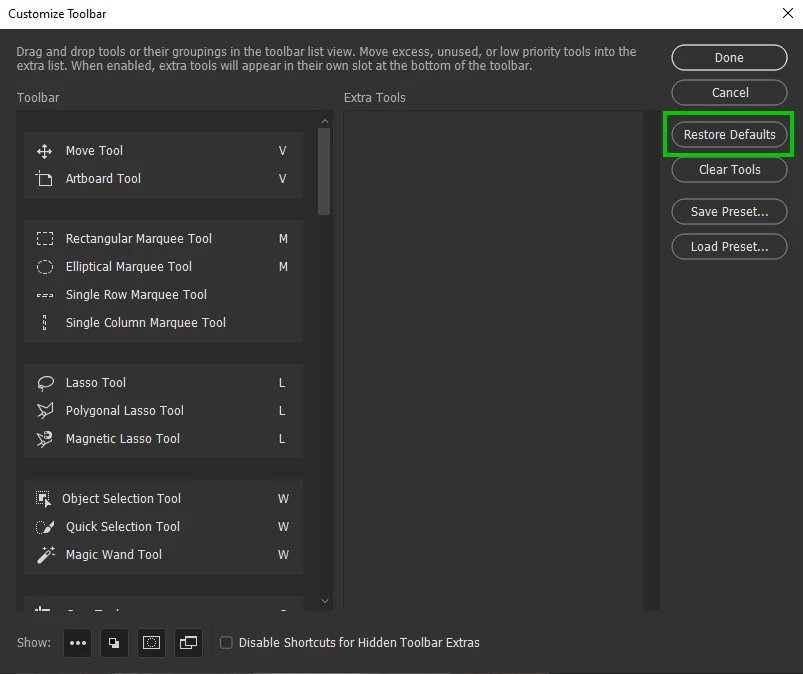
If it's not there, go to Edit > Toolbar

Restore the Defaults

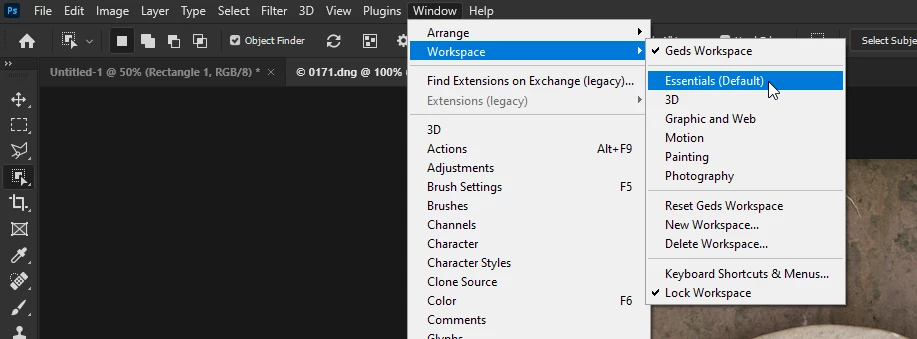
Still not seeing it, make sure you're in the Essentials Workspace

If none of the above helps, can you post a screenshot of the Photoshop interface

2 replies

Ged_Traynor
Community Expert
Ged_TraynorCommunity ExpertCorrect answer
Community Expert
January 25, 2022

Hi

You should find it here

If it's not there, go to Edit > Toolbar

Restore the Defaults

Still not seeing it, make sure you're in the Essentials Workspace

If none of the above helps, can you post a screenshot of the Photoshop interface

MS5D11Author
Participant
January 26, 2022

Sorry to bother you guys, thank you for all your help.

It worked. I should have figured it out myself.

Restore Defaults, this should be the first step.

Tarun Saini
Community Manager
Community Manager
January 25, 2022

Hi there,


We're sorry about the trouble with Photoshop. Would you mind sharing the version of Photoshop you're on? To see the select object tool - click on the three dots in the toolbar (or use Edit>Toolbar) and then Restore Defaults and check if that helps.


Let us know how it goes.


Regards,

Tarun