
One layer selected--but multiple affected?
Greetings all,
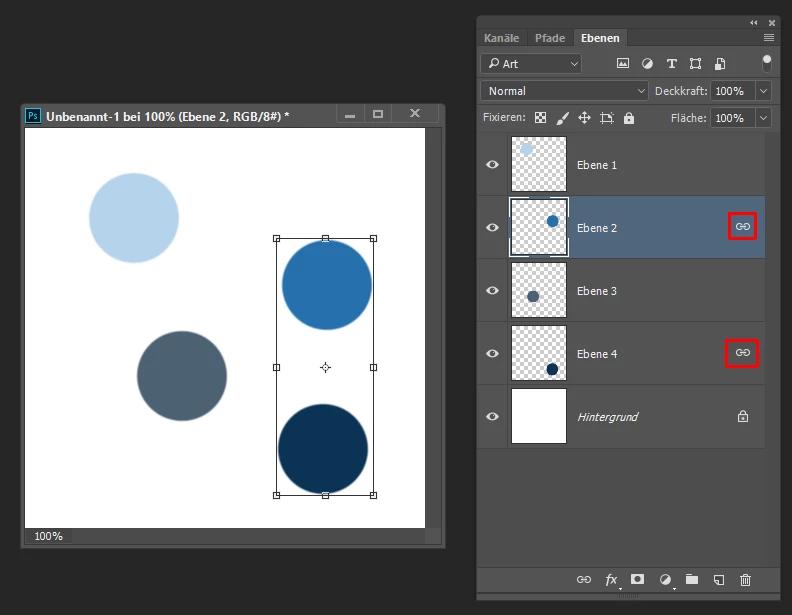
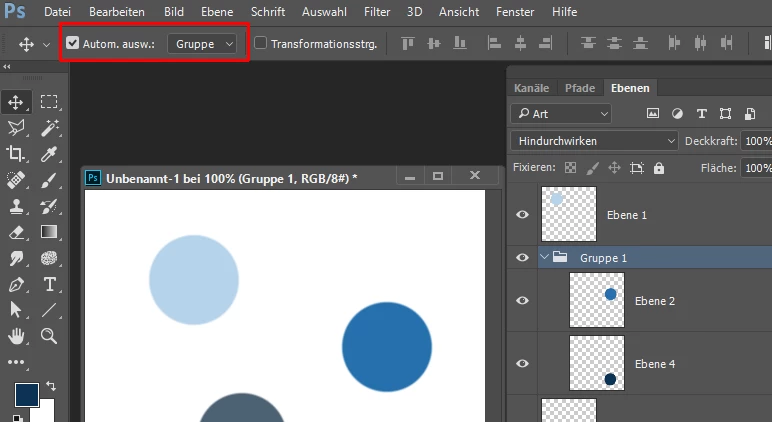
Got a puzzling situation. I've got a layered PSD, but I've noticed that sometimes when I select one layer (with a shape), then click the Shape tool on the left-hand toolbox, and try adjust its proportions manually by the input fields in the top toolbar, two layers may actually be affected.
It seems that sometimes, even though I only have one layer selected, Photoshop somehow selects two of them, and the dimensions I get in the toolbar are actually those of the two layers combined. I've never been able to figure out what causes this, but the only solution I've found so far is to hide all the layers except the one I'm working with.
I have Photoshop CC 2017 with all the latest updates, so I can't fathom what might be causing this. It's frustrating.
Can anyone help with this?
 AdChoices