jennyk
Participant
June 1, 2018
Answered

Opacity Jitter not registering

  • June 1, 2018
  • 1 reply
  • 7222 views

I'm having trouble with my Opacity Jitter function not working in Photoshop. Shape jitter works, Flow jitter works but for some reason when I use the slider for Opacity jitter I get no reaction at all. I can set it to lets say 80%, the brush thumbnail will not react at all and if I close brush setting and reopen them it goes back to 0%. My opacity pen pressure still work with my tablet for some reason the jitter seems to be the only thing that's the problem. Anyone else having this problem or know a solution?

Adobe Photoshop Version: 19.1.4 20180507.r.325 2018/05/07: 1170750  x64

Number of Launches: 179

Operating System: Windows 10 64-bit

Version: 10 or greater 10.0.17134.1
This topic has been closed for replies.
Correct answer JJMack

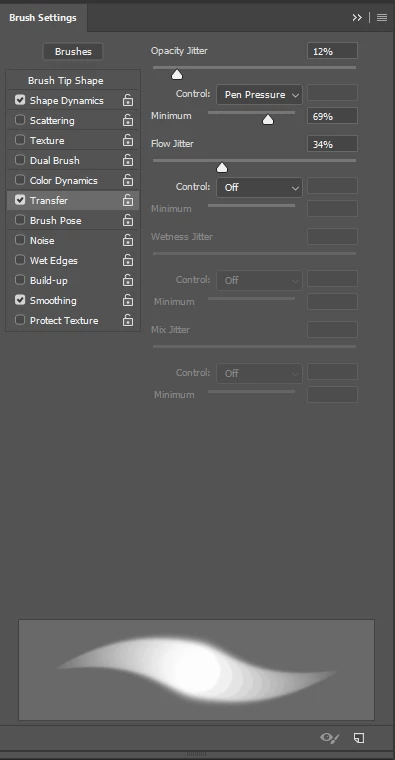
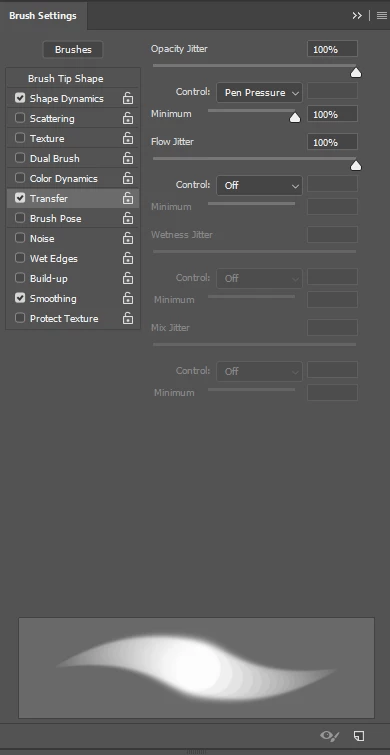
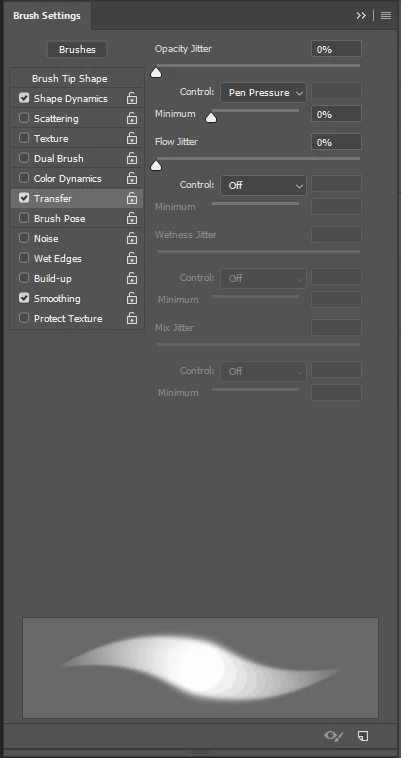
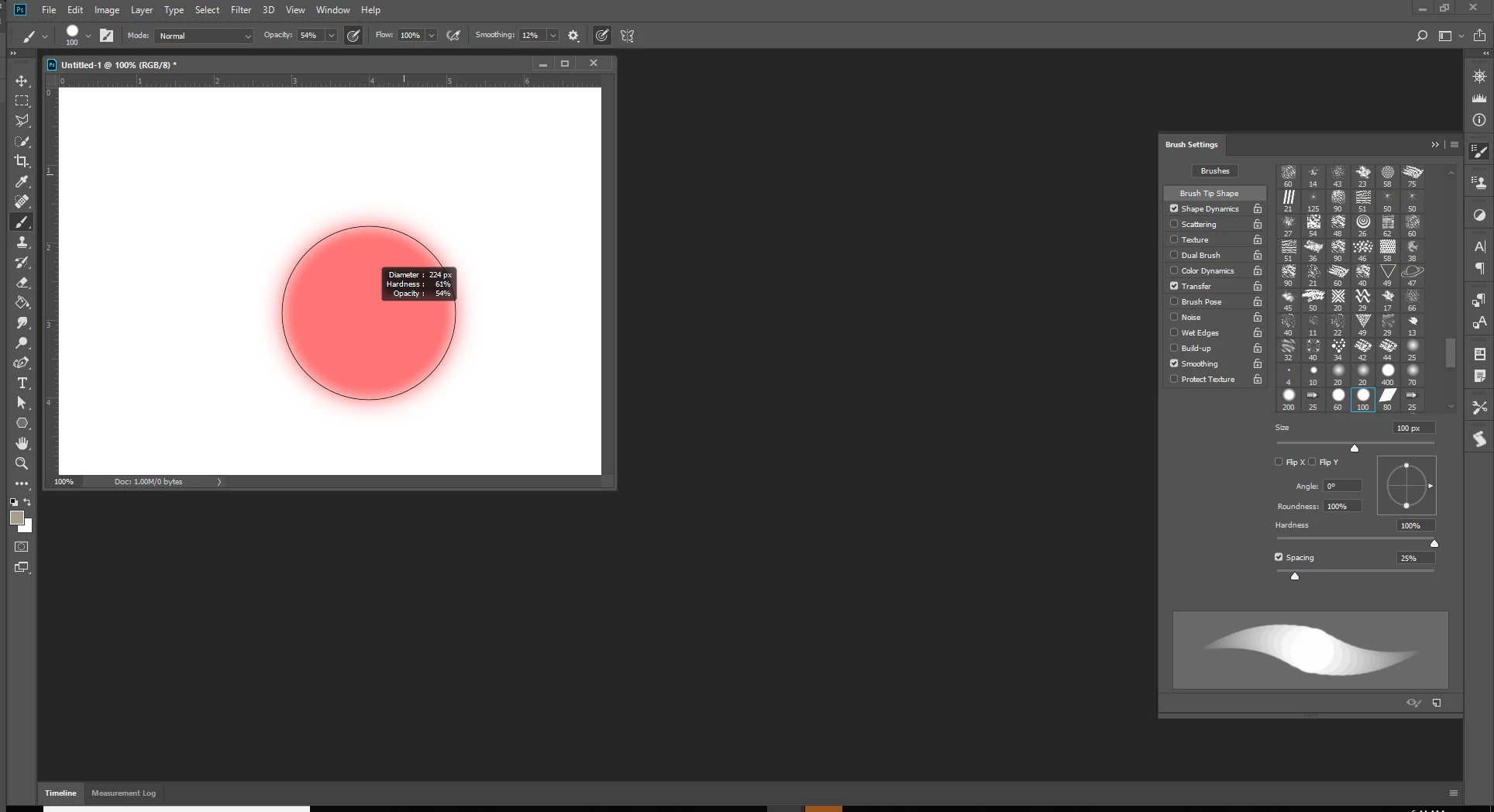
What thumbnail should change to relect brush opacity?  I do not see any the do opacity just previews  showing Size hardness tip spacing stroke.  Here is what I see.  I see my bush opacity in the tool option bar

Adjusting sliders in transfer opacity jitter does not change my strole preview.  I do not believe I have ever seen it vhange in any Photoshop version.

Many of the other brush dynamics slider do change the stroke preview.

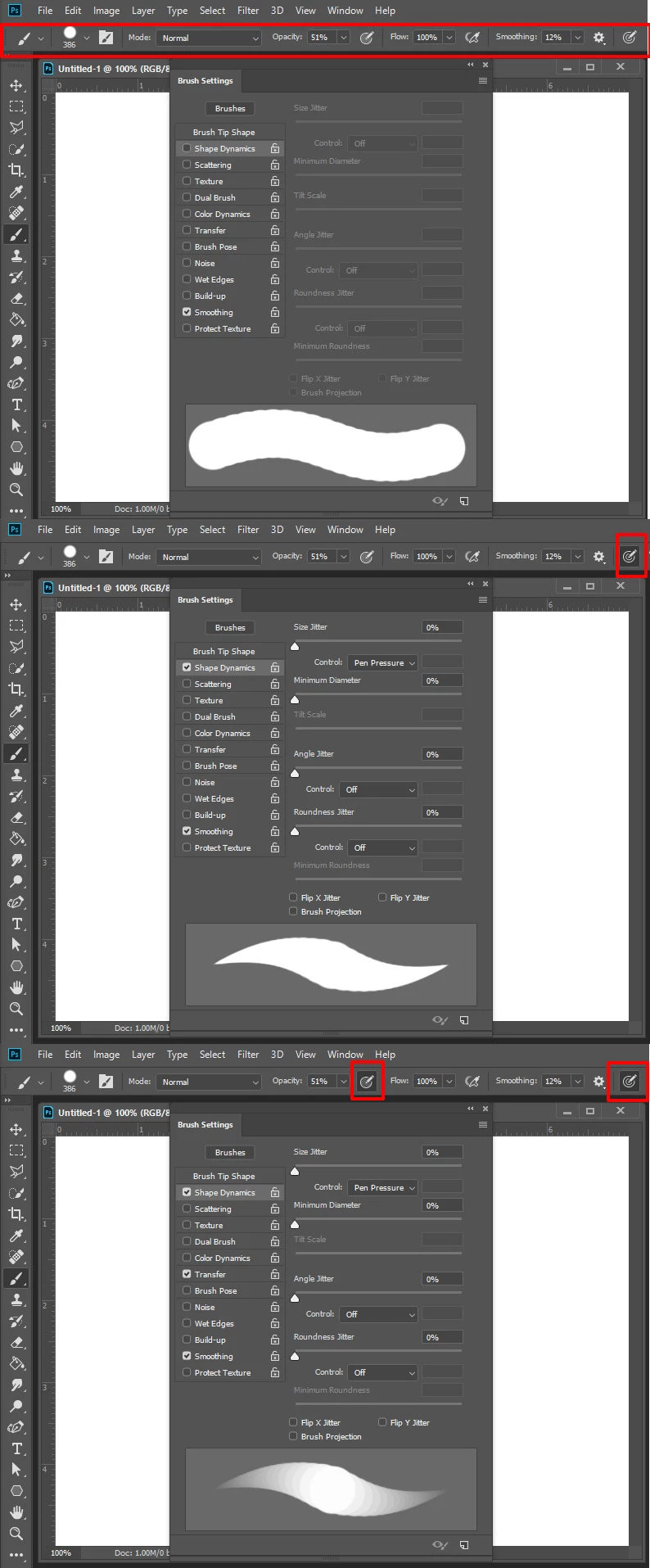
In the tool option Bar there are control Icons the cam turn opacity jitter and size jitter on and off and these will change the stroke preview and you can see if opacity jitter is on for the feathering is there or not for each.

1 reply

JJMack
Community Expert
JJMackCommunity ExpertCorrect answer
Community Expert
June 2, 2018

What thumbnail should change to relect brush opacity?  I do not see any the do opacity just previews  showing Size hardness tip spacing stroke.  Here is what I see.  I see my bush opacity in the tool option bar

Adjusting sliders in transfer opacity jitter does not change my strole preview.  I do not believe I have ever seen it vhange in any Photoshop version.

Many of the other brush dynamics slider do change the stroke preview.

In the tool option Bar there are control Icons the cam turn opacity jitter and size jitter on and off and these will change the stroke preview and you can see if opacity jitter is on for the feathering is there or not for each.

JJMack
jennyk
jennykAuthor
Participant
June 4, 2018

Hey! So I'm not exactly sure why pressure sensitivity buttons kept opacity jitter from working

but after toggling these OFF I was able to use opacity jitter again:

Toggling it ON disables the jitter function for just opacity again. Good to know as I just started using those buttons recently.

Thank you for your help!