
Participating Frequently
February 27, 2024
Answered

Open Recent Files startup vs. once opened

  • February 27, 2024
  • 4 replies
  • 2369 views

Hello Howdy,

When we open latest version of photoshop we see images of recent files, which I really like.  But after you open that first file or files, and go back again to open another recent file there is only the list available from the main program interface drop down menu no image.  This is what I see when first opening PS I than select the file it opens.
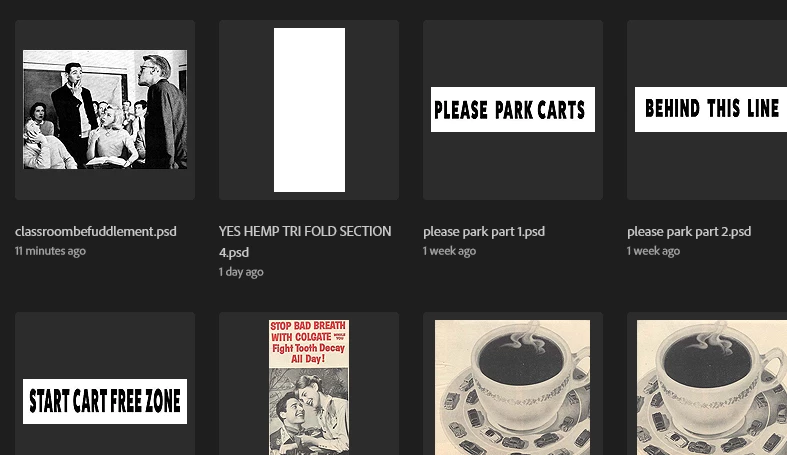
 

After you select the image to work on and than use drop down menu we get this 
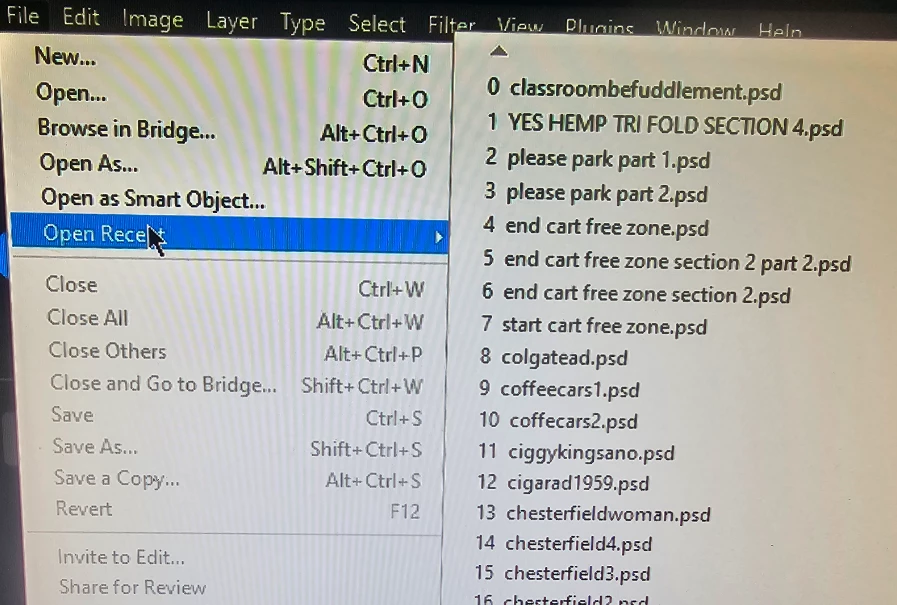
Please how can I change setting so I can open recents that show the images not the list from drop down menu.


So very grateful to those that can answer or even attempt to answer.  thanks Michael j
This topic has been closed for replies.
Correct answer Conrad_C

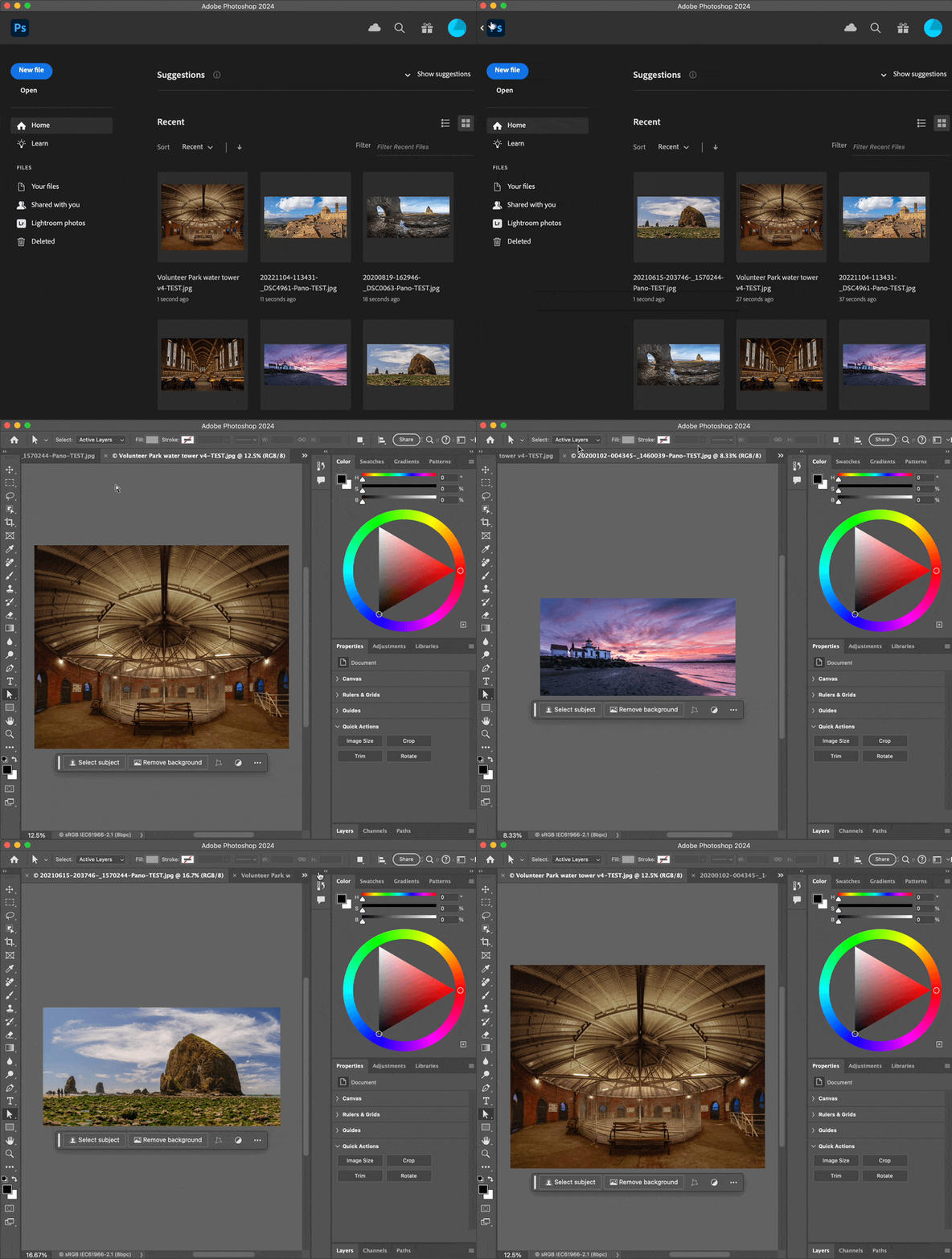
If you mean you always want to open a recent file using the pictures, then don’t use the Open Recent menu. Instead, click the Home icon in the top left corner to show the Home screen again, so you can see the Recent list with previews again. Going to the Home screen does not close any files, so after you click another Recent file from the list of pictures, the other documents you opened are still open, if you still want to work on them.


In other words, if you prefer the Recent list on the Home screen…just keep using the Recent list on the Home screen.


4 replies

Stephen Marsh
Community Expert
Community Expert
February 27, 2024

@michaeljmann – If I understand your request, you need to press the home button on the upper left to return to the home screen:


EDIT: I can see that Conrad has now posted a similar reply which wasn't visible!

Participating Frequently
March 1, 2024

Thank you knew it had to be something simple.  🙂   greatly appreciated

Stephen Marsh
Community Expert
Community Expert
March 1, 2024

I have marked the reply from @Conrad_C as the correct answer for you.

Conrad_C
Community Expert
Conrad_CCommunity ExpertCorrect answer
Community Expert
February 27, 2024

If you mean you always want to open a recent file using the pictures, then don’t use the Open Recent menu. Instead, click the Home icon in the top left corner to show the Home screen again, so you can see the Recent list with previews again. Going to the Home screen does not close any files, so after you click another Recent file from the list of pictures, the other documents you opened are still open, if you still want to work on them.


In other words, if you prefer the Recent list on the Home screen…just keep using the Recent list on the Home screen.


Participating Frequently
March 1, 2024

Thank you knew it had to be something simple.  🙂 

Trevor.Dennis
Community Expert
Community Expert
February 27, 2024
quote

Hello Howdy,


Please how can I change setting so I can open recents that show the images not the list from drop down menu.

By @michaeljmann


Yes, that would be nice to have.   The thumbnails reappear if we close all open images, but otherwise, there is just the Recent File list.  


@westdr1dw  Bridge has Open Recent, but that does not show thumbnails.  The main Bridge window only shows the selected folder.  I would love you to show us that we/I am missing something, because I am a big fan of Bridge.

Legend
February 27, 2024

File/Browse in Bridge seems to answer your question