Participant
November 19, 2020
Answered

Opened images in photoshop all black

  • November 19, 2020
  • 3 replies
  • 729 views

So basically, I open an image to edit in Photoshop. No colors, just black. See attached screenshot. 


Troubleshoot attempts that didnt work: (1) update graphics card driver when current version wasn't working (2) installed prev photoshop versions (currently using v 22.0.1), (3) Edit -> Preferences -> Performance -> Uncheck "Use Graphics Processor" ; doesnt work whether checked or not. 


Hardware info: 

-windows 10 pro laptop 

-32gb ram 

-core i9  

-RTX 2060 (laptop version)
 

This topic has been closed for replies.
Correct answer

Hi

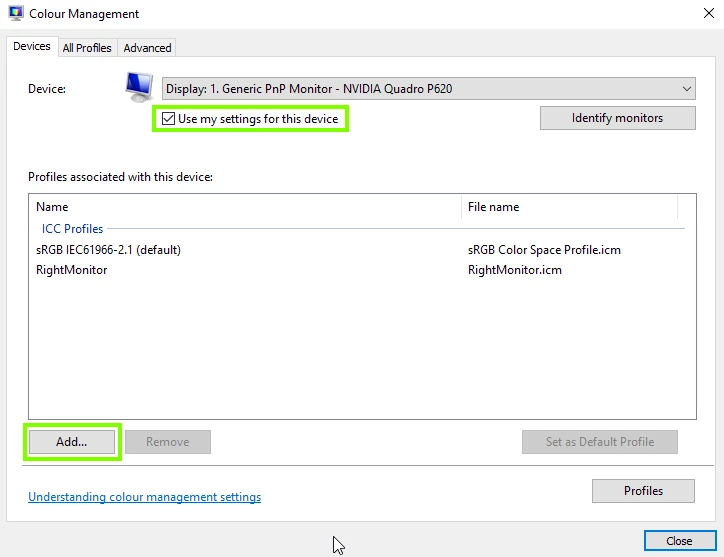
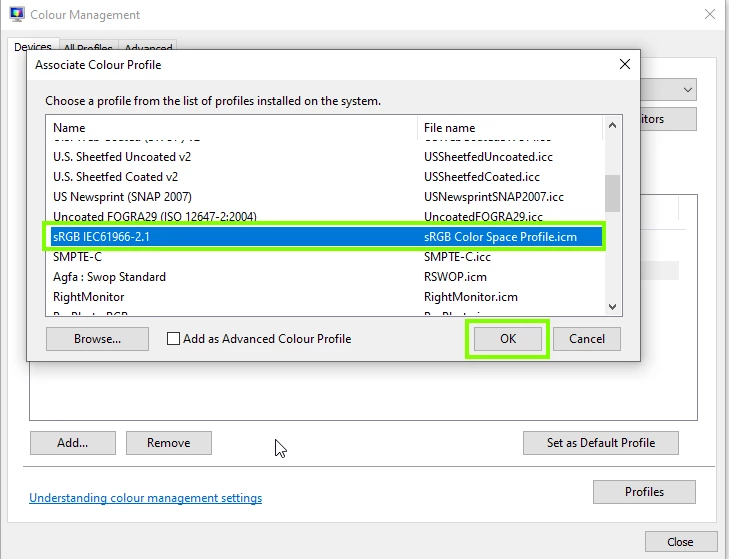
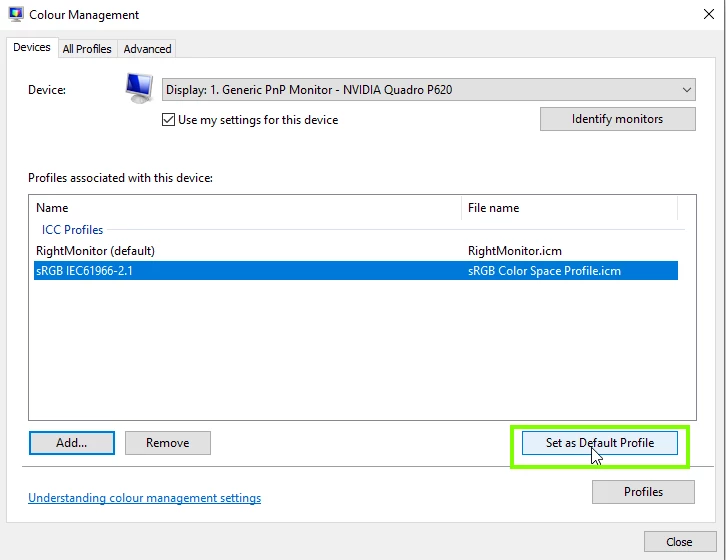
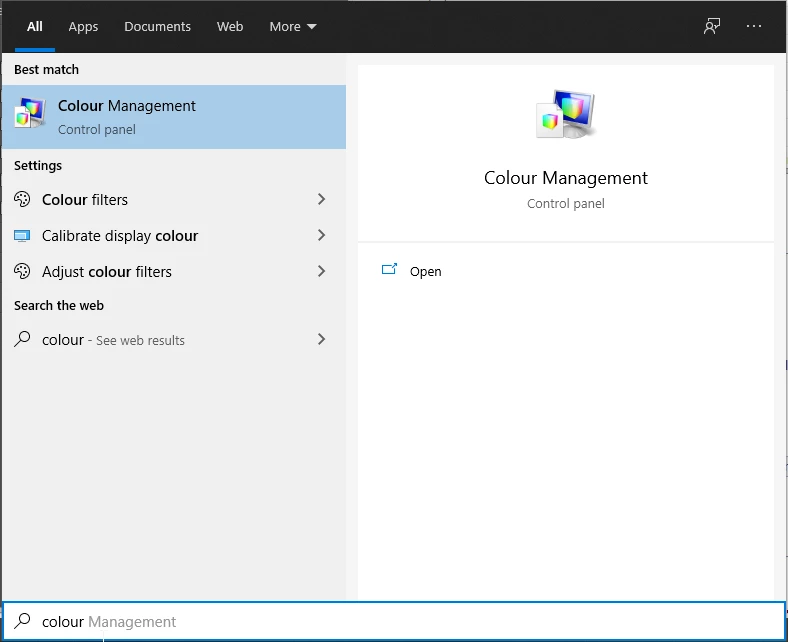
That's an issue with your monitor profile, open Colour Management

Follow the below screenshots

Restart Photoshop


3 replies

D Fosse
Community Expert
Community Expert
November 19, 2020

Yes, defective monitor profile, probably one from the monitor/laptop manufacturer distributed through Windows Update. Very common problem and I don't understand why Microsoft still allows this.


It's quite interesting that Photoshop now often refuses to display at all when the monitor profile is defective. That's new from v22. Previously it would display, but incorrectly and all over the map. That could sometimes be difficult to troubleshoot, and very difficult to grasp for users who don't understand the function of the monitor profile.


Correct answer
November 19, 2020

Hi

That's an issue with your monitor profile, open Colour Management

Follow the below screenshots

Restart Photoshop


Hallo0Author
Participant
November 21, 2020

OMG THIS ACTUALLY FIXED IT. THANK YOU SO MUCH! 

The issue was driving me nuts after going through all the troubleshooting options. I would have never thought it was a monitor profile issue. You're a wizard!

Simmer1
Community Expert
Community Expert
November 19, 2020