OpenGl or GPU Issue
Hey everyone. PLS help. I have an issue with activating a GPU in Photoshop CC 2018. So I needed to use some 3D features on my laptop Dell that I bought and... they were all grey, I couldn't click on any of them. So then I pressed CTRL K to go to preferences and activate the GPU but... no, the box was just greyed photoshop didn't detect any Graphics Processor which is weird, because I've got Intel Core i3 2350M CPU 2.30GHz and Intel HD Graphics 3000 inside, while I have another HP laptop which has Intel Celeron CPU N2840 2.16GHz and just Intel HD Graphics and the 3D features runs on it.
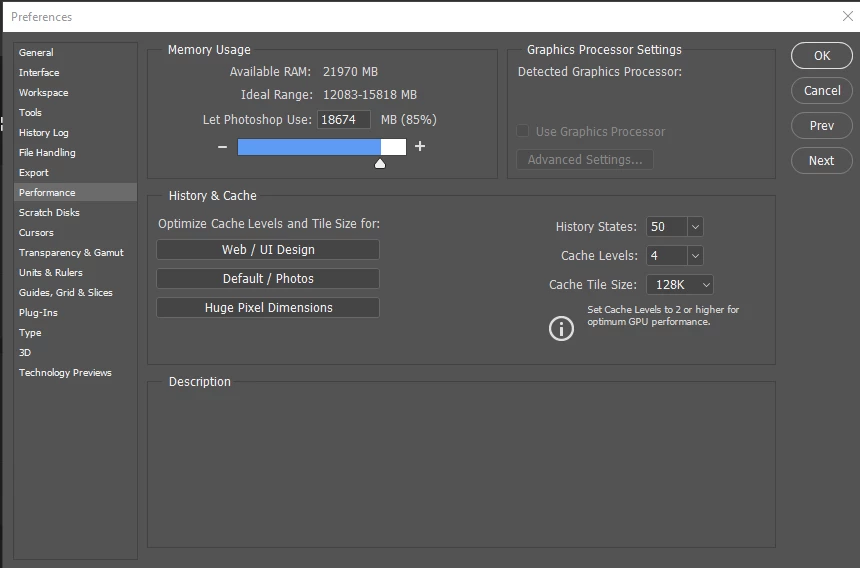
The specs of the Dell Latitude E5520:
Windows 10
4GB RAM
Intel Core i3 2350M CPU 2.30GHz
Intel HD Graphics 3000
64-bit
The specs of the HP Stream x360:
Windows 8.1
2GB RAM
Intel Celeron CPU N2840 2.16GHz
Intel HD Graphics
64-bit
As you might see the first is more powerful then the 2nd one. Now, I did try to run it as Admin and update the drivers, I also tried to remove the "sniffer", I've tired to reinstall phtoshop after updating drivers but none of it worked. The same goes for the Illustrator CC, but it's a bit different: 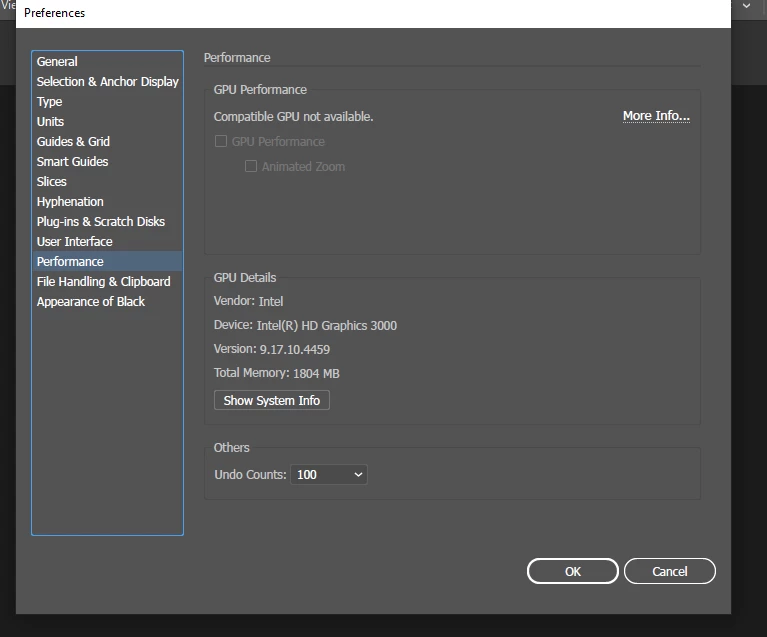
So if u have a solution pleeeeease help, I need it. And thanks for your time.
 AdChoices