
Thibaut Daumont
Participant
October 7, 2020
Answered

Opening a picture with bank notes in a scene

  • October 7, 2020
  • 2 replies
  • 585 views

Hello,

I am a french photographer who uses famous brick minifigs to create some scenes.
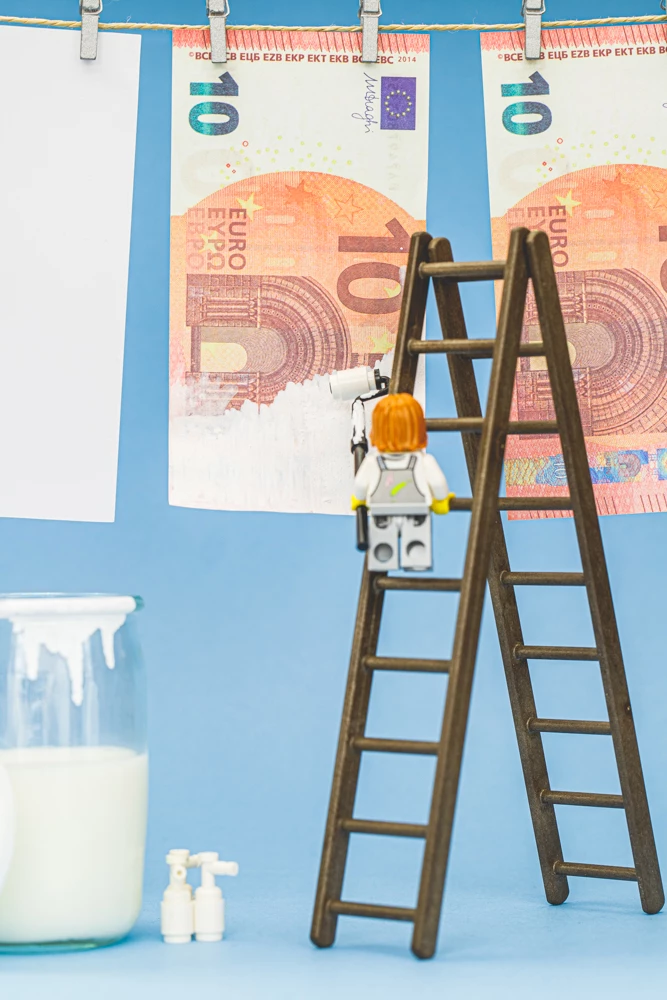
I have one with a minifg painting a Bank Note with white paint to illustrate "Money Laundering" (in French Make Money White)

The problem is that the bank note seems to be too real (it's prop money for movies) and photoshop does not allow me to open the picture due to laws about creating fake money.


Is that any way for me to edit my photo ?
This topic has been closed for replies.
Correct answer davescm

Sorry , we cannot help you to work around the fraud protection measures used by Adobe at the request of the banks. It would be a legal minefield were we to do so.


https://helpx.adobe.com/photoshop/cds.html


Dave

2 replies

October 7, 2020

If the image you posted is the one you're trying to open, I was able to open it in Photoshop without issue, no workaround used.

Thibaut Daumont
Participant
October 7, 2020

May be due to the smallsize photo i used in this thread.
I manage to open the 1000 px version but not the full size 6000px version

October 7, 2020

Yep, looks like you're correct, resized it to 6000 px and got the error

davescm
Community Expert
davescmCommunity ExpertCorrect answer
Community Expert
October 7, 2020

Sorry , we cannot help you to work around the fraud protection measures used by Adobe at the request of the banks. It would be a legal minefield were we to do so.


https://helpx.adobe.com/photoshop/cds.html


Dave

Thibaut Daumont
Participant
October 7, 2020

I was pretty sure of this answer 🙂

But is there any way to show photoshop that it is fake money ? (like a "COPY" printed on this banknote or something else ?)