Participant
April 15, 2017
Answered

Opening multiple RAW files in Adobe Photoshop CC

  • April 15, 2017
  • 5 replies
  • 8765 views

Hi!

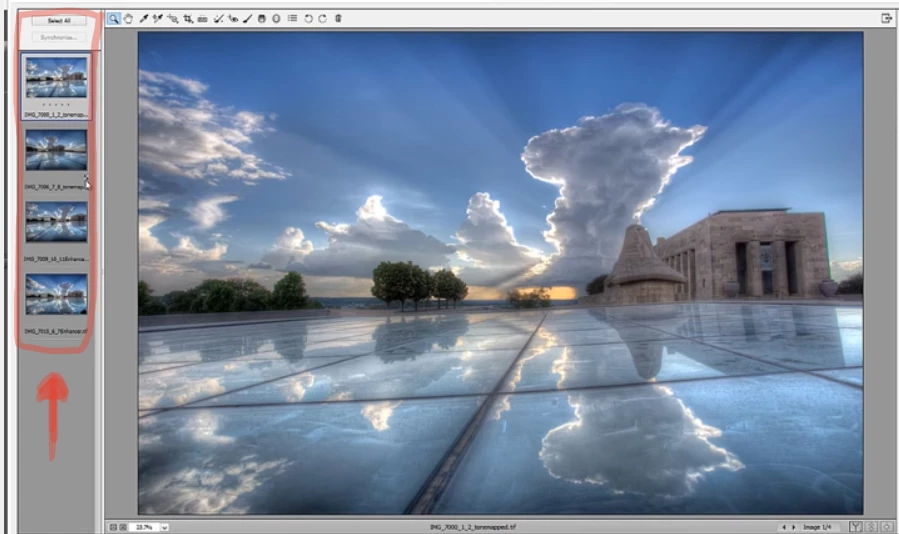
I've alvays had that kind of list of RAW files, wen opening multiple RAW in Photoshop. Now I'm using it on Windows 10 on my new computer, and although trying to open multiple files at once, they appear one by one in Photohop. How can I change it? How to open that list? (selected on the image below)

Thanks!
This topic has been closed for replies.
Correct answer Stephen Marsh

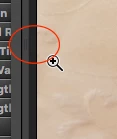
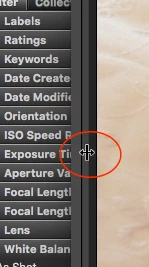
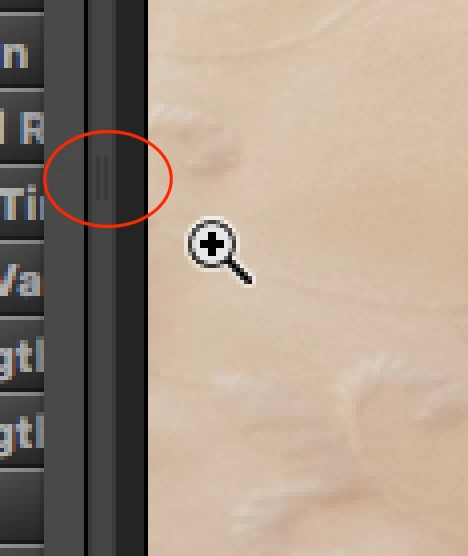
Not sure if it could be this, however the filmstrip panel can be collapsed/expanded… perhaps it is simply hidden/collapsed? There is a control “handle” on the left hand side of the GUI that can be hard to see, screenshots attached. Drag this panel to the right to reveal the collapsed filmstrip panel.

5 replies

Participant
April 18, 2017

That was the view before:

and after I found this almost invisible thumbnail:

Great thanks for everyone who tried to help! Especiall @Stepen_A_Marsh

Stephen Marsh
Community Expert
Community Expert
April 18, 2017

renatarysuje glad to help, thank you for the public and private thanks – it is a rare thing and greatly appreciated.

sharp_hands16B8
Community Expert
Community Expert
April 17, 2017

Right click on that top thumbnail in the Camera Raw window and choose Select All. Now your open image will turn into an open images button. It should then open all of them as separate files in PS.

Participating Frequently
April 16, 2017

In your initial screenshot you only have the top photo selected, (highlighted in gray)

Directly above this is a button "Select All". What happens when you click this button?

Does it highlight in gray all 4 photos?

Participant
April 18, 2017

Ok, thnank you all.

The problem was I didn't have this right column at all (the screen was from youtube). But it showed after I double-clicked on the border I couldn't see the thumbunail.

Stephen Marsh
Community Expert
Stephen MarshCommunity ExpertCorrect answer
Community Expert
April 16, 2017

Not sure if it could be this, however the filmstrip panel can be collapsed/expanded… perhaps it is simply hidden/collapsed? There is a control “handle” on the left hand side of the GUI that can be hard to see, screenshots attached. Drag this panel to the right to reveal the collapsed filmstrip panel.

kglad
Community Expert
Community Expert
April 15, 2017
JJMack
Community Expert
Community Expert
April 16, 2017

The part of the ACR UI you show looks quite like Part of ACR 9.9 dialog which I see on my Widows 10, Photoshop CC 2017.1.  It look correct you have one main edit window and the thumbnails on the left of the edit for the group of RAW Files you selected to process? The thumbnails view can be scroll if all do not fit in ACR window.  What you show looks correct to me.  You ACR seems older the Filmstrip has buttons I see in older version aid ACR?

This is what I see full-screen capture so you can see all.

JJMack