

sailor842
Inspiring
February 4, 2020
Answered

Opening photoshop cc

  • February 4, 2020
  • 1 reply
  • 717 views

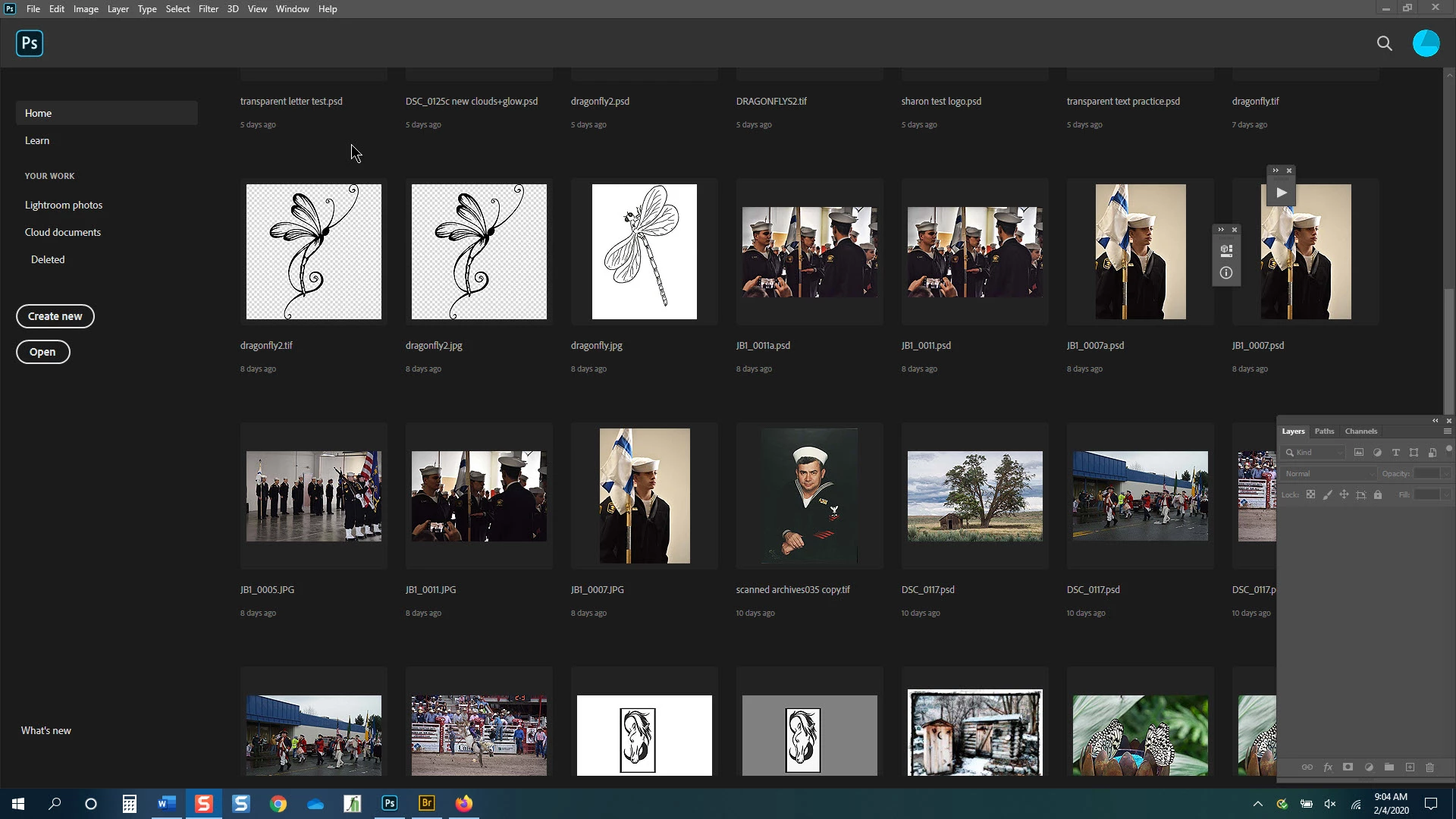
When I open the program I see my recently opened photos. I also see part of my workspace (layers, paths, channels) in the lower right. Why? (image 1)

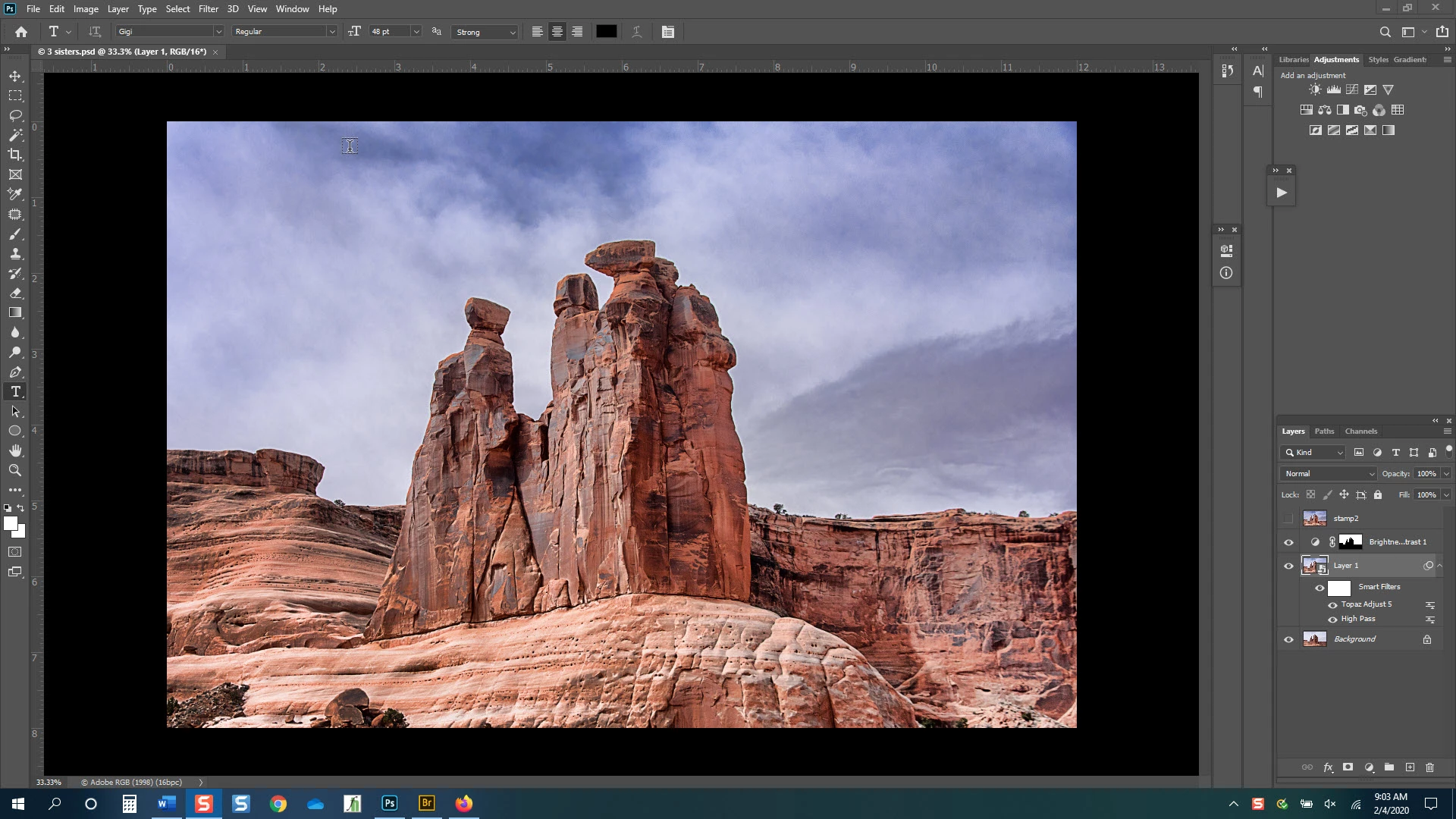
Also, even tho I have reset & customized my workspaces and saved them I find that when I close & reopen photoshop the workspaces have some of the functions in different areas. Why? (image 2)
sailor842


[email address removed by moderator for your protection — this is a public forum]


.

This topic has been closed for replies.
Correct answer jane-e

Hi

Photoshop does that with panels that are floating and not docked. You can go to Window > Workspace and Reset your current space to dock your panels or you can doc them manually by dragging them into the drop zone.

https://helpx.adobe.com/photoshop/using/workspace-basics.html

~ Jane

1 reply

jane-e
Community Expert
jane-eCommunity ExpertCorrect answer
Community Expert
February 4, 2020

Hi

Photoshop does that with panels that are floating and not docked. You can go to Window > Workspace and Reset your current space to dock your panels or you can doc them manually by dragging them into the drop zone.

https://helpx.adobe.com/photoshop/using/workspace-basics.html

~ Jane

sailor842
sailor842Author
Inspiring
February 4, 2020
Thanks. That solved part 2
jane-e
Community Expert
Community Expert
February 4, 2020

if you look at the sirst image it is in the lower right.


Hi Sailor 842,

It's the same three groups of floating panels in both images, and either resetting the workspace or manually docking the panels will fix both problems.


Floating panels will appear on top of the other panels (or the image itself) as you see in your second screenshot. They will also appear in the front of the Welcome Screen. Docked panels will not. Resetting your workspace from the Window menu will fix both issues.

  • The panel group in the lower right has Layers, Paths, and Channels, and it it floating.
  • The Info panel is in a group with something else and that group is floating.
  • The Actions panel is by its self and is floating.