Participating Frequently
June 23, 2020
Question

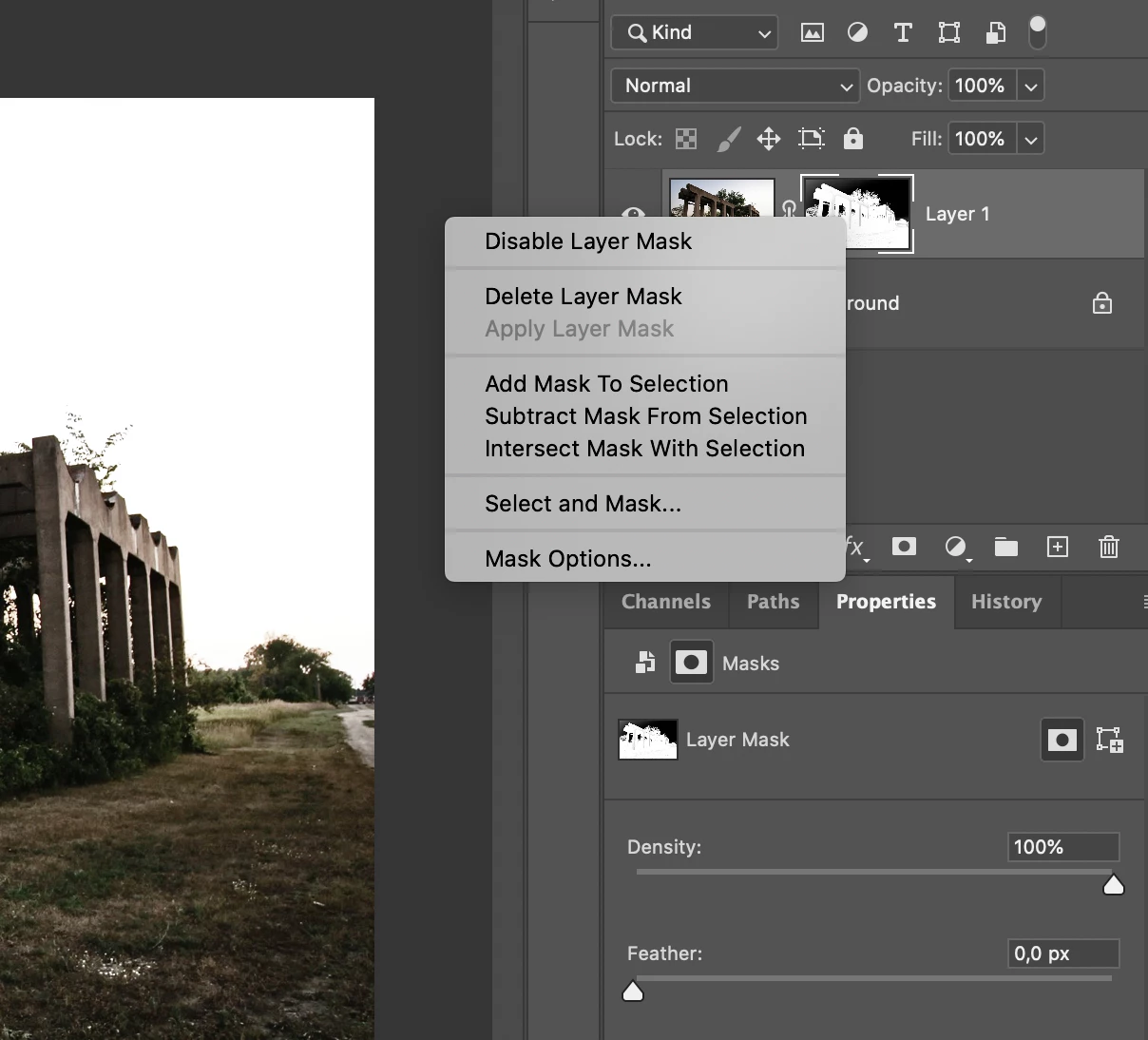
Option " apply layer mask" is not activated in latest PS version

  • June 23, 2020
  • 2 replies
  • 1135 views

Does someone know why option 3 " apply layer mask " is not active.


This topic has been closed for replies.

2 replies

Mohammad.Harb
Community Expert
Community Expert
July 3, 2020

apply layer mask Can be only applied to "Raster layer" , if you don't want the layer to be a smart object any more, first, Rasterize the Layer, then apply layer mask .


Rasterize the layer by pressing on an empty area next to the layer mak , right click and select Rasterize 
then apply layer mask

JJMack
Community Expert
Community Expert
July 3, 2020

Test this yourself Shape Layer, Text Layer, Adjustment Layer apply layer mask not available.

JJMack
JJMack
Community Expert
Community Expert
June 23, 2020

Is the layer a smart object layer?  Smart object layers pixels can not be changed.

JJMack
Participating Frequently
June 26, 2020
  • Layer B is just a ordanairy layer
  • Layer A is a smart object
Bojan Živković11378569
Community Expert
Community Expert
June 26, 2020

Layer A is on the left of Layer B? That is what JJMack is pointing that you can not apply Layer B to Layer A when Layer A is Smart Object layer.
