martijns3954909
Participant
November 27, 2018
Answered

Other brightness level while editing a photo

  • November 27, 2018
  • 1 reply
  • 274 views

Hello there,

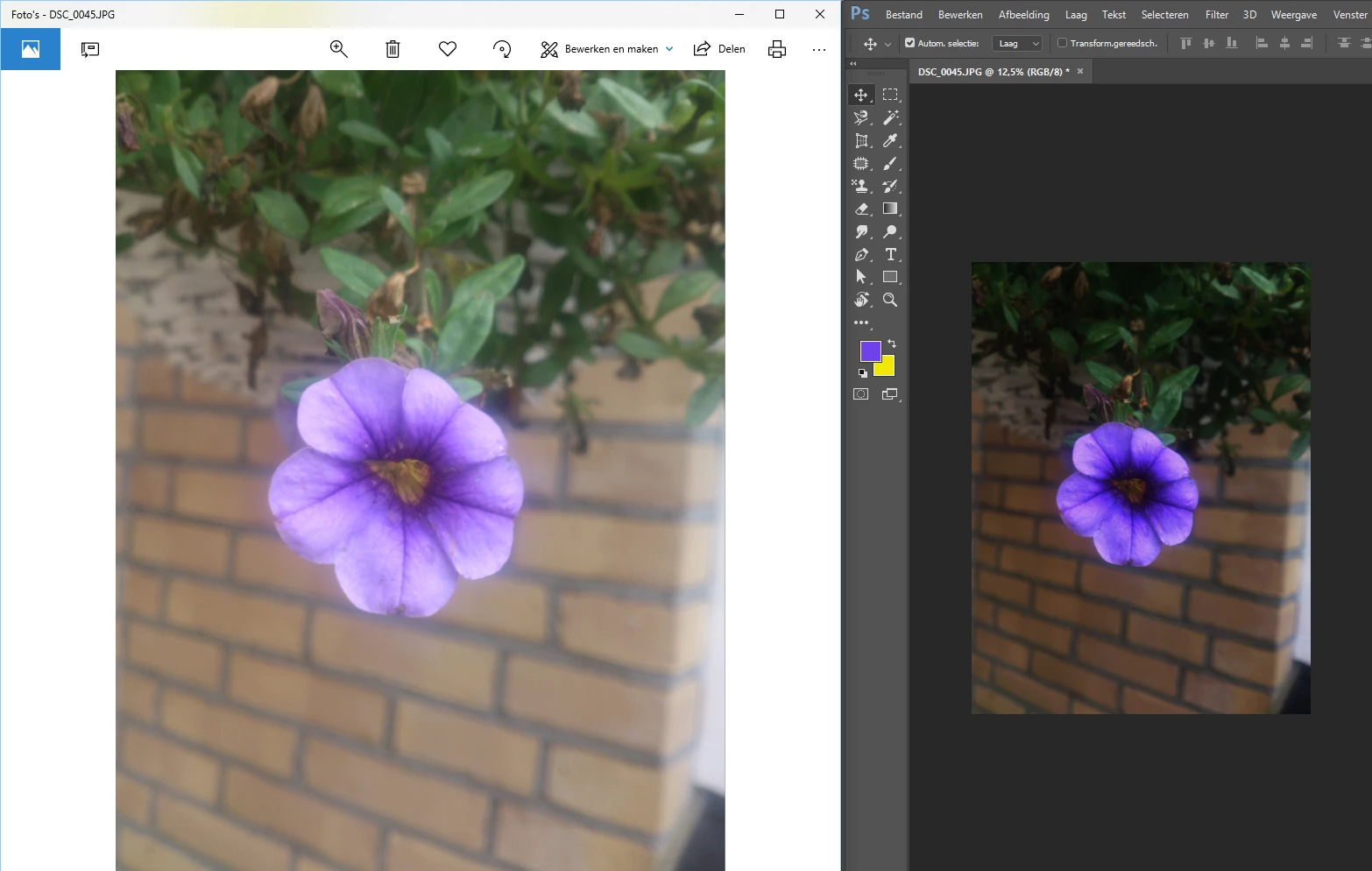
When I open a file in Photoshop or Illustrator, the file is darker than the original file. When I export it as a jpg or png or what else, it has de same colors as the original. It looks like both programms, Photoshop and Ilustrator shows me other colors than they exactly are. Like the brightness or contrast is different during the programm.  It is very annoying because while editing photo's, the original colors/contrast etc. is difficult to see.

Is there a solution for this problem or is this something I can change in my preferences? Couldn't find anything yet

I've got a simple test with a flower. I only opened the picture, I didn't edit anything yet.
This topic has been closed for replies.
Correct answer D Fosse

This is a defective monitor profile, probably delivered through Windows Update. This will only affect color managed applications that actually use the profile, like Photoshop.

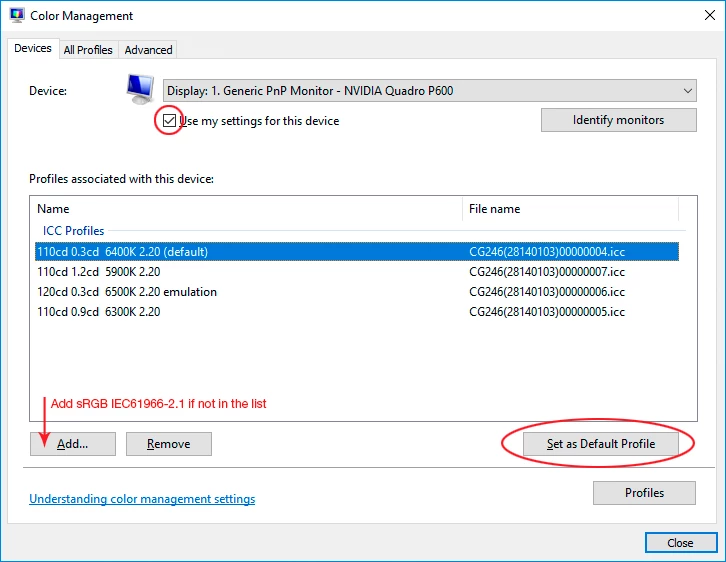
The proper fix is to make a custom profile with a calibrator, but if you don't have one - replace your current monitor profile with sRGB IEC61966-2.1. Relaunch Photoshop when done, it needs to load the profile at startup:

1 reply

D Fosse
Community Expert
D FosseCommunity ExpertCorrect answer
Community Expert
November 27, 2018

This is a defective monitor profile, probably delivered through Windows Update. This will only affect color managed applications that actually use the profile, like Photoshop.

The proper fix is to make a custom profile with a calibrator, but if you don't have one - replace your current monitor profile with sRGB IEC61966-2.1. Relaunch Photoshop when done, it needs to load the profile at startup:

martijns3954909
Participant
November 27, 2018

Thank you very much. It was very easy to solve it this wasy!