

Answered
Outer Glow color not showing up
Hey friends, long time fan - first time poster.
I am using Adobe PS 2021 to create a watermark and I am attempting to put an Outer Glow on an object. The object rests on a black background and was filled with white prior to attempting to put on the Outer Glow. When I add the desired color that I want to use (RED) the glow turns grey Grey. If I move to another color, it stays Grey - when I change the Saturation, it just lightens and darkens the Grey.
- (see photo 1) I have the opacity on the object set to 100% and the layer is not a smart object (though I did try to see if that would work but it rendered the same result).
- I have tried this on all of the objects in the watermark and it still will not change color.
Not sure what I am doing wrong because I did this last night to a rendering with Black text (see photo 2) and it turned out fine, only difference is the lowered opacity on the objects & it is on a white background instead of black.
Photo 1:
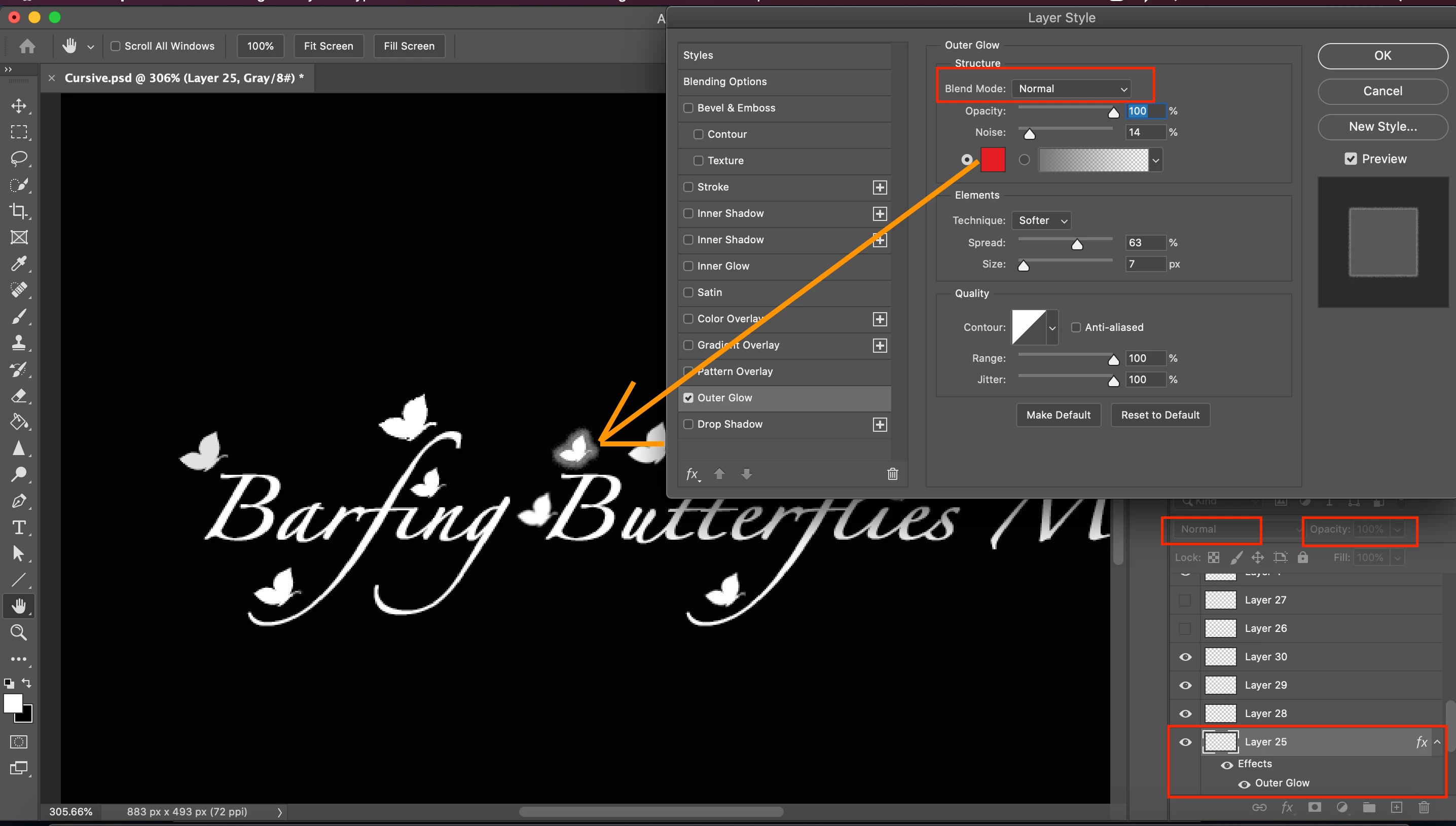
Photo 2:

 AdChoices