
Participant
January 3, 2024
Question

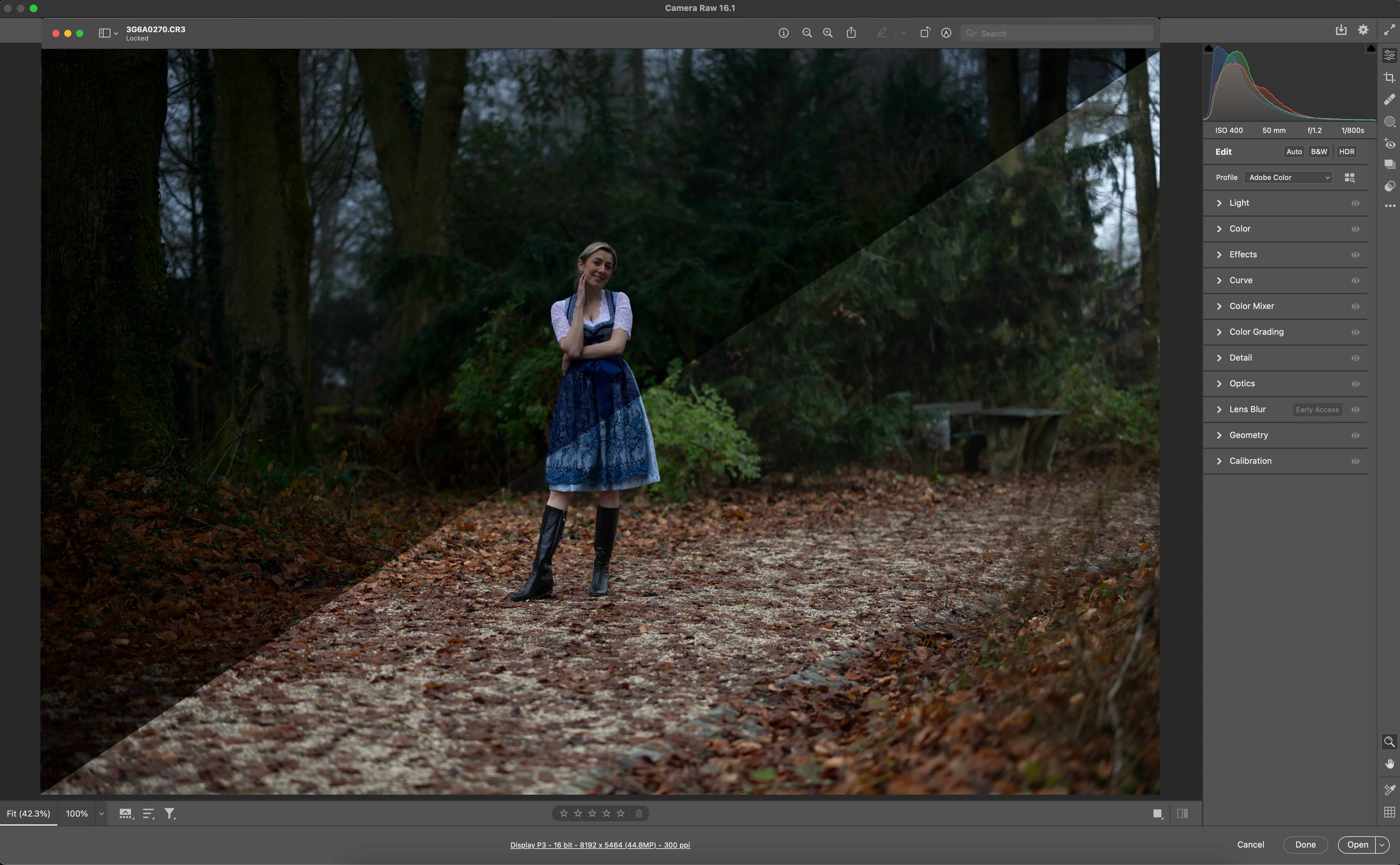
Overexposed photos when importing in Lr and Ps

  • January 3, 2024
  • 2 replies
  • 502 views

Hello,
I have a problem with both PS as well as Lightroom. As soon as I import the image, it is automatically converts to overexposed vertion of it with saturated colours. The issue started after I Batch resized multiple raw images in photoshop. I tried all resets as well as Adobe Default but the issue is still there, every time I import images. Do you have any suggestions, how I can fix it?
Many thanks, Roman 
This topic has been closed for replies.

2 replies

Bojan Živković11378569
Community Expert
Community Expert
January 3, 2024

Hi, you can not resize original RAW images. Can you explain entire process and what you have done?

Roman K.Author
Participant
January 3, 2024

Thanks Bojan

I did the following action to resize multiple RAW CR3 files for a client:

https://expertphotography.com/batch-resize-photoshop/

D Fosse
Community Expert
Community Expert
January 3, 2024

You need to describe in a bit more detail what you do. What, exactly, do you mean by "as soon as I import the image"? What are you doing, what commands are you using in which application?


Generally: using packaged third-party procedures without any control over what they contain is always risky.  Resizing and exporting/saving out are very basic native functions in Photoshop, easy to set up in a batch, without needing to use external resources.


From what it looks like, whatever this external procedure was, it may have altered ACR defaults in some way, perhaps added a preset. I would start by restting ACR preferences and perhaps also Photoshop preferences to get rid of it.


Reset ACR preferences by pressing ctrl+alt+shift as you open ACR. You get a confirmation dialog. The same procedure works for Photoshop, but you can also do it inside PS Preferences.


You can also delete ACR presets directly in Camera Raw Preferences.


kglad
Community Expert
Community Expert
January 3, 2024

in the future, to find the best place to post your message, use the list here, https://community.adobe.com/

p.s. i don't think the adobe website, and forums in particular, are easy to navigate, so don't spend a lot of time searching that forum list. do your best and we'll move the post (like this one has already been moved) if it helps you get responses.


<"moved from using the community bugs">