Answered
overlapping screen glitch
hi guys, can you explain this bug?, whenever i insert an image by dragging it to the worksheet it's always like this, i think it's on gpu. i'm using i5 with mx450.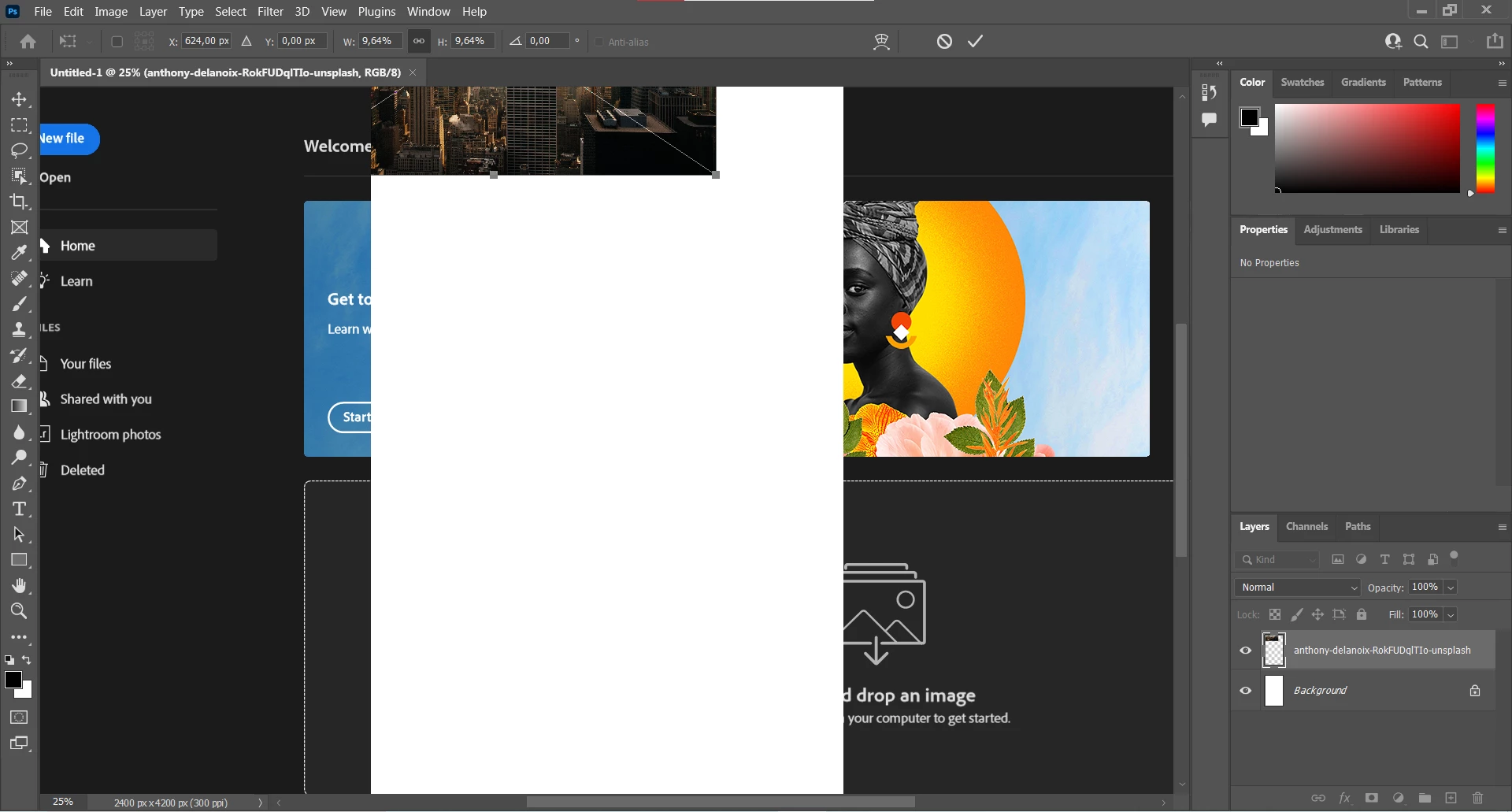

hi guys, can you explain this bug?, whenever i insert an image by dragging it to the worksheet it's always like this, i think it's on gpu. i'm using i5 with mx450.
Hi! Go to Preferences > Technology Previews... and check "Disable Native Canvas" - then restart Photoshop. Does the problem still occur?
Your GPU should be powerful enough, according to its passmark...
I would also check if new display drivers are available.
Already have an account? Login
Enter your E-mail address. We'll send you an e-mail with instructions to reset your password.
 AdChoices