Jools457
Participating Frequently
May 12, 2023
Answered

Paint Bucket

  • May 12, 2023
  • 2 replies
  • 2075 views

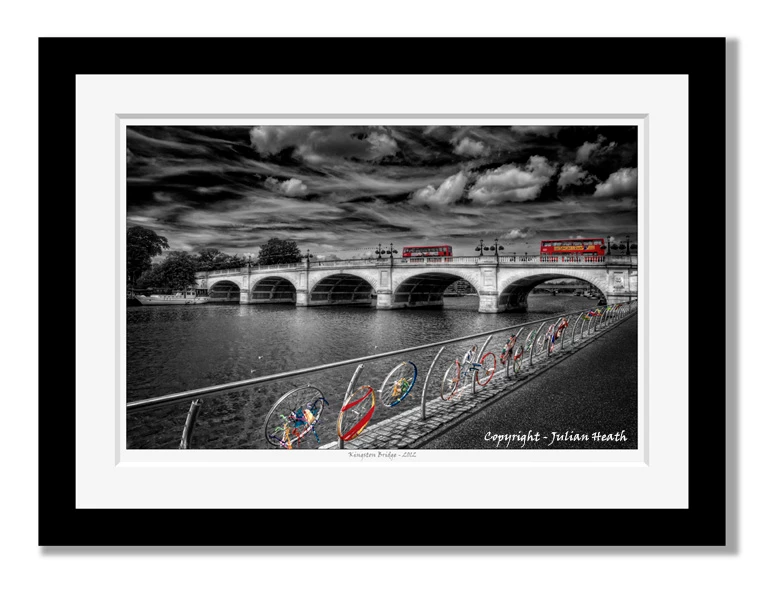
I'm using a PC Windows 11 and I have the latest Photoshop upgrade; I use the Paint Bucket tool for creating virtual bevel edge mounts around some images just to be clever and to create the illusion of a bevel mount!  The image attached is real, everything else is Photoshop.
However, that seems to have come to an abrupt end as the Paint Bucket tool appears to have been deleted or very cleverly hidden but why?
So okay; I give up, 'Where is it please?'
Kind regards
Julian Heath


[phone number removed as per forum guidelines]

[Actions and scripting tag removed, as this does not involve either one]


This topic has been closed for replies.
Correct answer Ged_Traynor

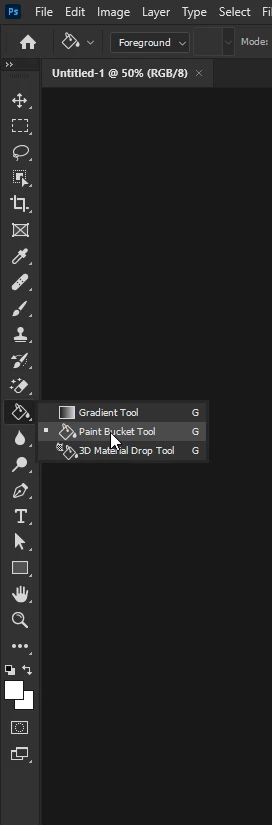
@Jools457 have you looked here

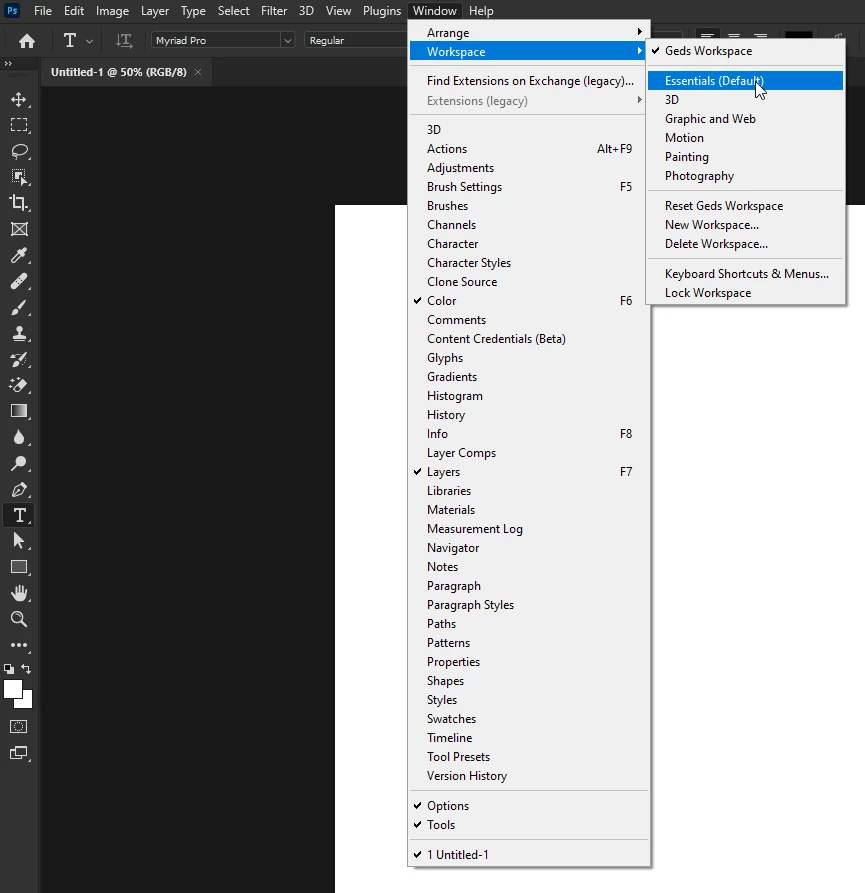
Also make sure you're in the Essentials Workspace

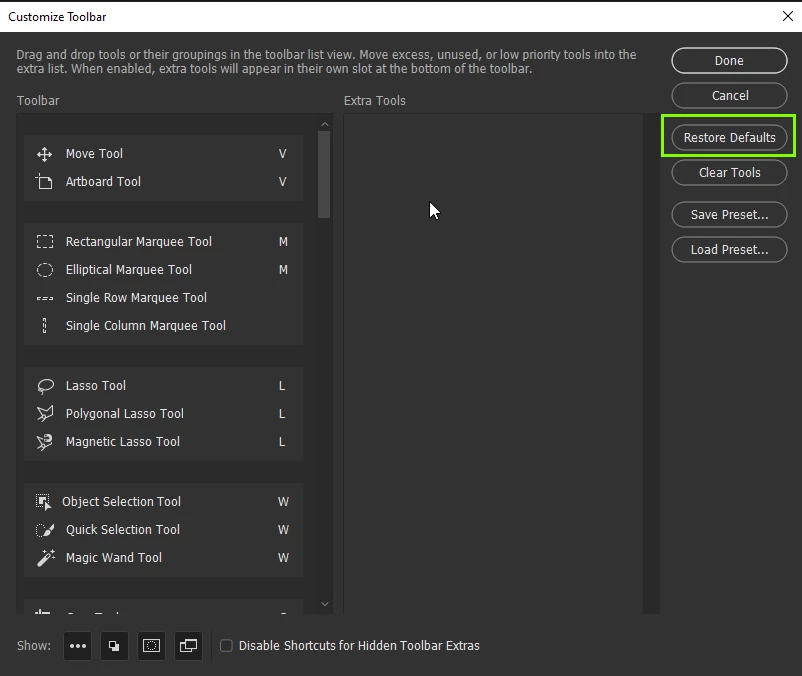
Still not seeing it, go to Edit > Toolbar and select Restore Defaults

2 replies

Ged_Traynor
Community Expert
Ged_TraynorCommunity ExpertCorrect answer
Community Expert
May 12, 2023

@Jools457 have you looked here

Also make sure you're in the Essentials Workspace

Still not seeing it, go to Edit > Toolbar and select Restore Defaults

Jools457
Jools457Author
Participating Frequently
May 12, 2023

It would seem I wasn't in the Essentials Workspace but that must've been part of an earlier upgrade because I'd never needed it before.  However, I have now changed it.  Rosa, previously, showed me how to drag and drop Paint Bucket into the 'G' section of tools!  Thank-you!  I can create a pretty good image in Photoshop but the minute technicalities are beyond my 78 year old brain!!

RosaPerry
Inspiring
May 12, 2023

@Jools457 
See if this helps.
Go to the Edit menu (Windows) or Photoshop menu (Mac). Select Toolbar from the drop-down menu. When the 'Customize Toolbar' dialog box opens, choose the missing tools from the list in the Extra Tools section. Drag the tools in the Toolbar section and click on Done.


Rosa
Jools457
Jools457Author
Participating Frequently
May 12, 2023

What a clever lass Rosa!  I was about to say it didn't work but as I noticed it was a 'G' category item I dragged and dropped it into another 'G' section, 'Eh Voila!'  Why do Adobe do that; there's all that space in the toolbar section but they still delete the shortcut!  Thank-you; I would never have found that in a million years.  People say to me, 'Oh you know a lot about Photoshop but in reality, I know nothing!  Thank-you, thank-you, thank-you!  x

RosaPerry
Inspiring
May 12, 2023

@Jools457 

I'm so happy it all worked out for you. 
Have a great day!

Rosa