
Answered
Painting edges
Hello,
is there a way to easily paint the edge of a selection (make it 1,2 or more pixels like border) and cut the rest of the image?
For a fast example, this ball to be outlined and the rest to be cut out

Hello,
is there a way to easily paint the edge of a selection (make it 1,2 or more pixels like border) and cut the rest of the image?
For a fast example, this ball to be outlined and the rest to be cut out
If this is all on one layer, then separate the ball from the background. The Elliptical Marquee tool is probably the best as it will produce a perfect circle. Hold down the Shift key (to force the perfect circle shape, and the Alt key so that the selection moves outward from the start point. Use the Space bar to move the selection for best fit, but you don't need to get it spot on right off th ebat
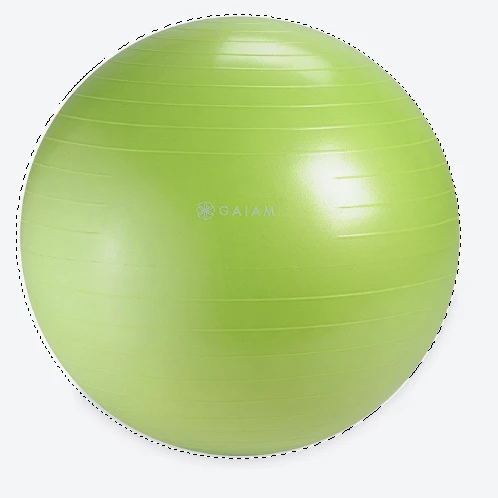
From the above state go Select > Transform Selection and hold down the Ctrl key while dragging the corner handles to get best fit. You can see from the non square shape of the bounding box that your ball was not perfectly round, so an alternative is to make the selection bit slightly into the ball while still forcing the perfect circle, and then invert the selection and delete the outside pixels.
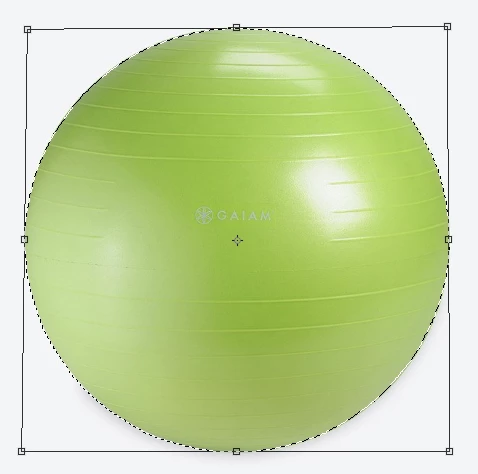
That gives you the ball on its own layer like this, and from here you have lots of options.
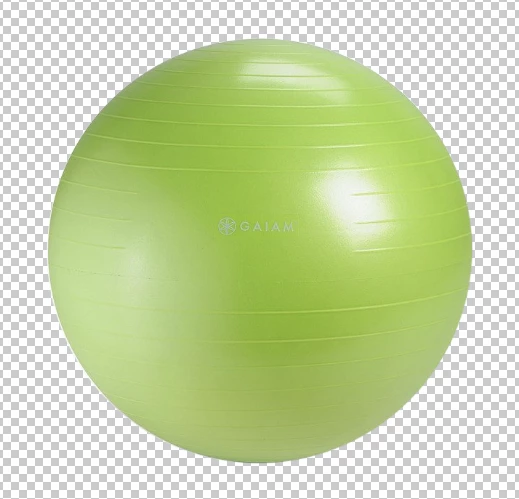
One option is to use Layer styles and give it a stroke, and set the layer's Fill opacity to zero. This makes the layer's contents invisible (the ball), but you can still see the layer styles (the stroke). This is completely non destructive and can be edited as often as you like.

Whatever approach you take, the secret is to keep everything on a separate layer.
Already have an account? Login
Enter your E-mail address. We'll send you an e-mail with instructions to reset your password.
 AdChoices