
Paints outside of marching ants
Not sure what I am missing here or if this is a bug as it seems to be, but I have a selection that shows the marching ants... yet when I paint across it, it paints outside of them!
I have checked things like "feather" (0px) and anti-alias being off. I've zoomed in to see if there's something strange with the selection itself. But I cannot determine why its doing this.
FYI, this is under Windows 10 Pro, and I have tried in Photoshop CC versions v21.0.3 and v21.1.1, same issue.
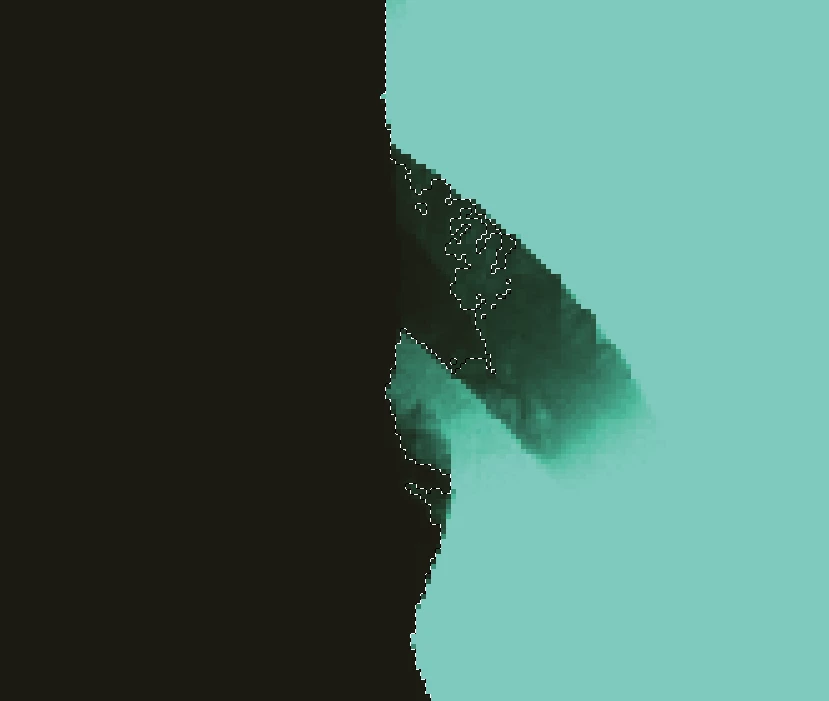
Here you see the before:
And, here is after I paint across it (including a zoomed-in version):
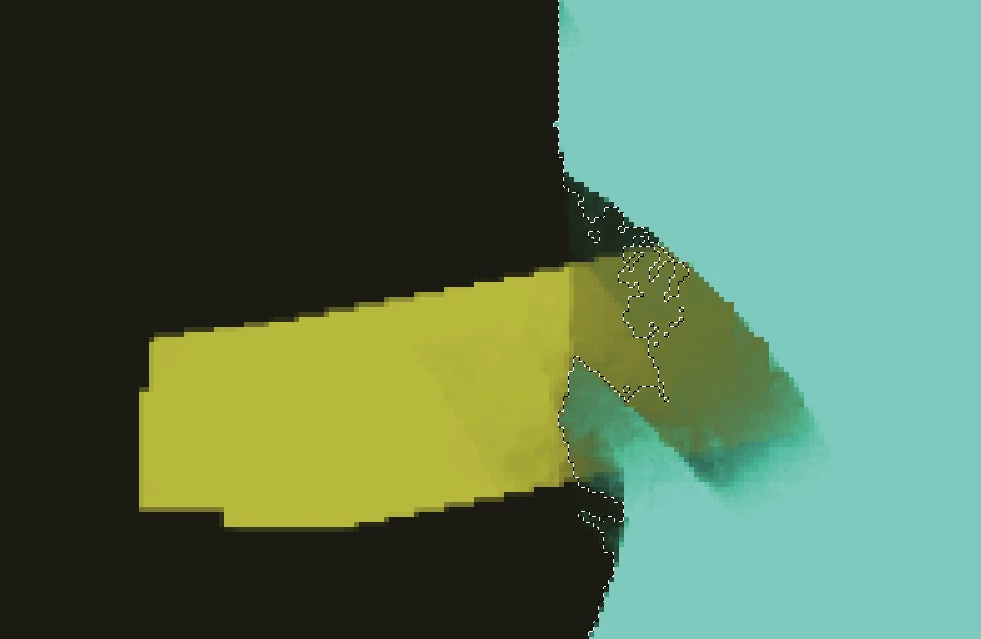
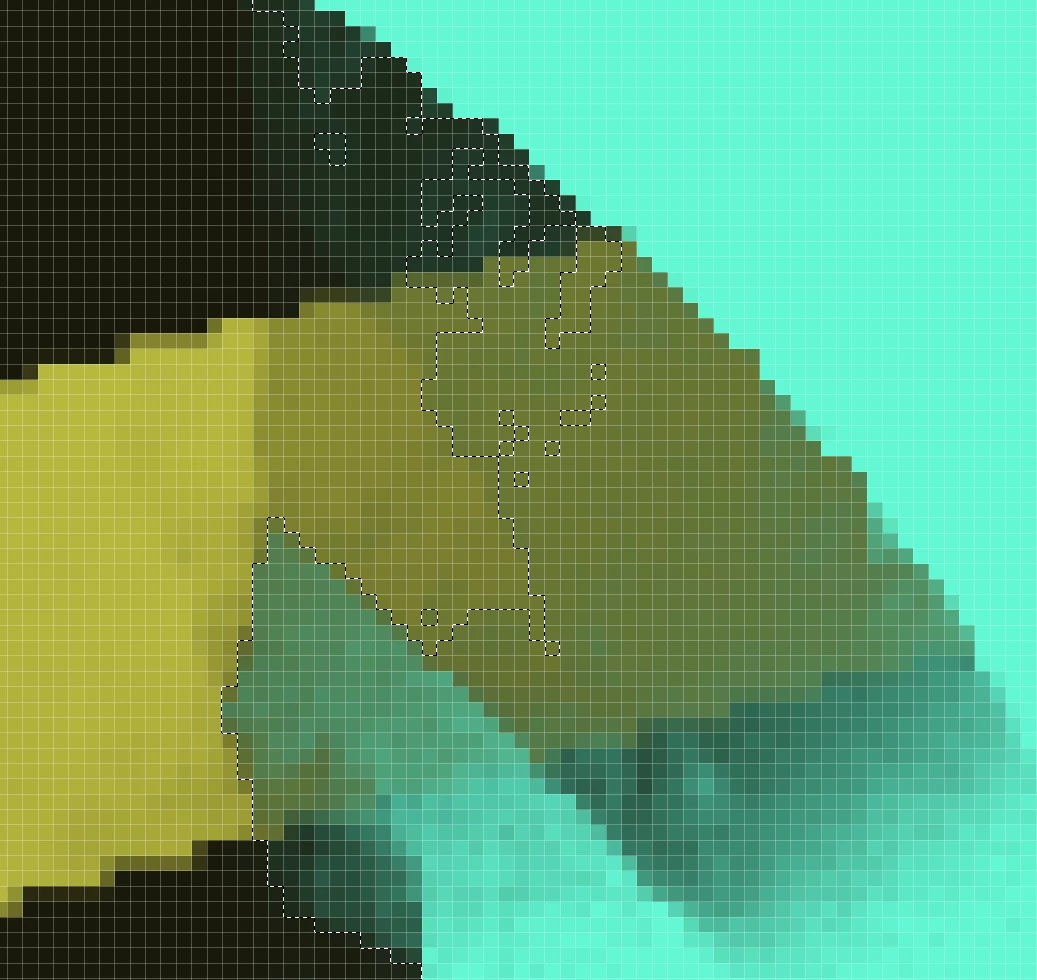
I made the selection originally by CTRL-clicking on another layer, then CTRL-SHIFT-clicking on some others to add to the selection.
I Select -> Save Selection for it. Then saved the document and re-started PS. Using Load Selection, still no change. Re-selected using the same CTRL-click layer (thumbnail) method, and still no change.
Please advise as to what I'm not seeing here, or how to get this reported as a bug.
Thank you!
 AdChoices