Inspiring
February 22, 2018
Answered

Palettes over and under-lapping

  • February 22, 2018
  • 1 reply
  • 275 views

Specs: PS CC. No available updates. / OS: W10. No available updates.

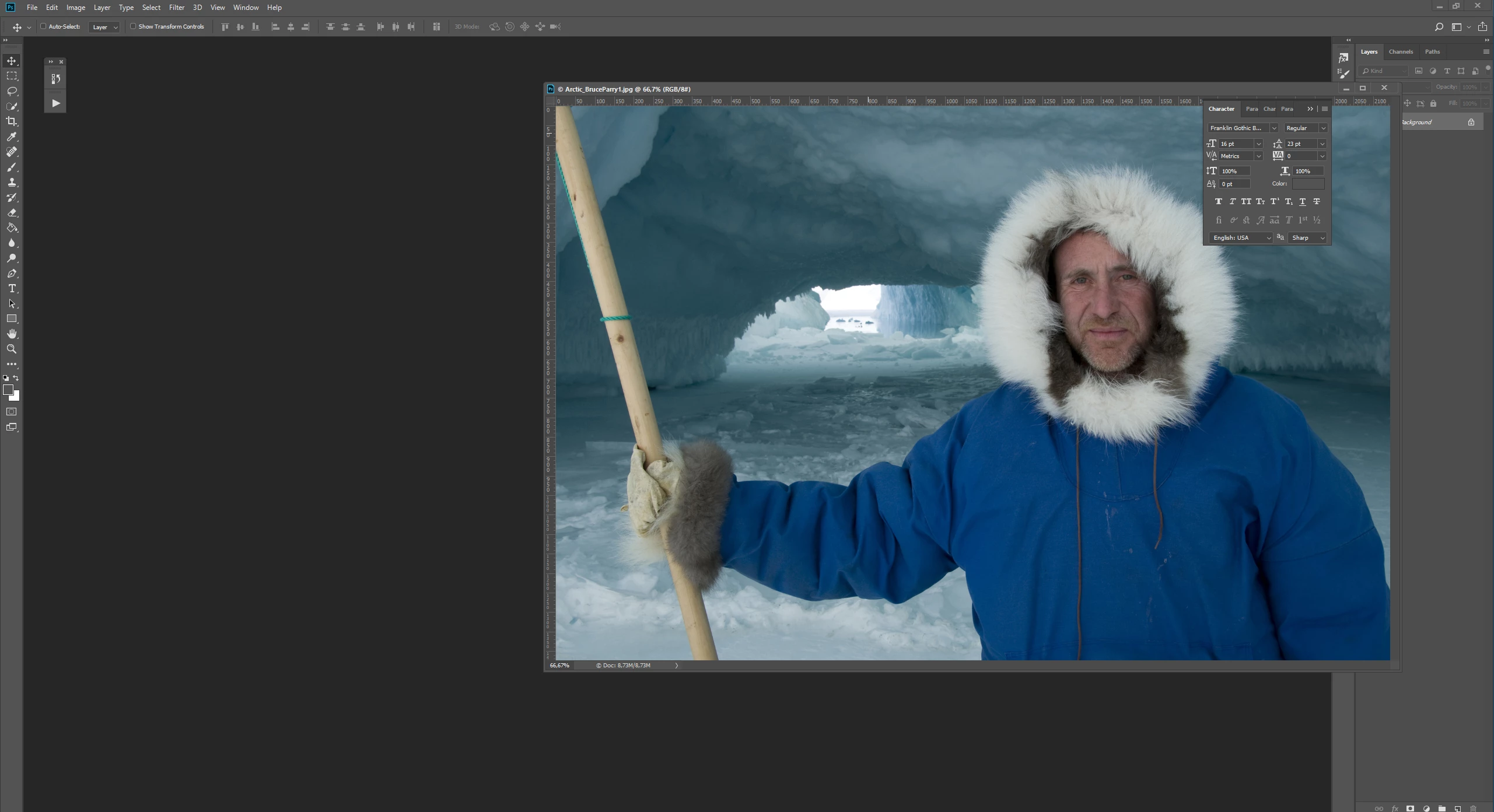
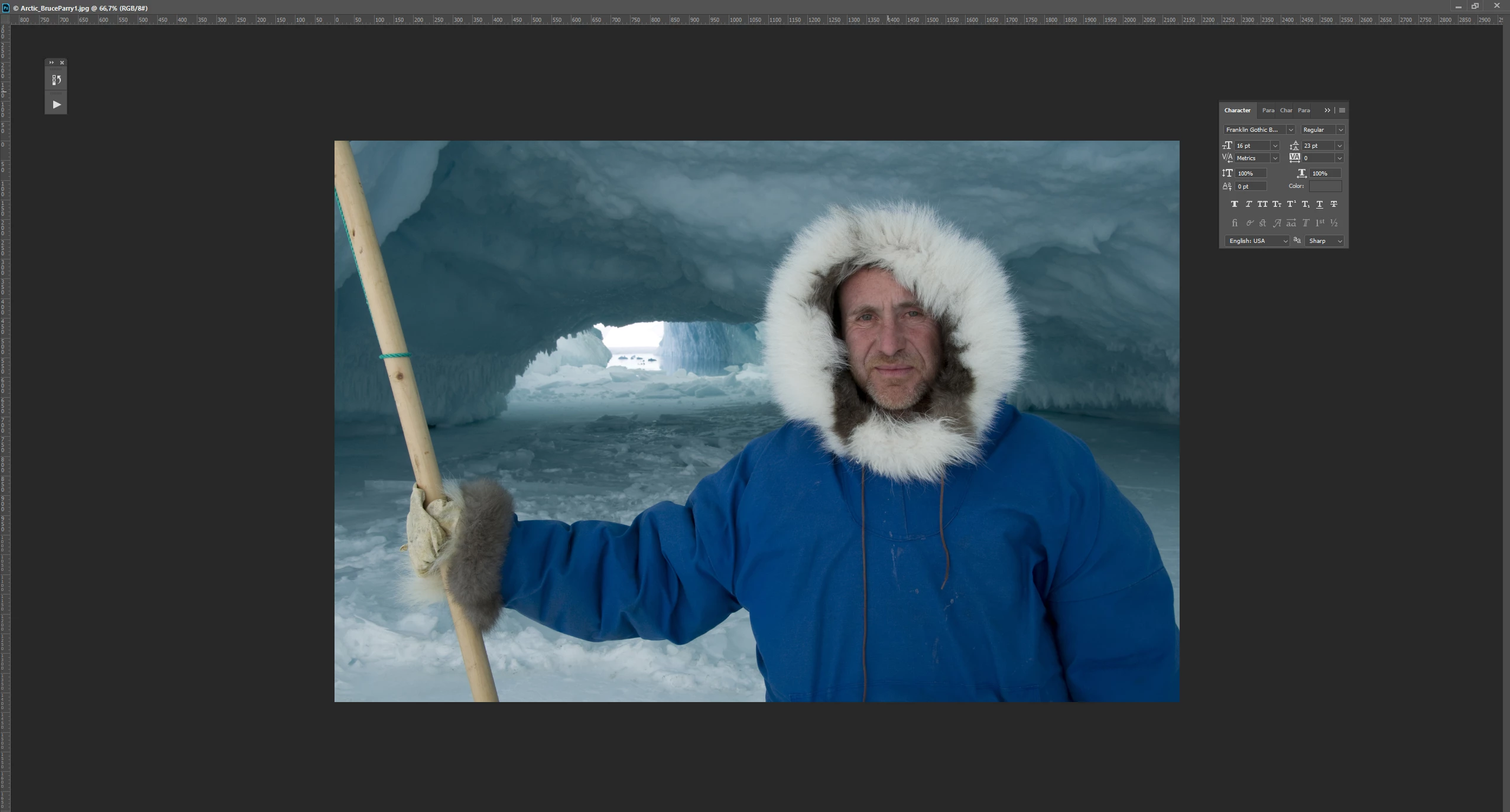
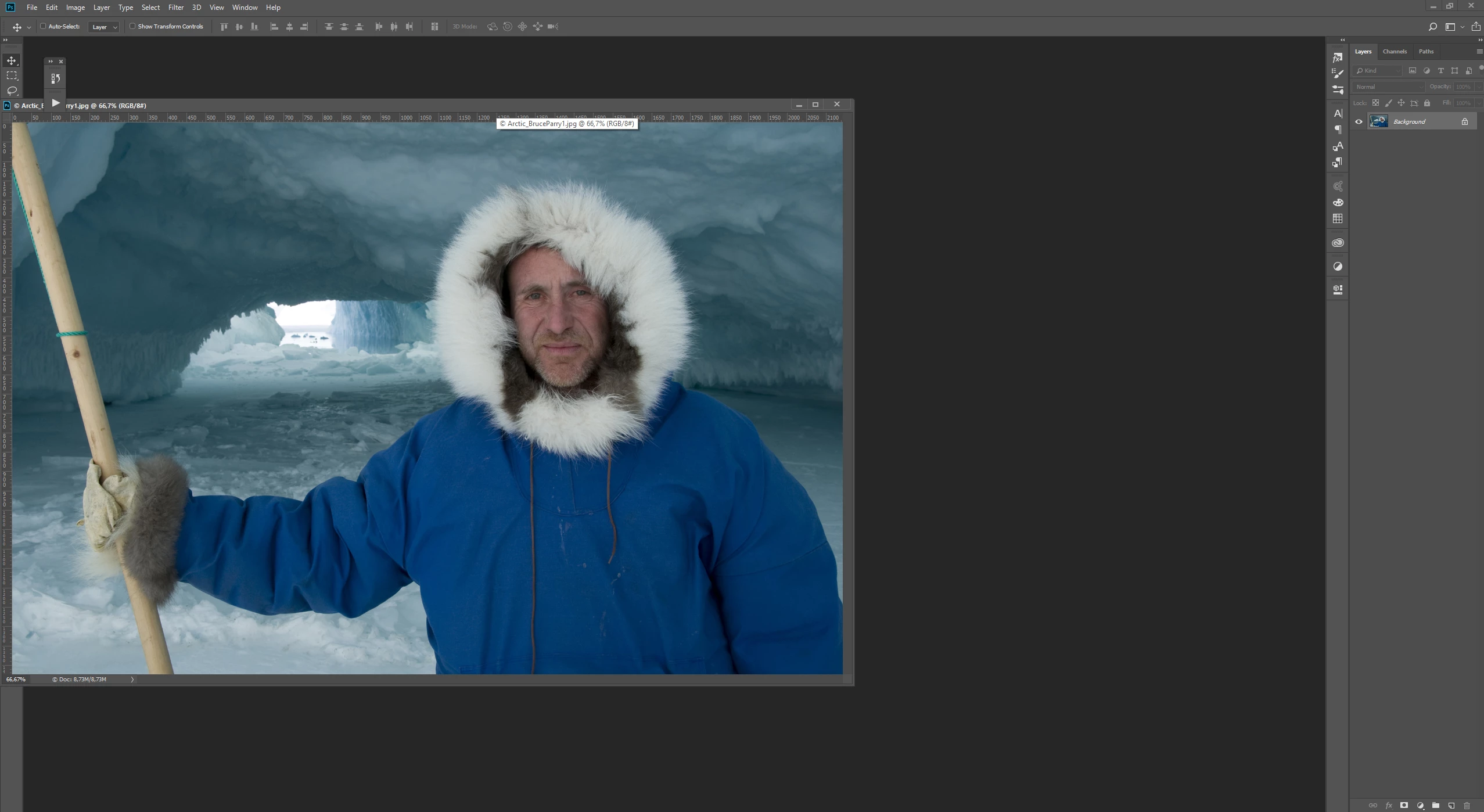
As you can see from the images I'm having issues with documents both overlapping and under-lapping palettes. What's going on? I wished ALL palettes could stay underneath the document.

Overlapping docked palettes far right but under lapping fly out palette from docked palettes
Maximized document. Under lapping two random docked palettes on both sides but everything else is gone!
Overlapping docked palettes far left but under lapping two loose palettes .
When I press F for full screen every palette is visible but the document size icons top right is out of sight and out of reach. When I dock the document to the top it's the same effect. To retrieve document control I need to go F+F and then I'm able to get the document corners again.

    This topic has been closed for replies.
    Correct answer davescm

    What you describe is normal on for Photoshop CC on Windows. If you want it to work differently you can make a feature request at the link below, where it is more likely to be seen by Adobe developers (this forum is predominantly user to user):

    Photoshop Family Customer Community

    Dave

    1 reply

    davescm
    Community Expert
    davescmCommunity ExpertCorrect answer
    Community Expert
    February 22, 2018

    What you describe is normal on for Photoshop CC on Windows. If you want it to work differently you can make a feature request at the link below, where it is more likely to be seen by Adobe developers (this forum is predominantly user to user):

    Photoshop Family Customer Community

    Dave

    perrybrusAuthor
    Inspiring
    February 22, 2018

    But how can it be normal when random palettes are left visible in my second example? What decides what pallets are left visible when you expand the document to max? I never had this outcome before. Is the rule now that all palettes that are docked to the edges of the screens on the both ends will be out of reach in a document scaled to its full size? And how can it be "normal on PS for Windows" that the document size icons top right is out of sight and out of reach in F mode? As far as I can recall I didn't have this issue in the hard copy days.