hawaii243h79830952
Participating Frequently
February 12, 2020
Pergunta

Panels messed up dual display - Photoshop

  • February 12, 2020
  • 3 respostas
  • 1311 Visualizações

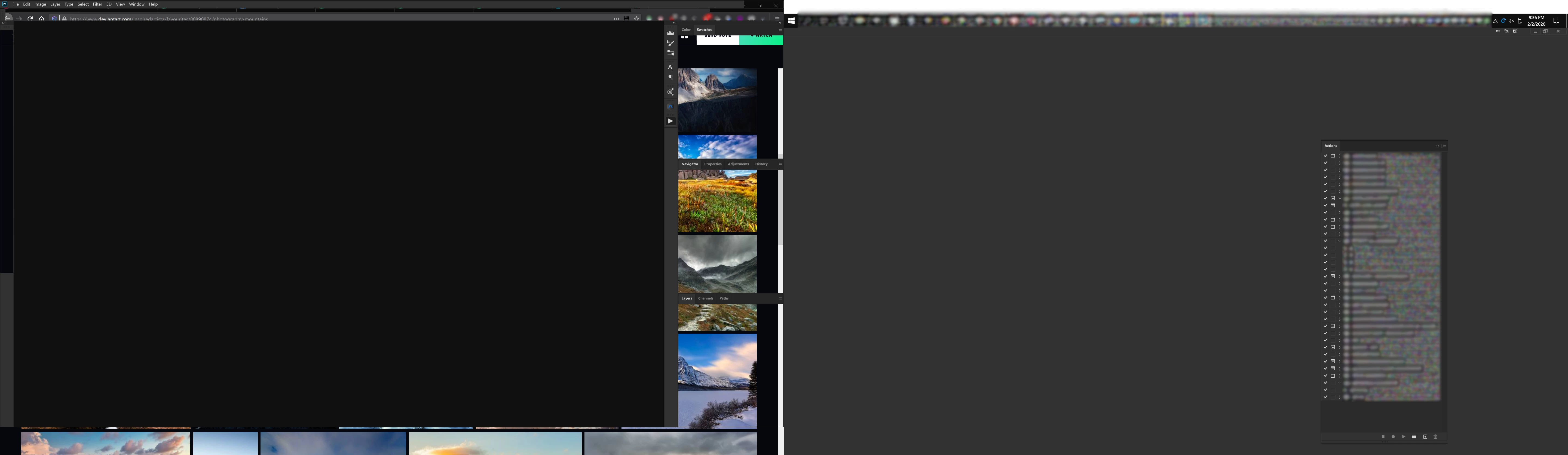
I open photoshop and this is what happens. Come on adobe... we pay good money for these applications. ffs 

I cannot even use the application. The menu bar on wrong screen, panels all messed up, cannot move panels, panels do not display. Photoshop is supposed to be on right screen but always opens with the application on right and the canvas and other panels on the left. Panels do not even display correctly. I'm not your testing sheep. Fix it.


{Thread renamed by moderator}

Este tópico foi fechado para respostas.

3 Respostas

davescm
Community Expert
Community Expert
April 27, 2020

Photoshop works fine here spread across multiple monitors. I use three on PS v21.1.2 Windows 10 v1909  and driven through an NVidia GTX1080 (driver 442.92)

What have you done so far in testing e.g resetting workspace, resetting preferences?

You have given no system information. In Photoshop, can you go to Help > System Info and press the copy button, then paste the info here.


Dave

Jeffrey_A_Wright
Legend
April 27, 2020

What type of Creative Cloud membership are you paying for Hawaii243h79830952?  There are no memberships assigned to the e-mail address you used to post to this public discussion forum.

Sahil.Chawla
Adobe Employee
Adobe Employee
February 12, 2020

Hi there,

That shouldn't be happening, could you please let us know the version of Photoshop and the Operating system you're working with?

Could you please have a look at this article and let us know if it helps? 

https://helpx.adobe.com/photoshop/kb/troubleshoot-home-screen-issues.html

Regards,
Sahil