
beatricek31449670
Participating Frequently
October 24, 2018
Frage

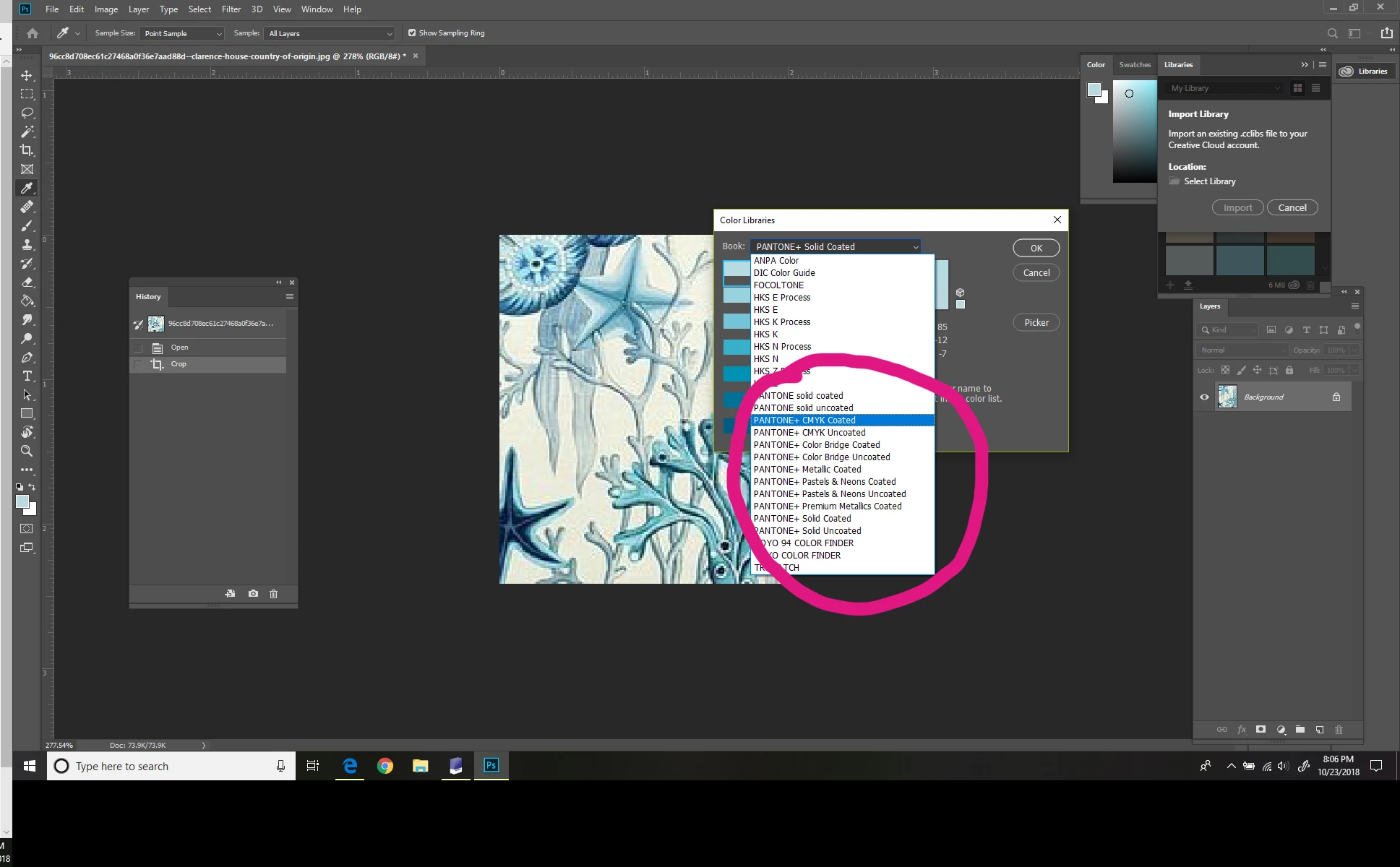
Pantone Color Library not available in color picker
  • October 24, 2018
  • 2 Antworten
  • 1211 Ansichten

With the new Adobe update, my Pantone F+H TPG color book is not available any longer from the colour picker. I can load the color book into the Swatches, but cannot use my color picker to match colors from an image.  I need to be able to do this to color match quickly.  With the previous Photoshop version, I could use the color picker to select a color, use the pull down menu to choose the Pantone F+H TPG color book, and Photoshop would select the closest color for me.  This latest version does not show the color book I need in the library. 

Any ideas?  Any help would be appreciate.

Dieses Thema wurde für Antworten geschlossen.

2 Antworten

Community Expert
October 24, 2018

I agree with Jeff... Please follow this guide:

Migrate presets, actions, and settings

beatricek31449670
Participating Frequently
October 24, 2018

Thanks Francesco!

Jeff Arola
Community Expert
Community Expert
October 24, 2018

Did you copy the Pantone F+H TPG  Color Book from the photoshop 2018 Presets>Color Books to the photoshop cc 2019 Presets>Color Books?

beatricek31449670
Participating Frequently
October 24, 2018

Thank you Jeff!  Your advice worked beautifully.