Participant
August 30, 2017
Frage

Paste/Record measurement on the image in photoshop

  • August 30, 2017
  • 2 Antworten
  • 595 Ansichten

I have read the forums but did not find the answer I was looking for.

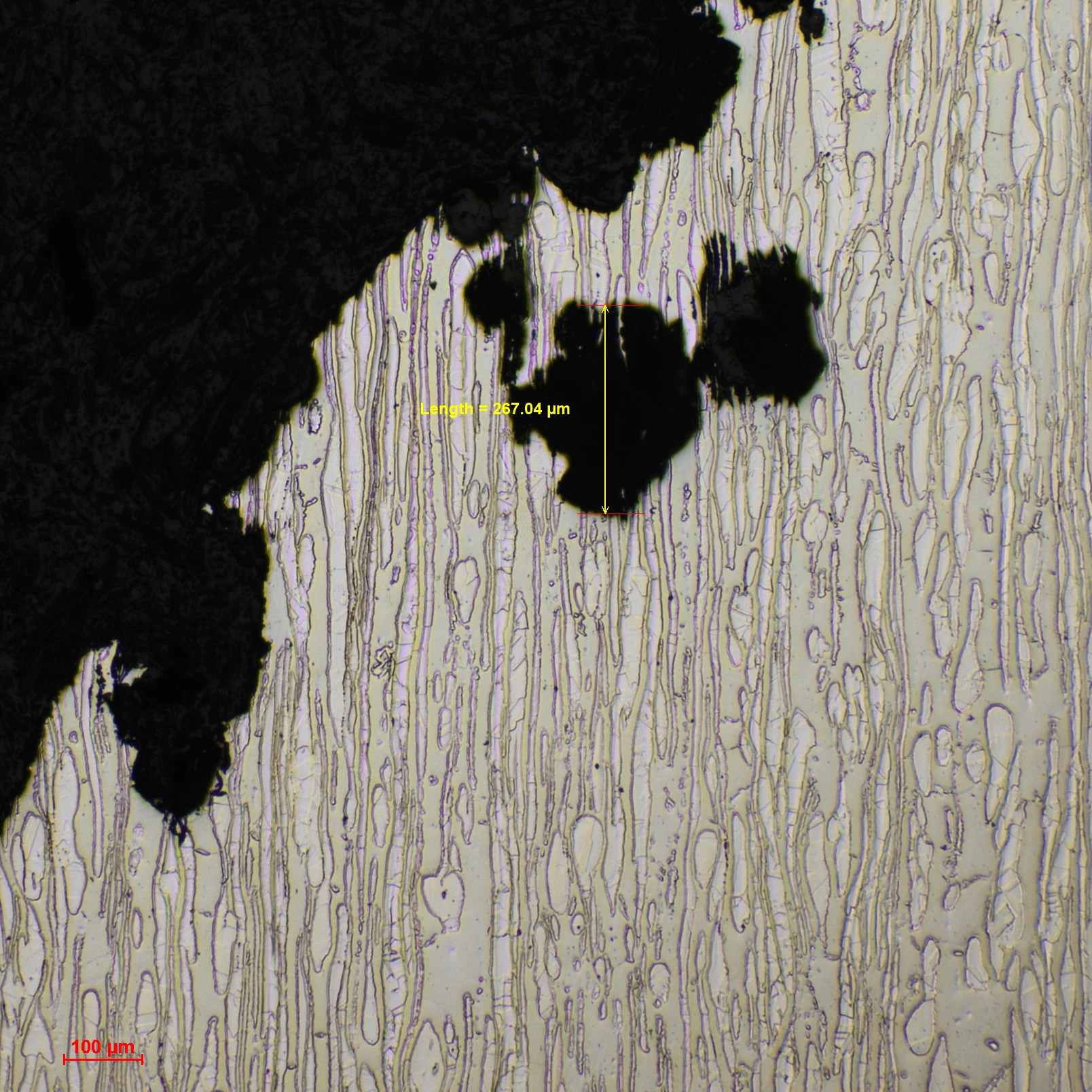
I have images I took with a microscope which show scale. And I have set the desired length measurement with the help of that scale. Now, I can measure where I want on the image and record the measurement, but the results show in a box (something like an excel spreadsheet). However, what I want is to record that measurement ON the image. For example, I want to draw a line on a sample, the sample is 250 µm, I want the@ line to be labeled as a 250 µm line so that the user can read it quick.

Something like what's shown in this image I got from the web. It shows the scale on the bottom left, and it shows the length of the corroded area < This is what I want.

Any help will be greatly appreciated, I've been looking for this since last night.
    Dieses Thema wurde für Antworten geschlossen.

    2 Antworten

    Norman Sanders
    Legend
    August 30, 2017

    "...I want on the image and record the measurement, but the results show in a box (something like an excel spreadsheet). However, what I want is to record that measurement ON the image.."

    Unless I misunderstand, I believe the result you want, type appearing on the image without a it being in a white box, then change the Blending mode of the type layer to Multiply.

    c.pfaffenbichler
    Community Expert
    Community Expert
    August 30, 2017

    That would seem to need Scripting, so you may want to ask for help over at

    Photoshop Scripting

    Are you familiar with JavaScript?

    Are there multiple such measurements to illustrate in the image?

    Can you provide a file for testing?

    Participant
    August 30, 2017

    Thank you for taking the time to reply. I'm not familiar with scripting or javascript but I guess I need to learn. Or perhaps use the microscope software at the workplace and redo the samples which will be time consuming. (If such a script exists, I'll appreciate it if you could help me with it).

    I've provided a file, the scale shows 500µm. Let's say the pit on the top marked by yellow line with arrowheads is 250µm. All I want is to add dimensions to that line. So that it says the length of that yellow line right on the image.
    Yes, some images contain more than one pit, I have to show multiple measurements on one image.

    c.pfaffenbichler
    Community Expert
    Community Expert
    August 30, 2017

    Did you create the line as a Layer?

    Could you provide the layered image.

    And please post over on

    Photoshop Scripting

    someone else might have the time to help you considerably sooner than me.