
Participant
May 3, 2024
Question

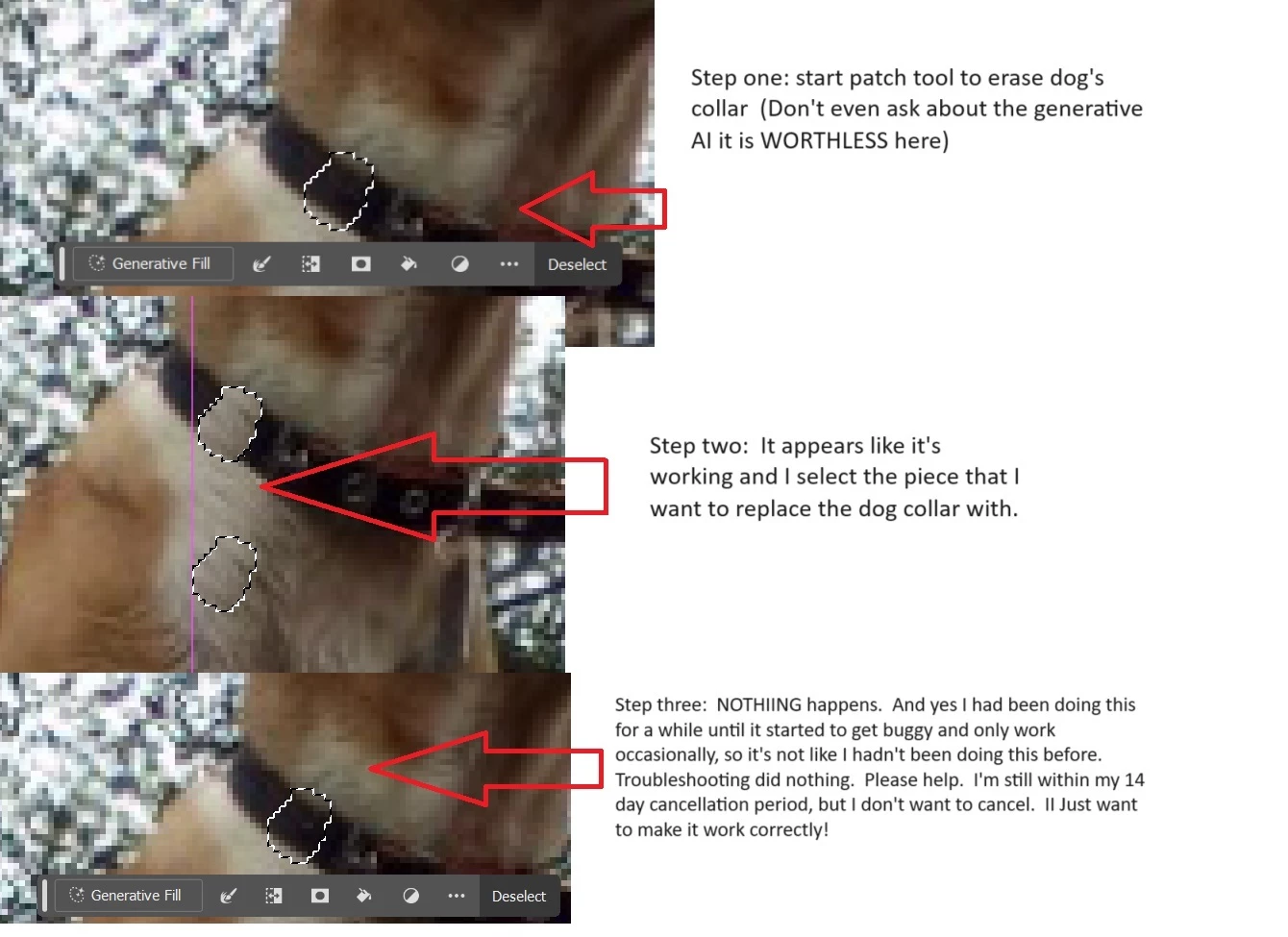
Patch tool buggy, mostly not working

  • May 3, 2024
  • 1 reply
  • 1122 views

Help.  I just signed up for photoshop and the main reason I did so was for the patch tool.  It started off working great and now it's hit or miss.   Sometimes I get it to work well and other times it just refuses to work until I add another layer.  Ok no problem so I add a layer.  Now even if I add layer upon layer it just has stopped working.


I have restarted adobe, reset the tool, restarted my computer, checked for updates and it just won't work at all.   This is literally one of 2 features I use so I need this fixed or I have no use for photoshop. PLEASE HELP!


THANK YOU!!  🙂 


This topic has been closed for replies.

1 reply

Ged_Traynor
Community Expert
Community Expert
May 3, 2024

@Burbuja0512 try manually resetting your Photoshop preferences
https://helpx.adobe.com/ie/photoshop/using/preferences.html#Manually
Remember to back up your settings before doing the preference reset
https://helpx.adobe.com/ie/photoshop/using/preset-migration.html

Participant
May 3, 2024

Thanks for the suggestion.  It didn't appear to work.    Is there something else I can do?  Some sort of check box that might be checked that I'm unaware of?   As I mentioned, I have been successfully using this so I know how to use the tool.   It was working just fine before.    


Thanks again.