Participant
April 11, 2017
Answered

Pattern spam throughout CS6
  • April 11, 2017
  • 2 replies
  • 364 views

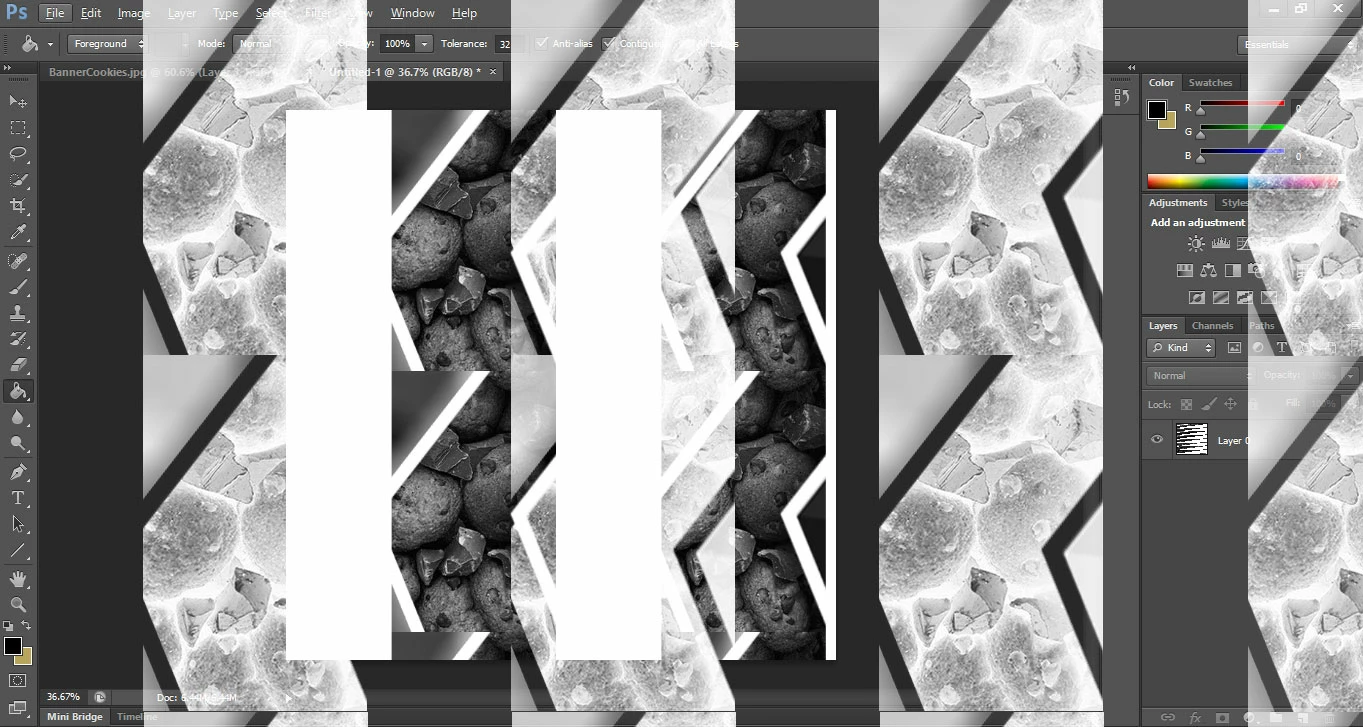
I was creating some designs and must have accidentally set a pattern as default for a large portion of the program because as soon as I try to fill an image, or I open a new document, or there is a blank space in the canvas as examples, this pattern appears. While I fill, it doesnt fill all the selection/canvas due to this strange pattern. How can I get rid of this?

    This topic has been closed for replies.
    Correct answer c.pfaffenbichler

    Does turning off »Use Graphics Processor« in the Performance Preferences (Photoshop > Preferences > Performance > Graphic Processor Settings) and restarting Photoshop have any bearing on the issue?

    Actually I think it was called differently in CS6 but I hope you can identify it anyway.

    2 replies

    iSwarozAuthor
    Participant
    April 12, 2017

    Thanks guys. It's solved now.

    c.pfaffenbichler
    Community Expert
    Community Expert
    April 12, 2017

    Turning off »Use Graphics Processor« is no proper solution as it invalidates GPU dependent features (like the Rotate View Tool for example) but it indicates problems with the GPU driver or the OS.

    c.pfaffenbichler
    Community Expert
    c.pfaffenbichlerCommunity ExpertCorrect answer
    Community Expert
    April 12, 2017

    Does turning off »Use Graphics Processor« in the Performance Preferences (Photoshop > Preferences > Performance > Graphic Processor Settings) and restarting Photoshop have any bearing on the issue?

    Actually I think it was called differently in CS6 but I hope you can identify it anyway.

    davescm
    Community Expert
    Community Expert
    April 12, 2017

    c.pfaffenbichler You were right first time - was labelled the same in CS6

    Dave

    c.pfaffenbichler
    Community Expert
    Community Expert
    April 12, 2017

    Thanks.

    I seem to remember that it was called something different in some CS-version/s.

    Anyway, whether the GPU-driver is the culprit for the OP’s problem remains to be seen.