

wckdtall
Inspiring
October 5, 2017
Pregunta

Patterns and Shape Paths Cause Photoshop 2015 and 2017 to crash [Mac Pro]

  • October 5, 2017
  • 1 respuesta
  • 1383 visualizaciones

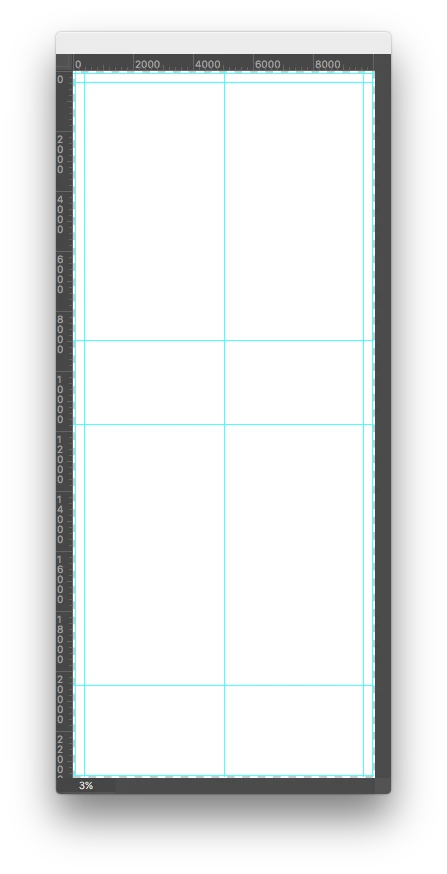
Recently I found myself having trouble with Paths in Photoshop. The file I had tested on I simplified down to 2 shape fills, and it still caused 2015 to be extremely slow, slowing photoshop to a halt when editing/transforming paths, and the same file seen below opened in 2017 froze the program completely, and didn't even seem to fully load the file. In troubleshooting, I found that the 876MB of pattern preferences, which contained some large tiles was the culprit of this limitation. Deleting the pattern preference file or patterns from the preset panel restored photoshop's functionality.
    Este tema ha sido cerrado para respuestas.

    1 respuesta

    JJMack
    Community Expert
    Community Expert
    October 5, 2017

    If Photoshop is crash pleas post the details in the crash report.  Posting your Photoshop menu Help>System Info  copy past here may be helpful.    Pattern do not have Paths unless you are using a shape layer that has a pattern fill.  What is the Image window with guide line you posted   for to show us you have a very large portrait canvas size. 22,000 pixel high.   that is a lot of pixel to work with.  You in the area of 200MP layers can be like 600MB in data structures.  Why are you working with that many pixel.  How good are they have you stitched many images together?  What hardware do you use.  You will need a very high end machine to process that many pixels how many layer do your normally use.

    JJMack
    wckdtall
    Inspiring
    October 9, 2017

    I'm not sure a crash report would help as I had to force the program to quit. I think the culprit is these specific paths having some sort of excess baggage. I loaded the set of patterns again, and created a canvas that was 10000px x 30000px, added a path and had no latency issues. In hoping it was document ancestors I scrubbed them from the problem file, but still experienced the issues. As a size test again, I scaled the path down to 100px x 400px(which took about 5 minutes), changed the size of the document to 100px x 400px and the latency issue still exists. The problem file contains only 2 paths and 1 raster layer. The raster layer can be selected no problem, but the rectangle path layers require a lot of thinking. I'm on a  Mac Pro(Late 2013) 6-Core intel Xeon 3.5GHz 16GB DDR3 ECC 1866MHz RAM across 4 DIMMs with an AMD FirePro D500 3072 MB Graphics Card.

    JJMack
    Community Expert
    Community Expert
    October 9, 2017

    A path has no pixels just some math data. A canvas 10,000px by 30,000px means the background canvas has 300,000,000 pixels if the  document color space is ProhotoRGB 6bit color depth it  means the Pixels color data is 1,800,000,000bytes  If you start adding layes and fill the with a pattern you have layers that need to be blended together if you 5 layers to blend the  is 5 x 1,800,000,000 = 9GB the a lot of bytes to deal with.  Here I created a document that size and added 5 layers. When tried to distort one  I receiver a massage that I need more ram. So I look at the windows task manger and resource manager to see how my machine resources were being used.  I saw that my machine still had 12GB of RAM free and Photoshop was using 22GB. Your machine has what 16GB of RAM you are asking a lot from your machine.   My machine has 40GB of RAM and can not handle that document.

    JJMack