
Participant
October 11, 2018
Answered

PDF export error - corrupted font

  • October 11, 2018
  • 1 reply
  • 2605 views

Hi everybody,

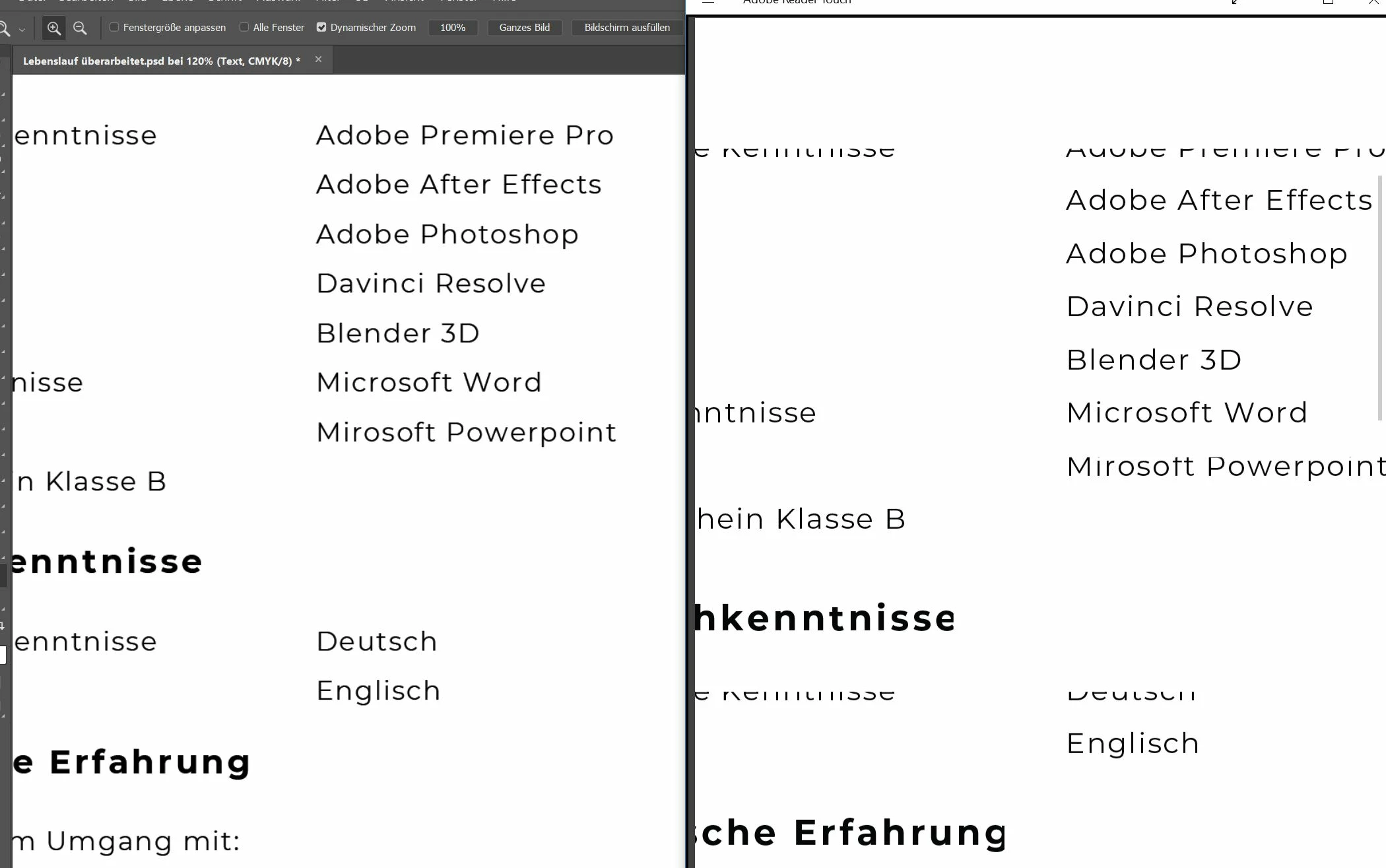
I am trying to export a document as a pdf. In photoshop, everything looks fine, but when I export it, the text in the pdf file is sometimes cut off or missing. I already searched the forums but couldn´t find an answer.

Converting everything to shape works fine as a fix, but thats just not a permanent solution for me. Any ideas what could cause this problem?

Thanks for your help!
This topic has been closed for replies.
Correct answer Muqqarib Hassan

Hi,

When you open a PDF it uses the fonts on your computer unless they are embedded in the PDF.

Here is the link which have instructions on how to embed a non-standard font in your PDF.

See

https://helpx.adobe.com/acrobat/using/pdf-fonts.html

or search "embed fonts in PDF" and you will find instructions. It should be easy to fix.

Best of luck,

Muqqarib

1 reply

Muqqarib Hassan
Muqqarib HassanCorrect answer
Inspiring
October 11, 2018

Hi,

When you open a PDF it uses the fonts on your computer unless they are embedded in the PDF.

Here is the link which have instructions on how to embed a non-standard font in your PDF.

See

https://helpx.adobe.com/acrobat/using/pdf-fonts.html

or search "embed fonts in PDF" and you will find instructions. It should be easy to fix.

Best of luck,

Muqqarib