PDF Save Preferences Keep Changing
Hi guys,
I've been using PS CC 2015 on my (Windows) work computer for some time now without issues, but after my Windows 10 updated itself overnight a few weeks back, my PDF save preferences keep changing to some whacky modified settings & I can't get them to go back to 'High Quality Print' as my default as I would like it to be. These weird settings (which I never used previously) will automatically add a white background to PDFs I save without layers & no background (which is most of the files I work with). For some reason I don't have this issue with PDFs with layers, only when I save without layers.
This is the dialogue box I'm talking about in case there was any ambiguity:
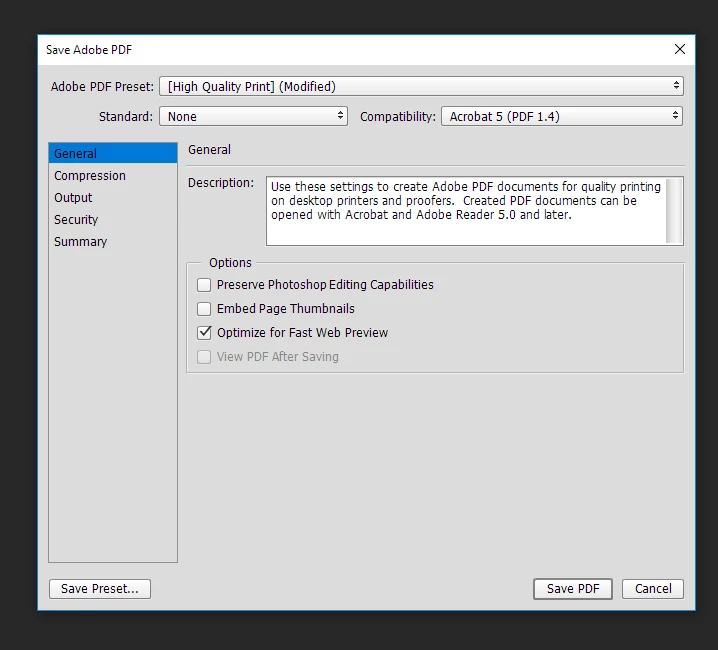
If I select 'High Quality Print' from the drop down box instead of "High Quality Print [Modified]" then everything is normal. But I want to make it select 'High Quality Print' by default rather than me having to select it every single time.
I have tried resetting all preferences by going Edit->Preferences->General->Reset Preferences on Quit. Annoyingly, this seemed to reset every setting/preference except for this one!
Any help greatly appreciated!
Cheers
Ethan
 AdChoices