
emmah81850677
Participant
August 23, 2020
Question

Pen Pressure Issue

  • August 23, 2020
  • 2 replies
  • 254 views

Hi. 

I've been struggling to get the pen pressure working on photoshop for a few days now. 

Following online self-help, I was able to successfully get the pen pressure function to work within Photoshop (by creating a PSUserConfig.txt file.) However, it still isn't working correctly. Every time I draw with Pen pressure turned on, the pen shoot to the top left-hand corner of the screen continuously as I draw.

Like so:
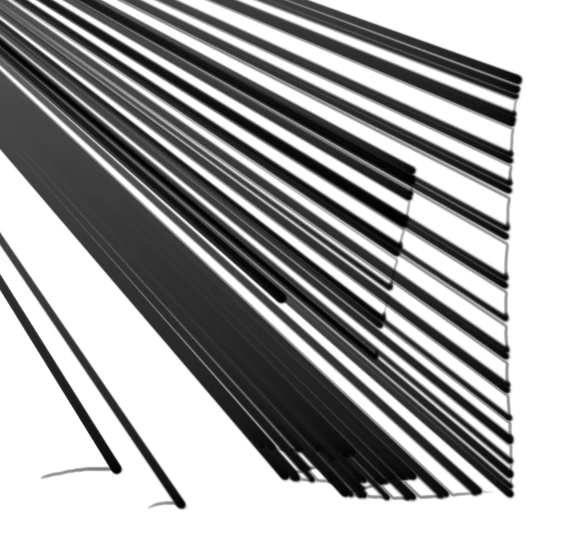
This only occurs when the ‘Windows INK function’ is enabled within the tablets settings window. Without this enable the pen pressure does not work at all. I have uninstalled and reinstalled both the tablet drivers and Photoshop, updated Windows, updated drivers (even swapped UBS ports the tablets plugged into) and it still nothings fixed it. Am I missing something obvious? Anyone got any ideas whats going on?


Operating system: Windows 10

Tablet: Veikk A15

Photoshop: CC 2020


Thanks

This topic has been closed for replies.

2 replies

Participant
September 9, 2020

I am having the same issue, the first time I input the PSUserconfig.txt file a it worked just fine, then all of sudden it stopped working . I had to update photoshop to the latest version last night and still nothing. I tried to input that psuser file again and still nothing. 

JJMack
Community Expert
Community Expert
September 9, 2020

Install 21.2.3.

JJMack
JJMack
Community Expert
Community Expert
August 23, 2020

If you are using the PSUserConfig.txt 

# Use WinTab in PS CC for Wacom Tablet not INK
UseSystemStylus 0

And un check use Windows ink in the tablet deviset setting.  WinTap will be used and what your screen capture shows is a typical problem you see with the Broken WinTab support.  You need to use windows INK with Photoshop version 21.1 and newer.

# Use INK would be 

UseSystemStylus 1 


and the tablet needs to be sets to use INK with Photoshop

JJMack