
Pen Pressure not working for photoshop 2020 on Catalina
Hello,
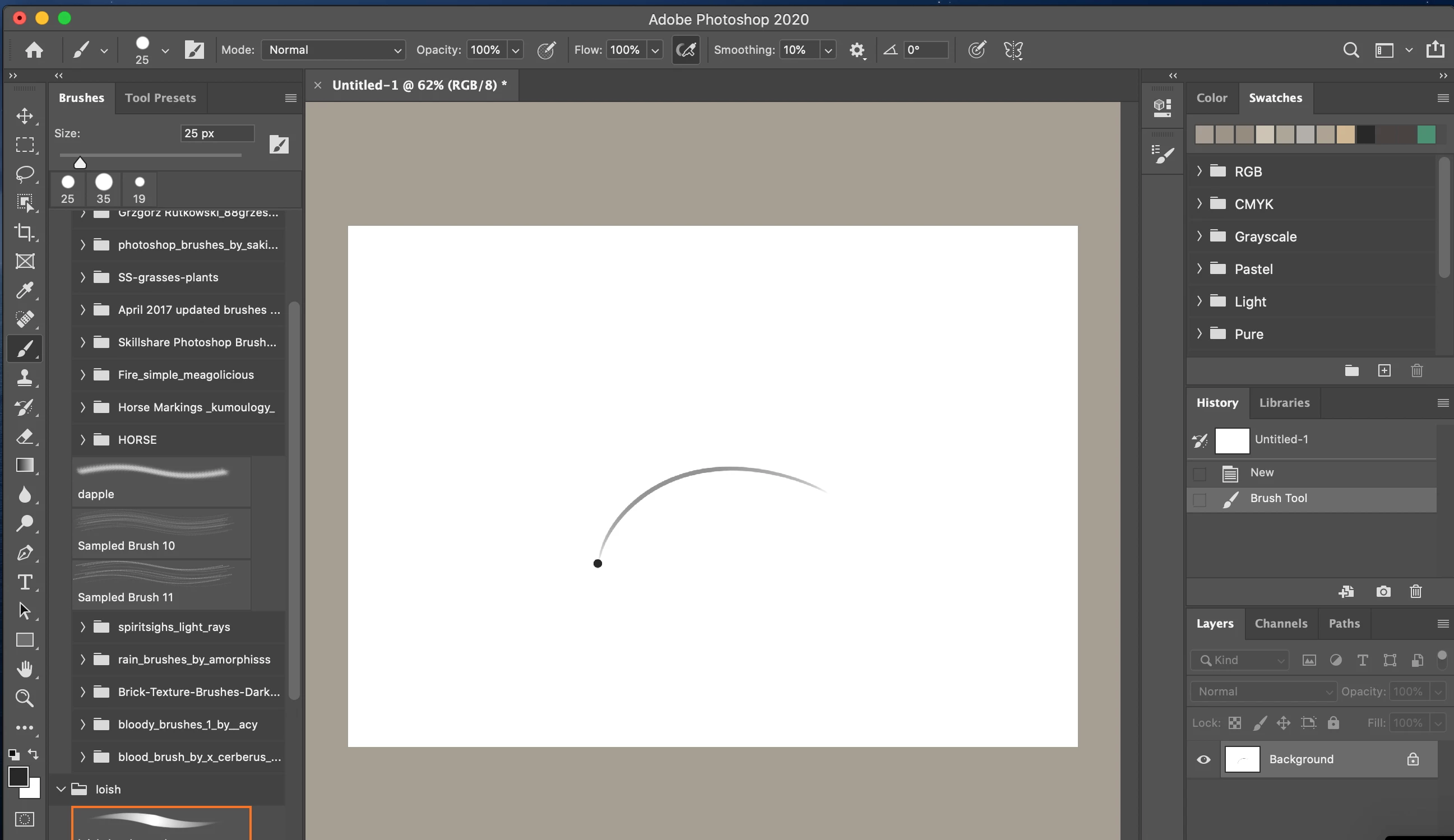
I recently had to reset my computer to factory settings due to disk issues. Prior to this my tablet worked fine and I had no problems with pen pressure, but now i am getting a strange dot whenever I go to make a stroke in photoshop. I have reinstalled and uninstalled multiple times both wacom driver (following these steps https://machollywood.com/blogs/news/wacom-tablet-compatibility-with-mac-os-10-15-catalina) and photoshop. All my systems are up to date: Catalina 10.15.4, wacom driver 6.3.39-1, photoshop 21.1.2, everything in input monitering and accessibility is checked and I even unchecked and rechecked photoshop and wacom. I have checked pen settings>about>diagnostics that proximity is working. I have turned off legacy settings and graphics processor in photoshop. Messed with photoshop settings and wacom settings. I've basically done everything imaginable out there that I have found to troubleshoot this problem.
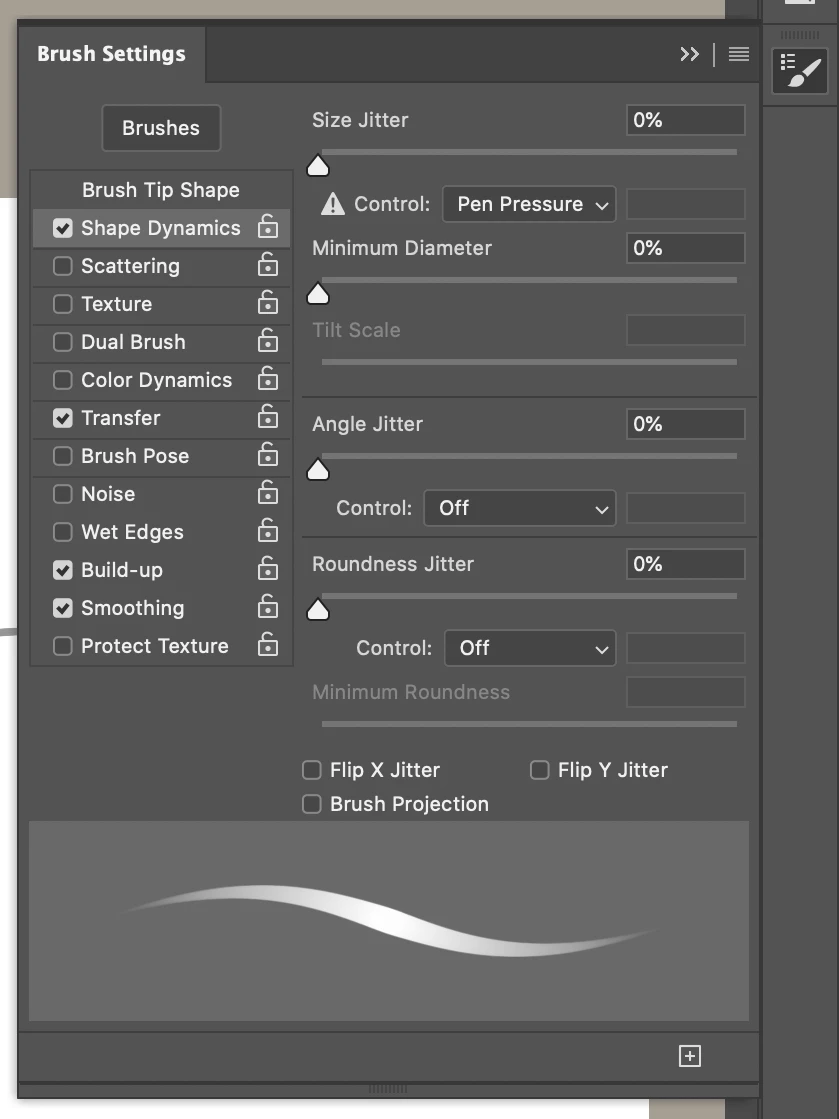
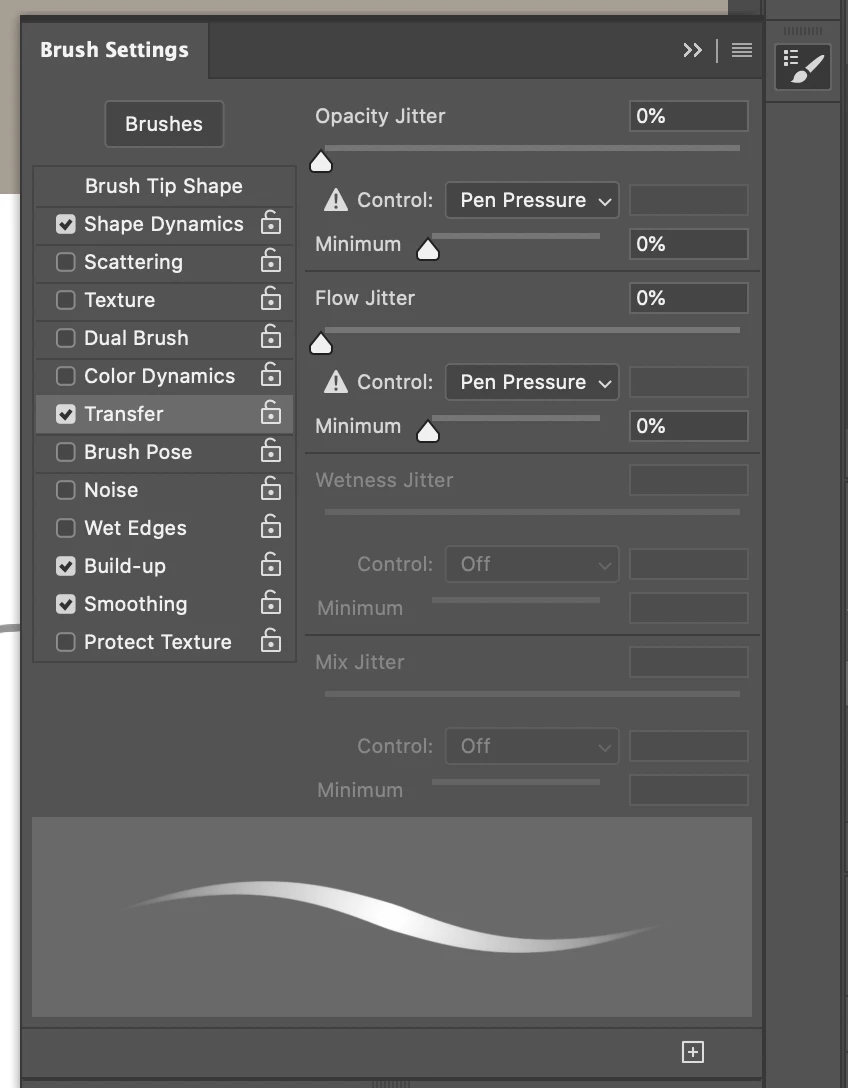
I have provided screenshots of what happens when I make a stroke as well as Shape dynamics and transfer which show that something is not quite right with pen pressure as they have the ! of doom.
I'm not sure if this is just bad luck that nothing is working or if there is an update coming or what. My intuous pro is 2017 version bought in 2017, my macbook pro is 2016 running on latest catalina and I'm pretty frustrated and annoyed at this point.
Thank you and hopefully this can be solved as I really want to get back to drawing again.
 AdChoices