Answered
Pen tool line with 90-degree lines
Hi,
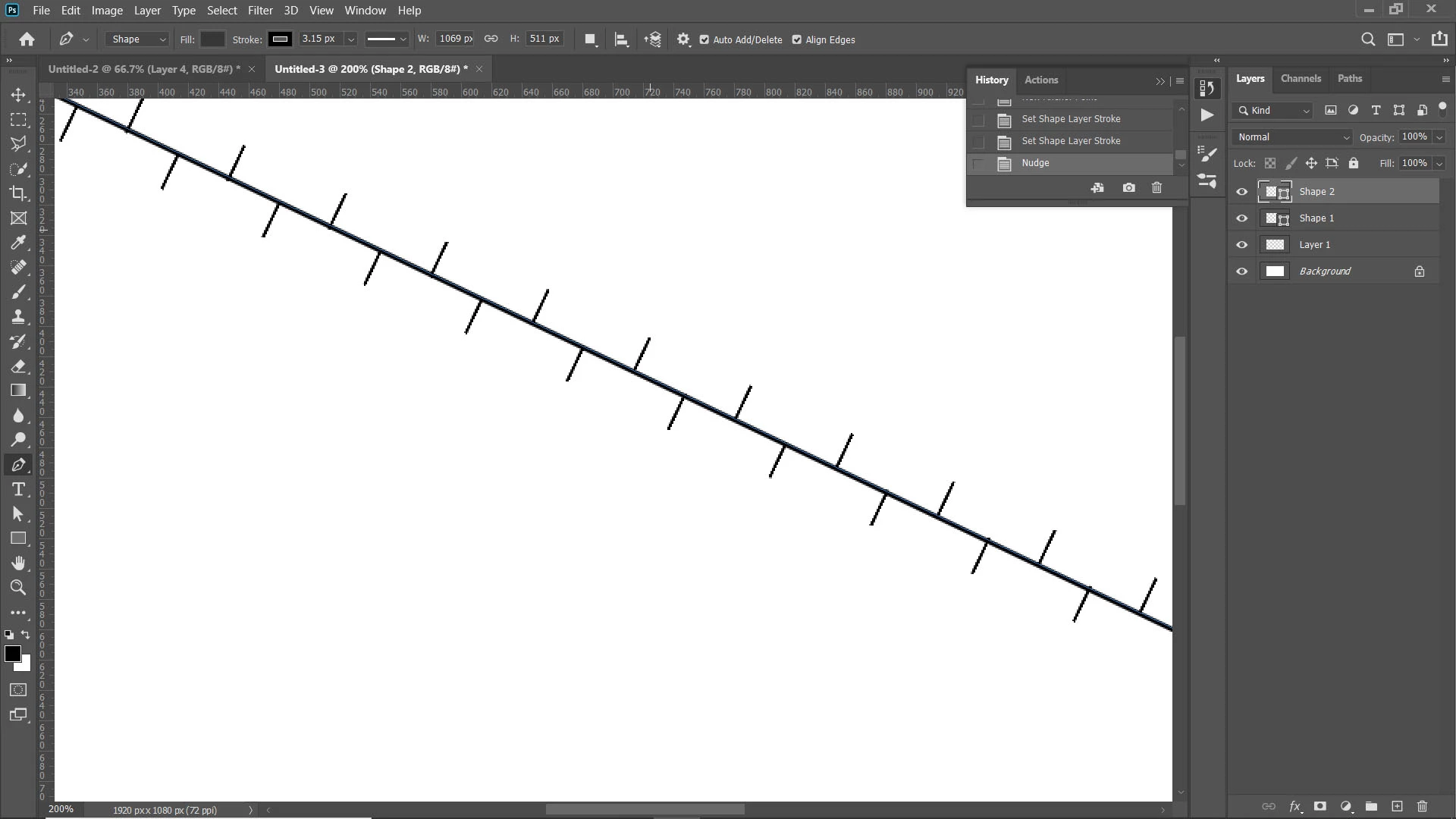
Is there a way to draw lines with PS CS pen tool as follows:
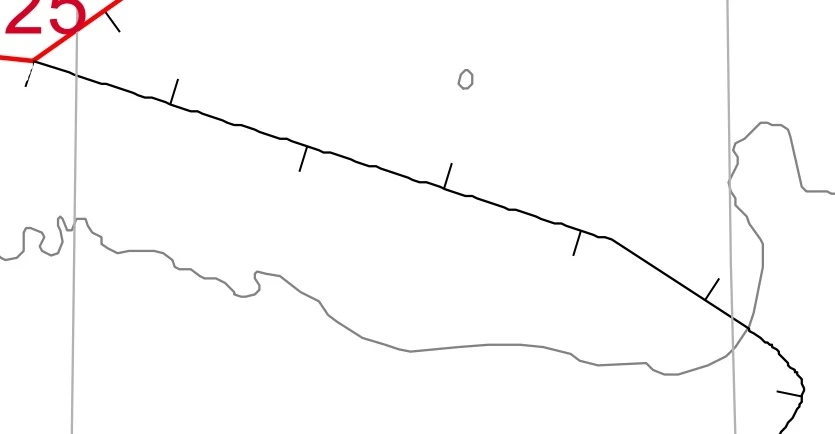
I want those 90-degree lines to show up when I draw a line. What is the easiest solution?
Thanks!

Hi,
Is there a way to draw lines with PS CS pen tool as follows:
I want those 90-degree lines to show up when I draw a line. What is the easiest solution?
Thanks!
The only way I know how to do this is to create a pattern of one of the short lines:
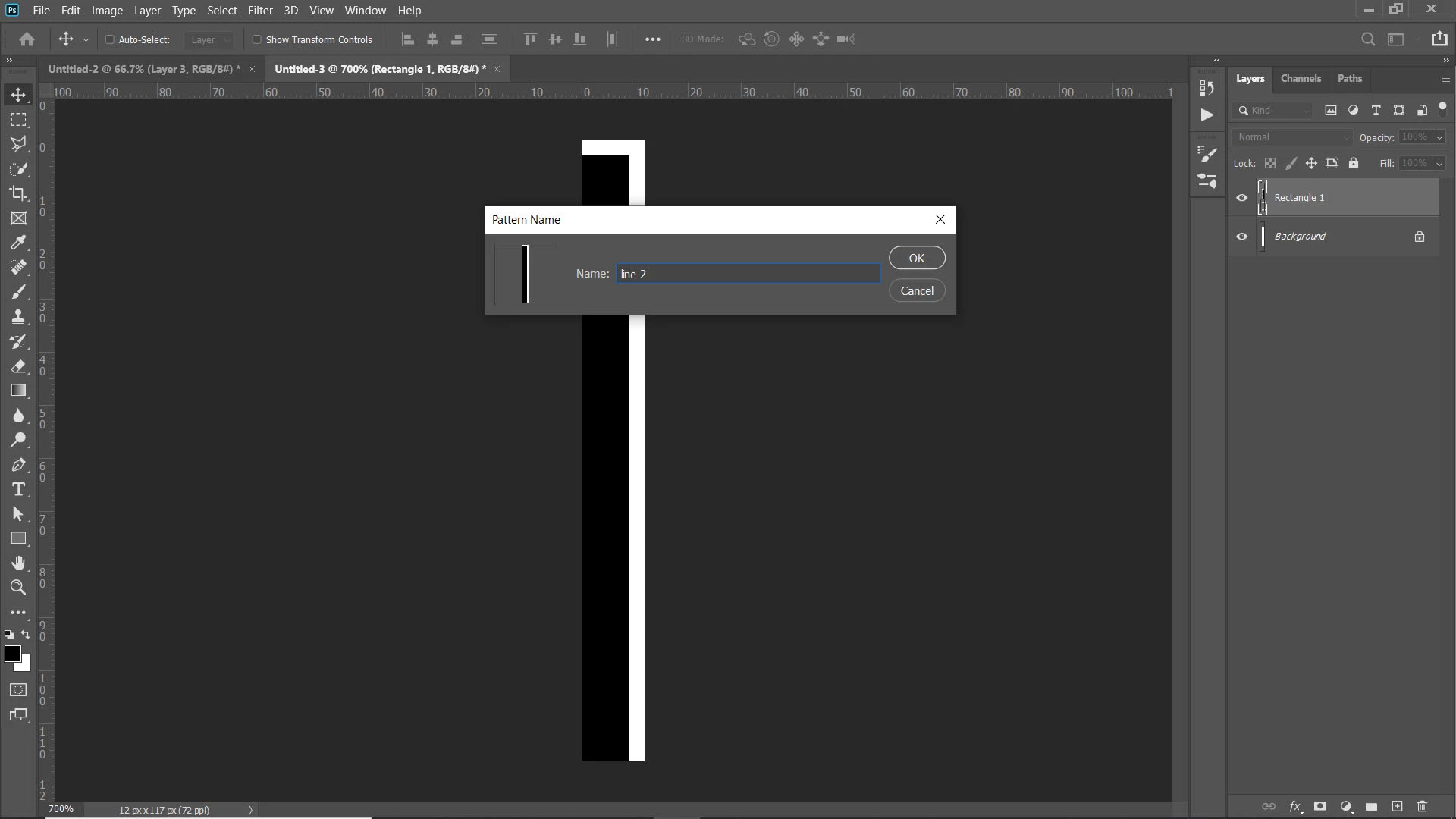
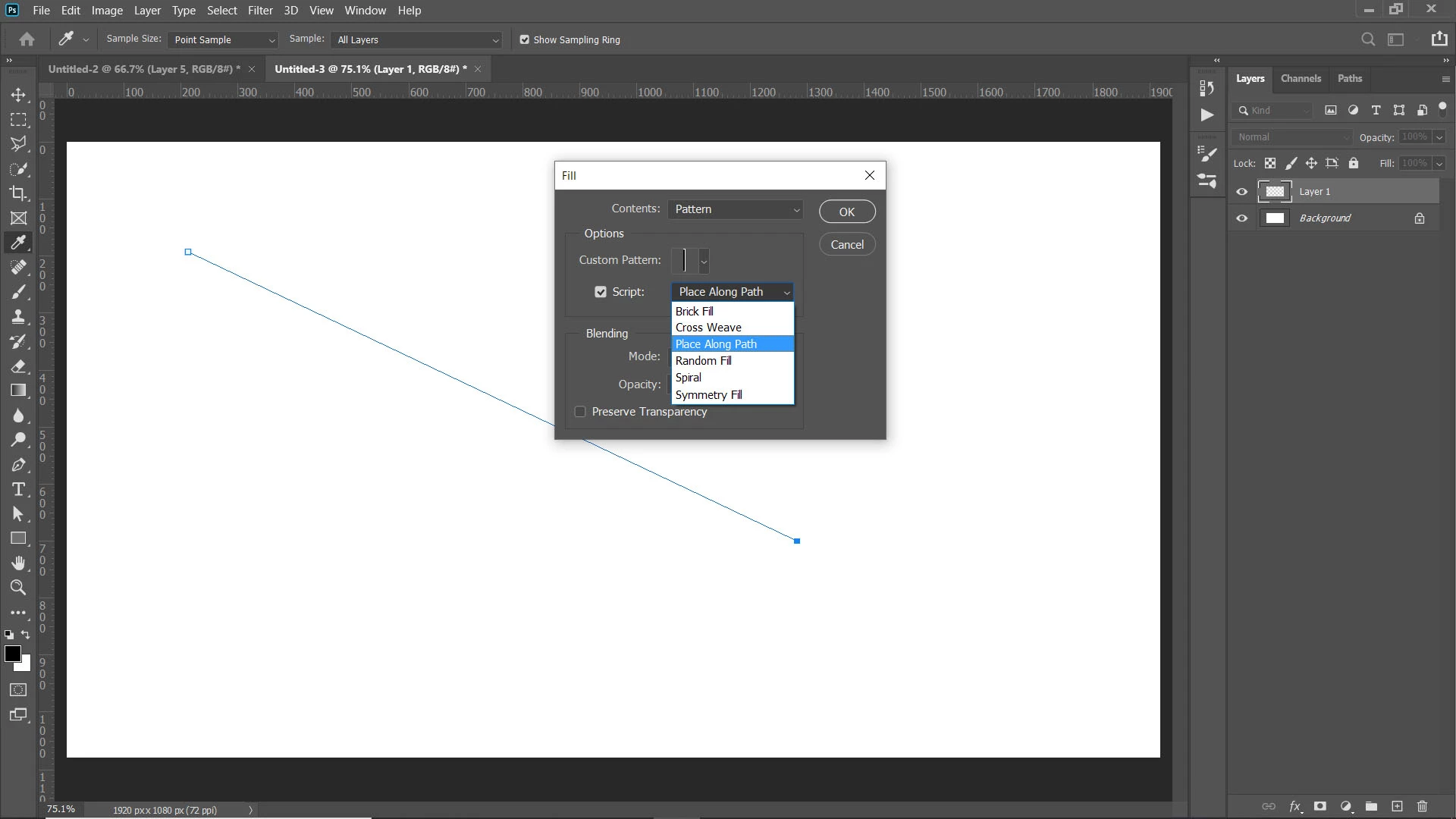
Then, using the pen tool, set as a path, draw a line. Then use Edit>Fill to use the scripting fill patterns to follow along a path.
Adjust the size, spacing, alternate pattern, and distance from the path to your liking.
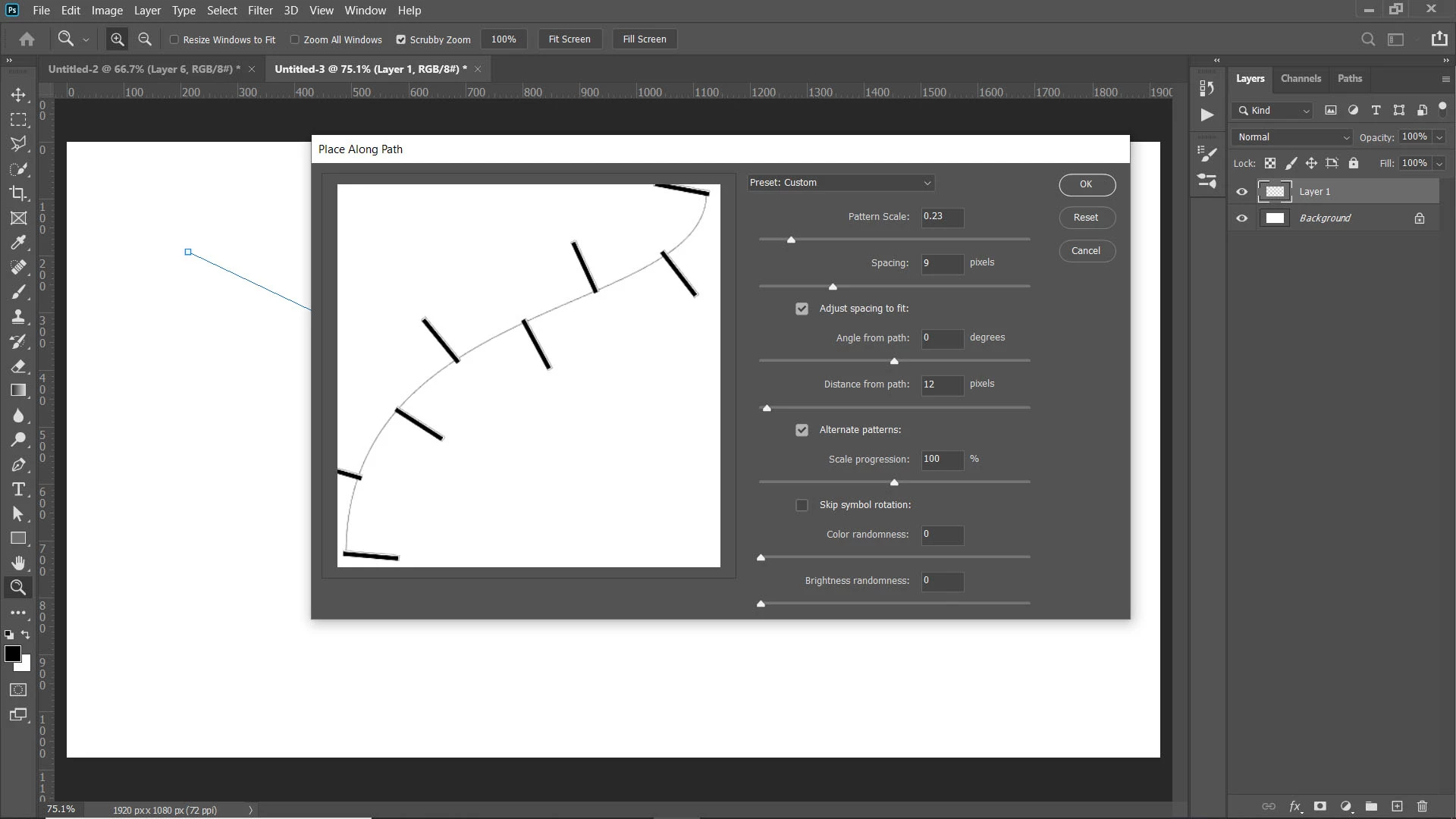
Then you should be able to convert the path to a shape while the pen tool is selected and set a stroke for the new shape layer. However, there seems to be a bug with that, so you might have to redraw the line, making sure the option is set to shape instead of path. Then you can stroke the line.
Already have an account? Login
Enter your E-mail address. We'll send you an e-mail with instructions to reset your password.
 AdChoices