
Participant
February 14, 2018
Answered

Pen tool : make anchor points visible after layer selection ?

  • February 14, 2018
  • 2 replies
  • 1011 views

Hello,

Let me explain the process : first I draw something with the curvature pen tool, then I draw something else on a different layer, and whenever I get back to my first layer (on which I've used the curvature pen tool) the anchor points are not visible. In order to make them visible, I have to add a dummy new point on the shape then the other anchor points become visible.

Here's what happen when I click on the layer (grey object), we can see the shape but not the points :
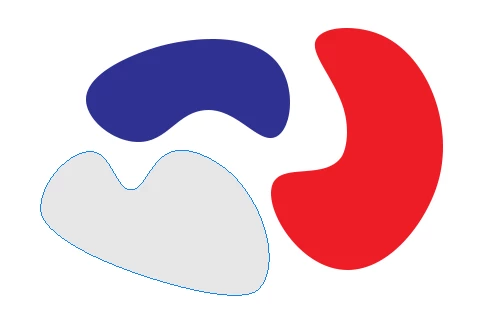
So, please someone could tell me how to make the anchor points visible when I select a layer, in order to modify them ?

This topic has been closed for replies.
Correct answer davescm

Hi

Click on the path with the path selection tool (black arrow)

or

If you have the pen tool selected hold down Ctrl and click on the path

Dave

2 replies

Semaphoric
Community Expert
Community Expert
February 14, 2018

Also, with any tool selected, Alt+Click on the path's thumbnail in the Paths panel.

davescm
Community Expert
davescmCommunity ExpertCorrect answer
Community Expert
February 14, 2018

Hi

Click on the path with the path selection tool (black arrow)

or

If you have the pen tool selected hold down Ctrl and click on the path

Dave

AdriankaAuthor
Participant
February 14, 2018

Thank you Dave, the pen tool + ctrl is exactly what I was looking for !!

davescm
Community Expert
Community Expert
February 14, 2018

You're welcome

Dave