
Participant
February 11, 2022
Answered

Performance settings - Purify/Decontaminate colors geyed out in Select and Mask in Photoshop

  • February 11, 2022
  • 1 reply
  • 319 views

Hi

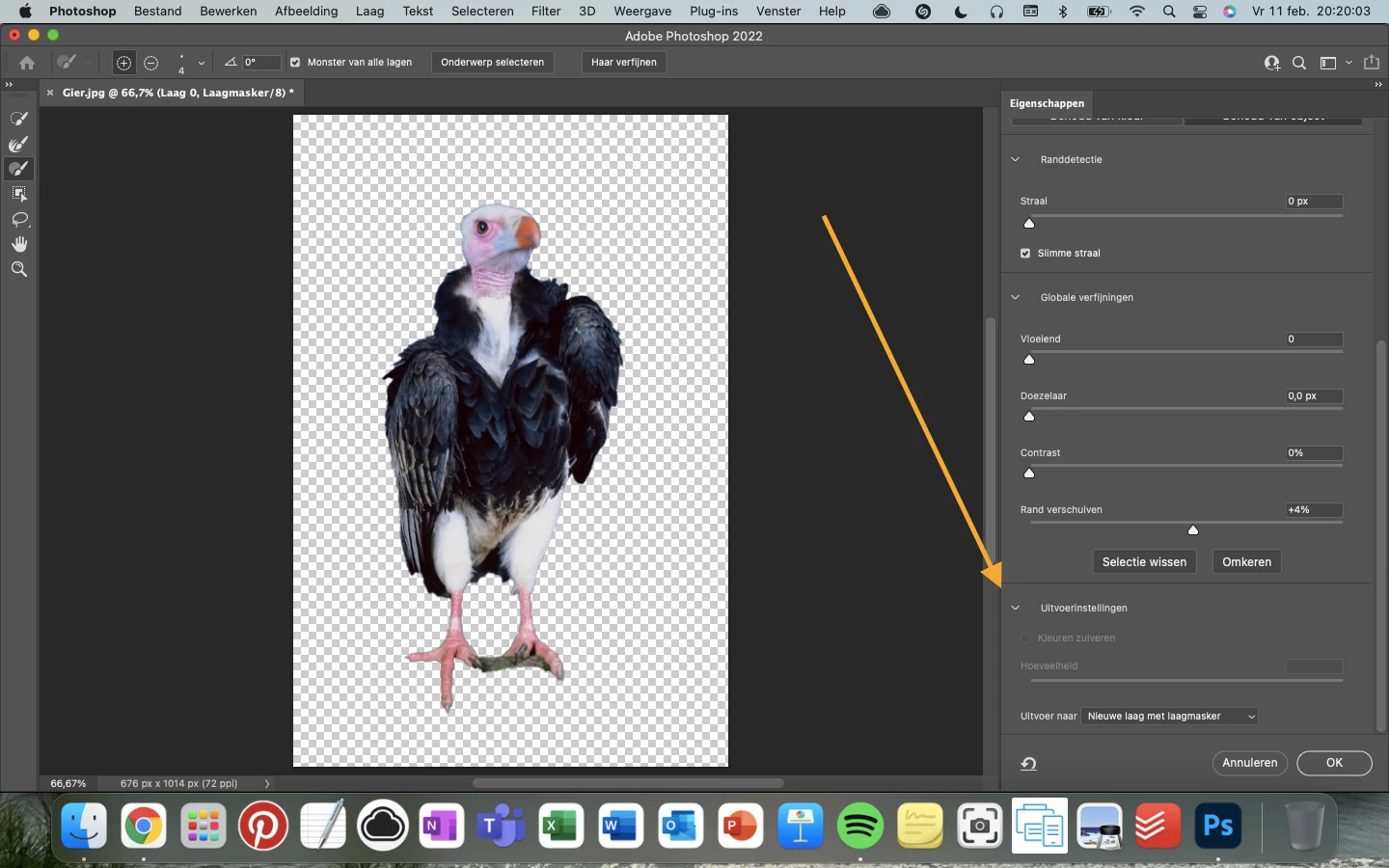
For some reason, my teacher and myself can't figure out how it come that I can't activate the option purify colors!? It worked, but most of the time I can't activate it. Kind Regards Kate


{Thread title edited by moderator}
This topic has been closed for replies.
Correct answer nikunj.m

Hi,


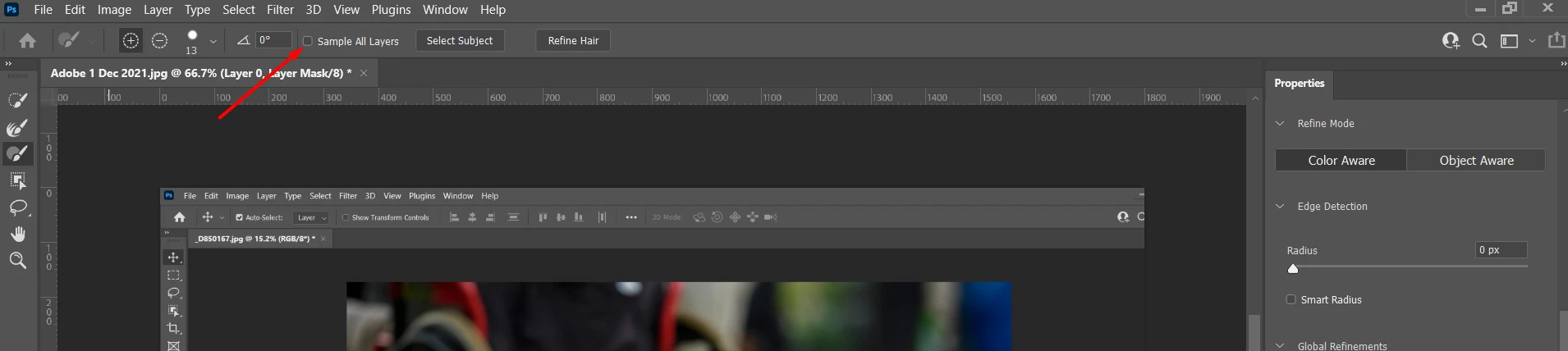
We're sorry about the trouble. You can try deselecting the option to Sample All Layers available at the top of the Select and Mask interface. Purify/Decontaminate Colors should be available for you to use after unchecking the option.


Hope this helps!

Regards,

Nikunj

1 reply

nikunj.m
nikunj.mCorrect answer
Legend
February 11, 2022

Hi,


We're sorry about the trouble. You can try deselecting the option to Sample All Layers available at the top of the Select and Mask interface. Purify/Decontaminate Colors should be available for you to use after unchecking the option.


Hope this helps!

Regards,

Nikunj