Participant
March 26, 2025
Question

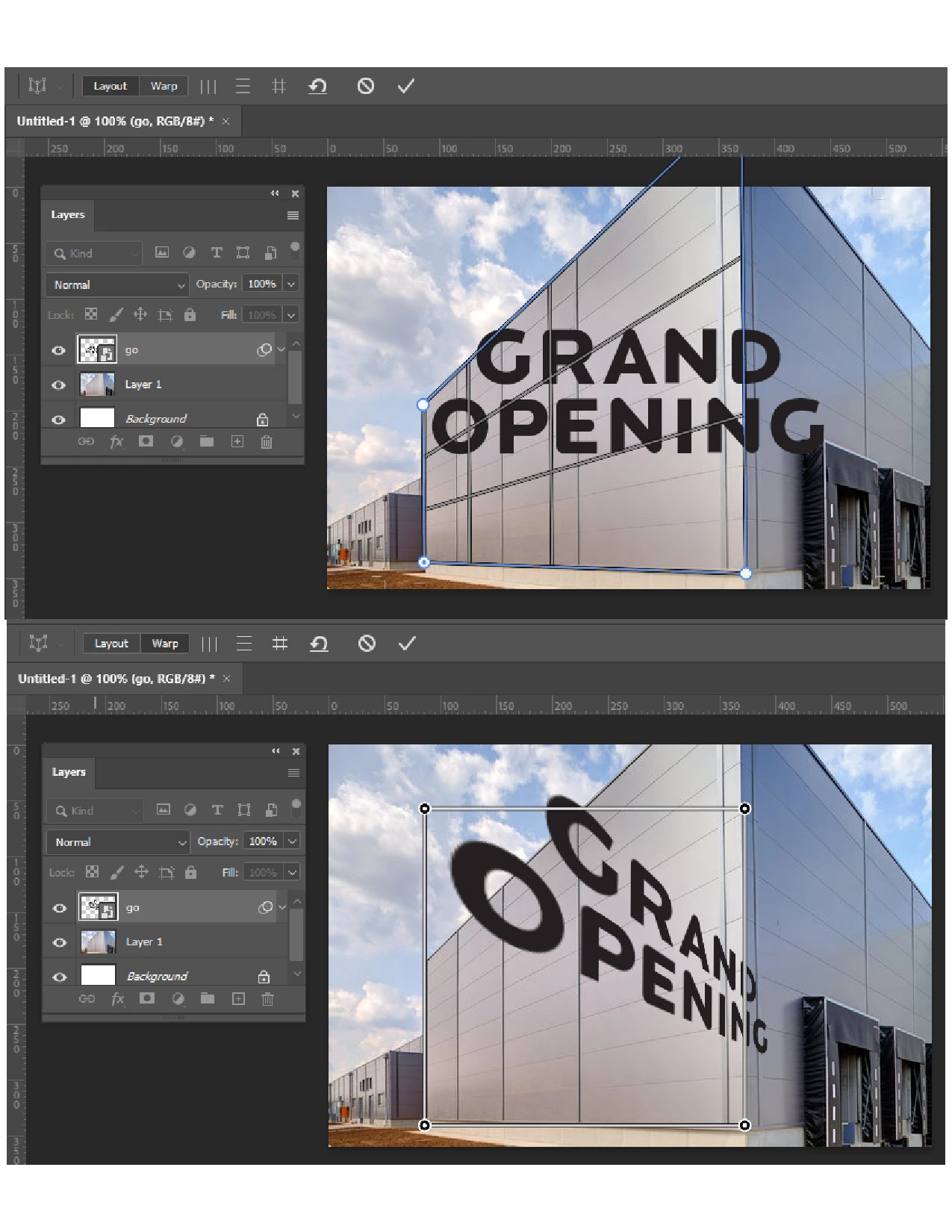
Perspective Warp Result is Mirrored
  • March 26, 2025
  • 4 replies
  • 695 views

I have not been able to use the Perspective Warp tool for quite some time now. My need for it finally brought me here. Is this a Graphics Processor issue? Is there any fix other than buying a new PC? 

4 replies

davescm
Community Expert
Community Expert
March 28, 2025

The result is expected - you are working backwards.

Under layout, simply ensure that the box surrounds your text. At this stage do not match it to the building.


Then under Warp - drag the handles and match the warp to the building.

Dave

Participant
March 29, 2025

Hi Dave, I appreciate the input but I'm afraid that is not a solution: the end result using this method will vary depending on the size and shape of the box you initially draw around the text--try it.

Jeff, I've seen mentions of it flipping the effect but not mirroring as my issue portrays itself.

Sigh...

Trevor.Dennis
Community Expert
Community Expert
March 29, 2025

If you want to fit text to a surface that has any sort of perspective, the first thing you do is make it a Smart Object.  The bounding box and handles will then maintain their position relative to the text.


I have the text layer square to canvas and a temporary rectangle.

I am going to select both layers and make them a smart object.


Fit the SO to the building


Double click to edit the SO and turn off the temp layer.


You don't even need the temp layer to be turned on. The bounding box will still fit to the SO edit window size, and the handles will still be in that position through multiple edits.

To change the text position, open the SO again and move it relative to the its canvas bounds.

Never ever try and edit a distorted text layer.  That will drive you crazy quicker than obsessing about colour spaces, and other pixel peeping acts of madness.


Jeff Arola
Community Expert
Community Expert
March 28, 2025
Participant
March 27, 2025

...Nope, same result. Darn, I had high hopes there.

Version 26.5.0 ( this started happening several versions ago )

Thanks Jeff

Jeff Arola
Community Expert
Community Expert
March 27, 2025

What version of Photoshop do you have?


In Photoshop go to Edit>Preferences> Technology Previews, check Older GPU mode (pre 2016), then restart Photoshop.