
Participating Frequently
July 31, 2019
Answered

Photo changes contrast when put on new background in Photoshop

  • July 31, 2019
  • 1 reply
  • 985 views

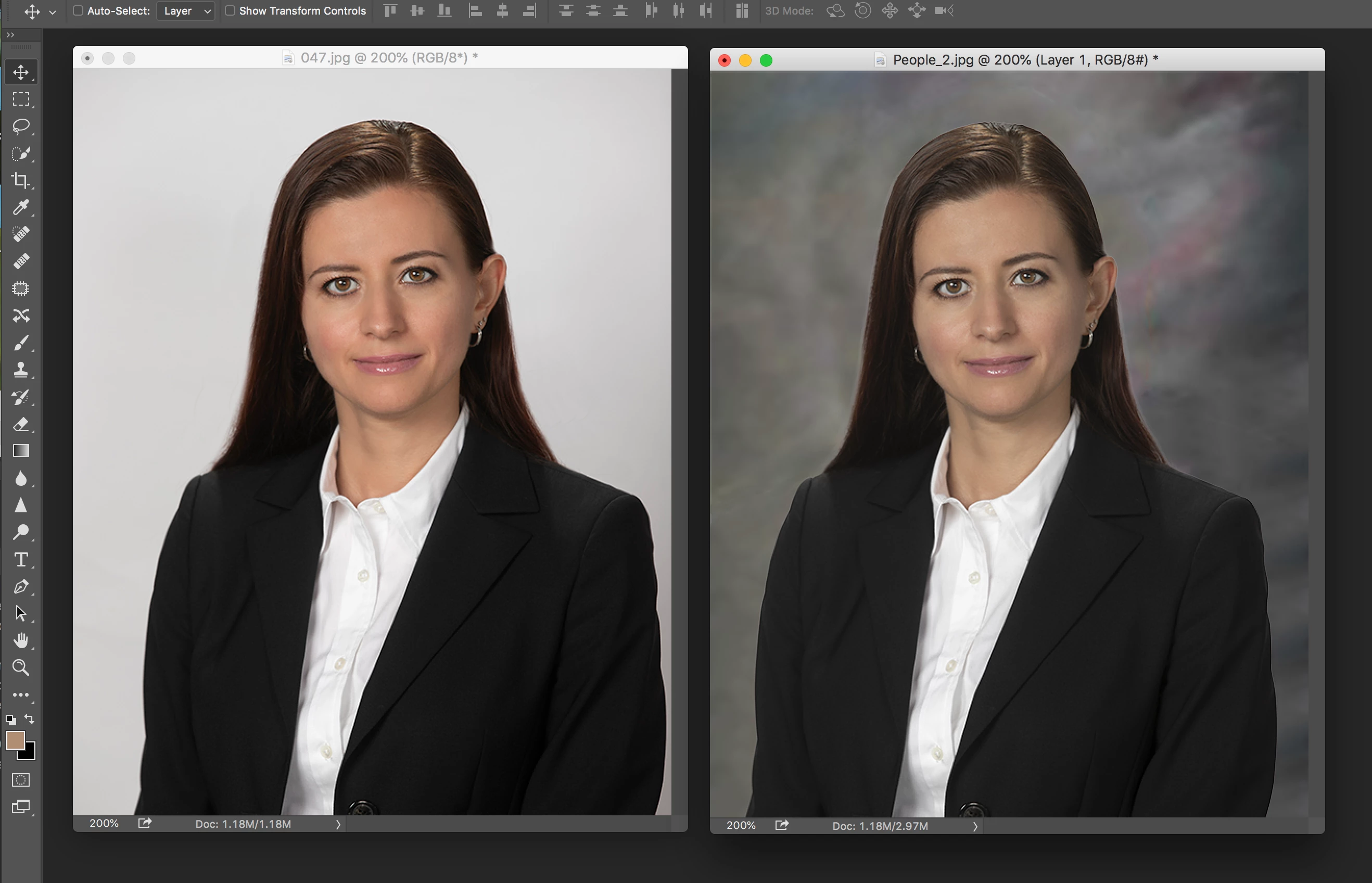
I created a portrait, selected it and move it on to a new background. I have done this often, BUT this time the portrait lost contrast. What am I doing wrong?

Thanks!
Message was edited by: Sahil Chawla
    This topic has been closed for replies.
    Correct answer Sahil.Chawla

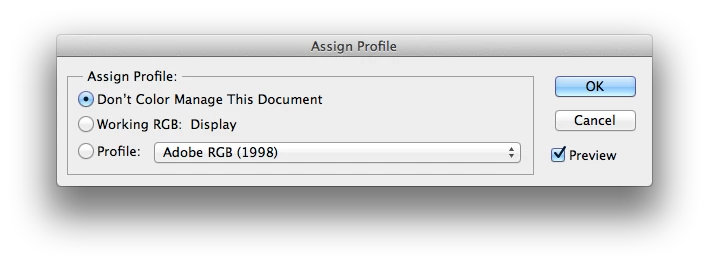
    Thanks for sharing the screenshots!

    It sounds like the documents have different color profiles assigned to them. You can check by choosing Assign Color Profile from the Edit menu. That will show you the color profile attached to the document.

    If that does not help, associate sRGB IEC61966-2.1 Color profile on your system,
    Change Color Profile to
    sRGB IEC61966-2.1 for both Windows & macOS: https://www.lightroomqueen.com/how-do-i-change-my-monitor-profile-to-check-whether-its-corrupted/

    1 reply

    Sahil.Chawla
    Adobe Employee
    Adobe Employee
    July 31, 2019

    Hi there,

    That shouldn't be happening, let's make it right.

    As the image changes contrast when placed in a new document, we would some more information to troubleshoot further:

    • What version of Photoshop you're working with?
    • Could you share a screenshot of the layer panel of both the documents?
    • Please make sure that both documents share same color and bit mode by going to Image > Mode

    Regards,
    Sahil

    Participating Frequently
    July 31, 2019

    Thanks. I am using Photoshop CC 2015. Yes both photos are RGB 8 bits.

    Hope this helps, Thanks!

    Sahil.Chawla
    Adobe Employee
    Sahil.ChawlaCorrect answer
    Adobe Employee
    July 31, 2019

    Thanks for sharing the screenshots!

    It sounds like the documents have different color profiles assigned to them. You can check by choosing Assign Color Profile from the Edit menu. That will show you the color profile attached to the document.

    If that does not help, associate sRGB IEC61966-2.1 Color profile on your system,
    Change Color Profile to
    sRGB IEC61966-2.1 for both Windows & macOS: https://www.lightroomqueen.com/how-do-i-change-my-monitor-profile-to-check-whether-its-corrupted/