
Participant
July 2, 2021
Question

Photo get's lighter when I export from Photoshop

  • July 2, 2021
  • 1 reply
  • 258 views

Hi


I have a bit of a problem with exsporting portraits from photoshop. As you can see in the screenshot my image get's lighter and less saturated after export.
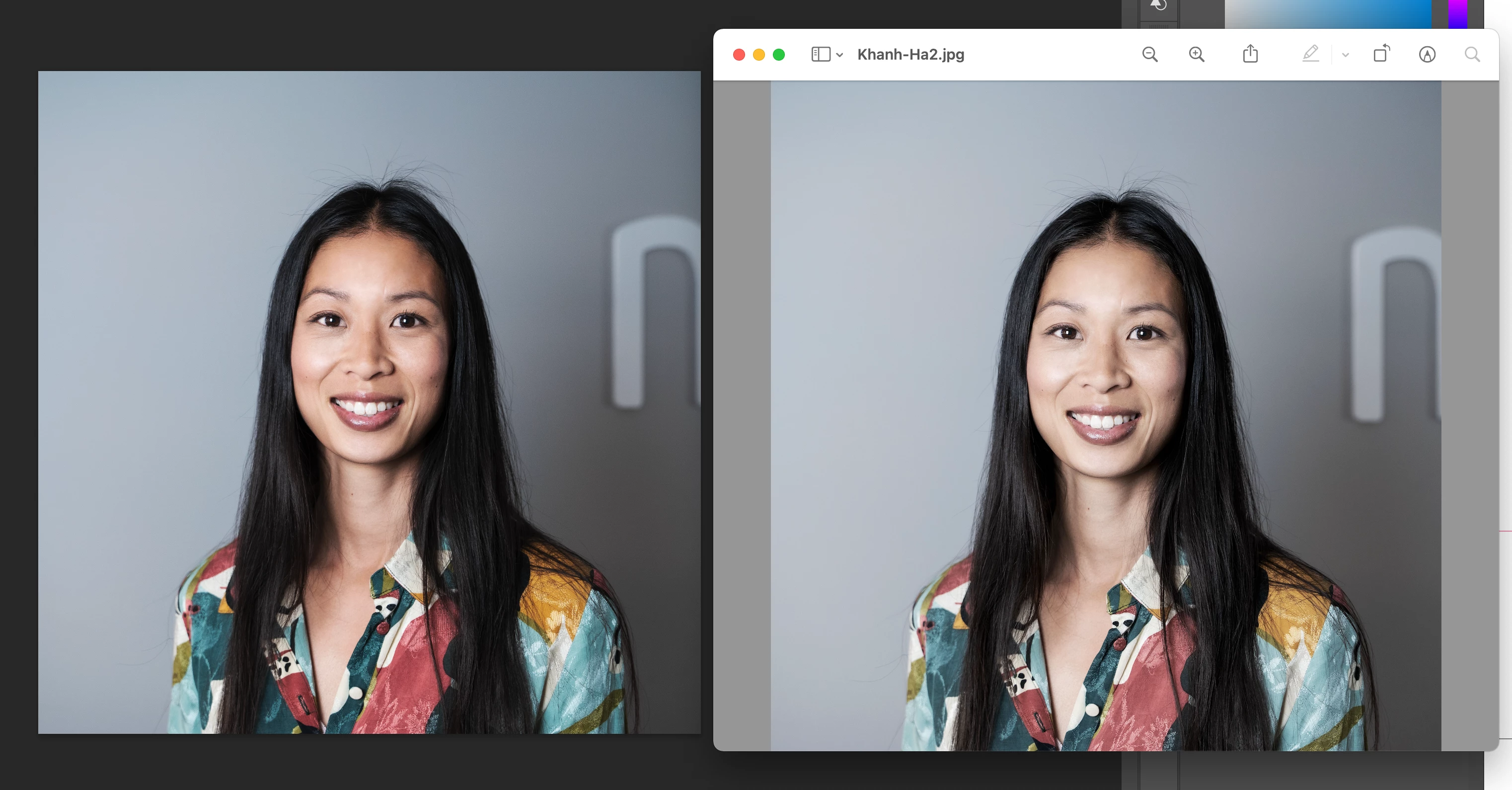


  • The photographer used sRGB
  • The color profile in my document is sRGB
  • I tried using both exsport as and export for web
  • I have "Embed color profile" checked.
  • I work in 8 bit


Does anybody have an idea why this could be happening. because I don't know what else to do?


This topic has been closed for replies.

1 reply

c.pfaffenbichler
Community Expert
Community Expert
July 2, 2021

What is the other application? 

Is it Color Managed? 

If not please disregard its preview in the future. 

Participant
July 2, 2021

The right one is just the default image app on mac. 
So if I understand you correctly I should just go by how it looks in photoshop, not on the image viewer? 🙂 

c.pfaffenbichler
Community Expert
Community Expert
July 2, 2021

That seems odd, Mac’s Viewer should be Color Managed as far as I know. 

Could you please set the Status Bar to »Document Profile« and post another screenshot of the same image in Photoshop and Viewer?