Hillin90
Participant
January 30, 2017
Answered

Photo in PS is fine, upload it anywhere else and it's contrasted/darker?

  • January 30, 2017
  • 1 reply
  • 731 views

When I work on a photo in PS it's fine, colours are okay - I upload them to imgur, picpar, tinypic, etc, it becomes contrasted and darker.

Here's the 'before'.
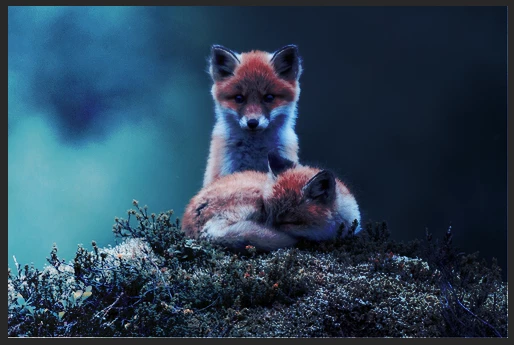
And here's the 'after'. It's a subtle difference but it adds green or blue to the colours and then makes it more contrasted. On other photos the difference isn't easily ignored and I'd really like there to be consistency.

If anyone can help me out with this I would greatly appreciate it, thank you.

This topic has been closed for replies.
Correct answer D Fosse

I did as told and I still see the difference. I'm not sure what's up but thank you for your answer! It helped, if even a little.


Well, it's actually quite simple.

If the file has an embedded icc profile, and it is viewed in a color managed application that will convert from that and into your monitor profile - then it will always display correctly. All color managed applications should always display identically.

If they don't, one of the three links in that chain is failing (source profile-conversion-destination profile). Usually it's the last of these, the display profile.

1 reply

Nancy OShea
Community Expert
Community Expert
January 30, 2017

I don't see a whole lot of difference between the 2 images.  Maybe because I'm on Win10 and using Firefox.

Which OS and browser are you using?  Believe it or not that can make a big difference.  Web images typically look darker on Mac browsers.

Nancy

Nancy O'Shea— Product User & Community Expert
Hillin90
Hillin90Author
Participant
January 30, 2017

I'm using Win10 on chrome. I did try using ExplorerEdge to see if the images were different, but they weren't. The difference isn't huge but when I'm editing other photos - it actually looks noticeable. I'd never had this issue before, which is why it bothers me.

Nancy OShea
Community Expert
Community Expert
January 30, 2017

Keep in mind that when you upload stuff to social sharing sites, they are apt to step on quality if for no other reason than to conserve resources on their servers (bandwidth, speed, etc...).  Since you cannot control this, you have to just live with it. 

What method are you using to save the JPG file?  File > Export As or Legacy Save for Web?

Nancy O'Shea— Product User & Community Expert