
gtsolid
Known Participant
May 13, 2019
Answered

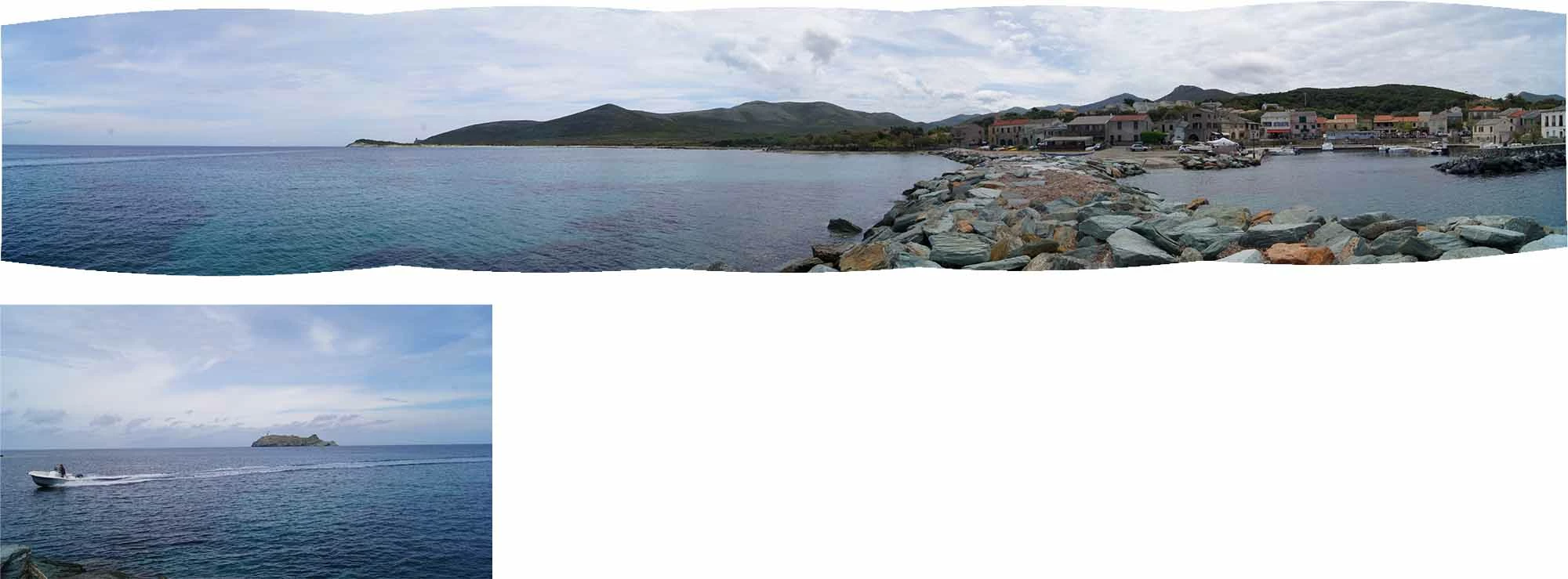
Photo not placed suring a photomerge

  • May 13, 2019
  • 3 replies
  • 803 views

Hi everyone,

during a photomerge in CC2019 i notice that a photo can't be place in a proper way automatically.

Can i place it manually in order to finalize the panorama?

    This topic has been closed for replies.
    Correct answer D Fosse

    Short answer: water doesn't count as overlap, in any form or shape. It's completely changed between individual frames.

    Sky usually works better, at least if the clouds are not moving too rapidly - but very soft clouds is also a problem. The algorithm needs some crisp edges.

    In situations like this, err on the safe side and take some extra shots. There has to be about 40% solid overlap between frames.

    3 replies

    D Fosse
    Community Expert
    D FosseCommunity ExpertCorrect answer
    Community Expert
    May 13, 2019

    Short answer: water doesn't count as overlap, in any form or shape. It's completely changed between individual frames.

    Sky usually works better, at least if the clouds are not moving too rapidly - but very soft clouds is also a problem. The algorithm needs some crisp edges.

    In situations like this, err on the safe side and take some extra shots. There has to be about 40% solid overlap between frames.

    c.pfaffenbichler
    Community Expert
    Community Expert
    May 13, 2019

    gtsolid
    gtsolidAuthor
    Known Participant
    May 13, 2019

    Can you be clearer? i have these panels

    i think you duplicated (why?) and then applied the mask. Can you explain me your procedure please?

    Bojan Živković11378569
    Community Expert
    Community Expert
    May 13, 2019

    On screenshot provided above, panorama is not duplicated it is Background layer or bottom most layer. Layer with island and boat is placed above composition or panorama, layer mask is applied and Curves adjustment layer is clipped to layer with boat to adjust tones to match with panorama.

    You need to select portion or image where is boat and small island then to use Cut command to cut then paste on the layer above panorama - just paste, new layer should be automatically created. Position that new layer and mask it so only boat is visible and the rest is hidden with mask. The last operation can be to create Curves adjustment on top, to clip to bottom, newly created layer and to adjust tones as needed.

    c.pfaffenbichler
    Community Expert
    Community Expert
    May 13, 2019

    I suppose you can convert the Layer to a Smart Object and Free Transform it to fit in, then add a Layer Mask and clipping masked Adjustment Layers if necessary.

    Please post a screenshot with the Layers Panel visible.

    The overlap does not seem that little, but the clouds are not very contrasty and waves are almost certain not to line up properly is such shots.