Participant
January 26, 2018
Answered

Photo transparency

  • January 26, 2018
  • 2 replies
  • 365 views

I need help adjusting the transparency of an entire photo in a simple way

This topic has been closed for replies.
Correct answer Chuck Uebele

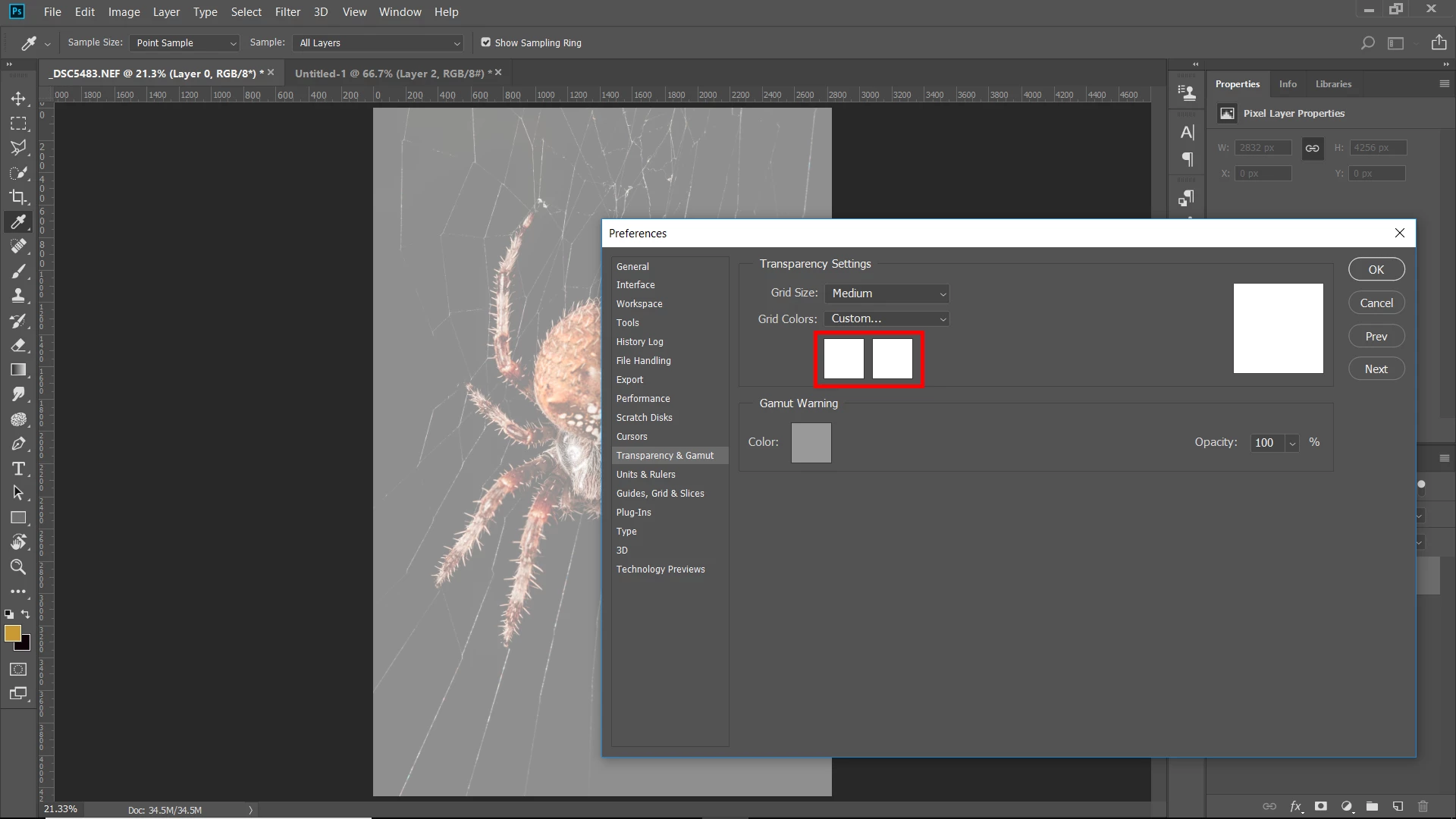
You can change the grid colors to be the same in the preferences, so the checker pattern doesn't show up.
2 replies

Participant
January 26, 2018

If I go to PowerPoint and click format picture, there is a transparency button that you can adjust in terms of a percentage...but I cannot find anything similar on Photoshop CC.  Help please

Chuck Uebele
Community Expert
Community Expert
January 26, 2018

I'm not exactly sure what results you're looking for, but if you open a file that just has a background layer, click on the lock icon to unlock the layer, then adjust the opacity of the layer in the layer's panel.

Participant
January 26, 2018

Thanks for your response!  I am a beginner.  If I go to the sidebar, my picture is titled layer 0, I have no other layers.  There is a button called opacity.  If I reduce from 100% to say 38%, the picture is covered in white a grey checkers, which I don't want.  What am I doing wrong?  Thanks again for your help!

Chuck Uebele
Community Expert
Community Expert
January 26, 2018

The checkers just let you know that there is transparency. It doesn't show up if you print the image.