
Photomerge ! I have many, many images - can it be done in sections?
Hi there
I am using the photomerge tool using HQ satellite oblique imagery and have had superb results so far. However it is only with 16 images when I have about 60 images that need to be stitched and kept at its resolution in order to be printed on large format printing to fill a wall space (+-5 meters x 3 meters) so the quality has to be just as good. The two things I would like to do are
- 1) Merge a set of images per time say 16 out of the 60 and then merge each stitched set of 16 together with another stitched set of 16. That does not seem to work though, it seems to want all the images at once.
- 2) When I do 16 images the RAM goes up to 10 GIGs, I have 16 GIGs of RAM so if I do 60 Images I can only imagine what kinds of resources I will need and it will probably crash the computer. My concern if it does manage to do all 60 is that it may not stictch the photos correctly some might be in a wrong position and then that would require me to redo the whole thing.
How can I go about this? Does anyone have any tips to help me ? Is there a way to stitch sets together ? Must I increase Page File? Is there a setting in photoshop that allows it to use more resources such as a page file?
Image resolution:
4mb per image
10cm per pixel resolution
+-7000x4000
Photoshop CC 2017
Core i7 - 4760
16 G RAM
Cheers
Darren
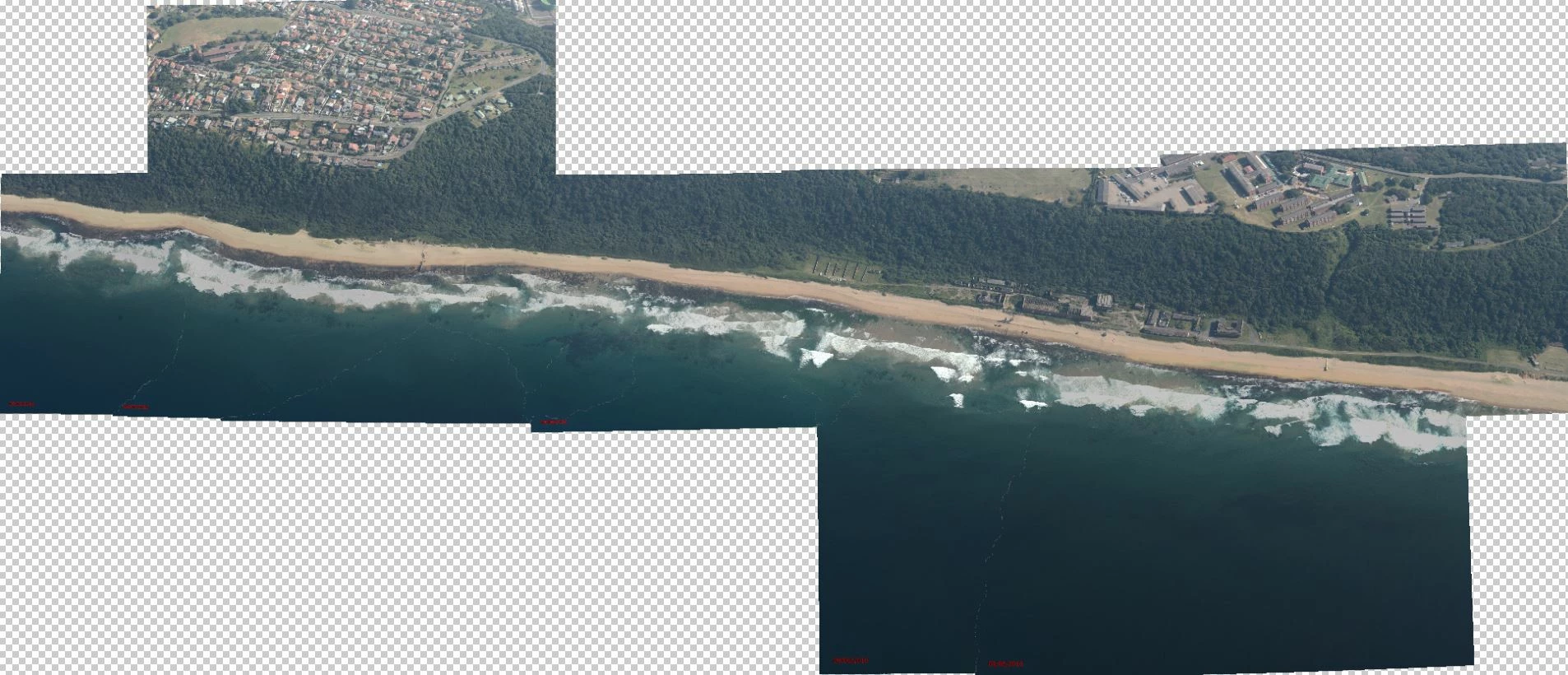
Here is the 16 image stitch: The results were
96dpi
820cm X 350cm
 AdChoices